
 Try the Workspace
Music Video Creation Guide for Quick YouTube Launch
Explore this music video creation guide designed for musicians. Follow simple steps to make a long form video and launch a YouTube ad campaign for your single.
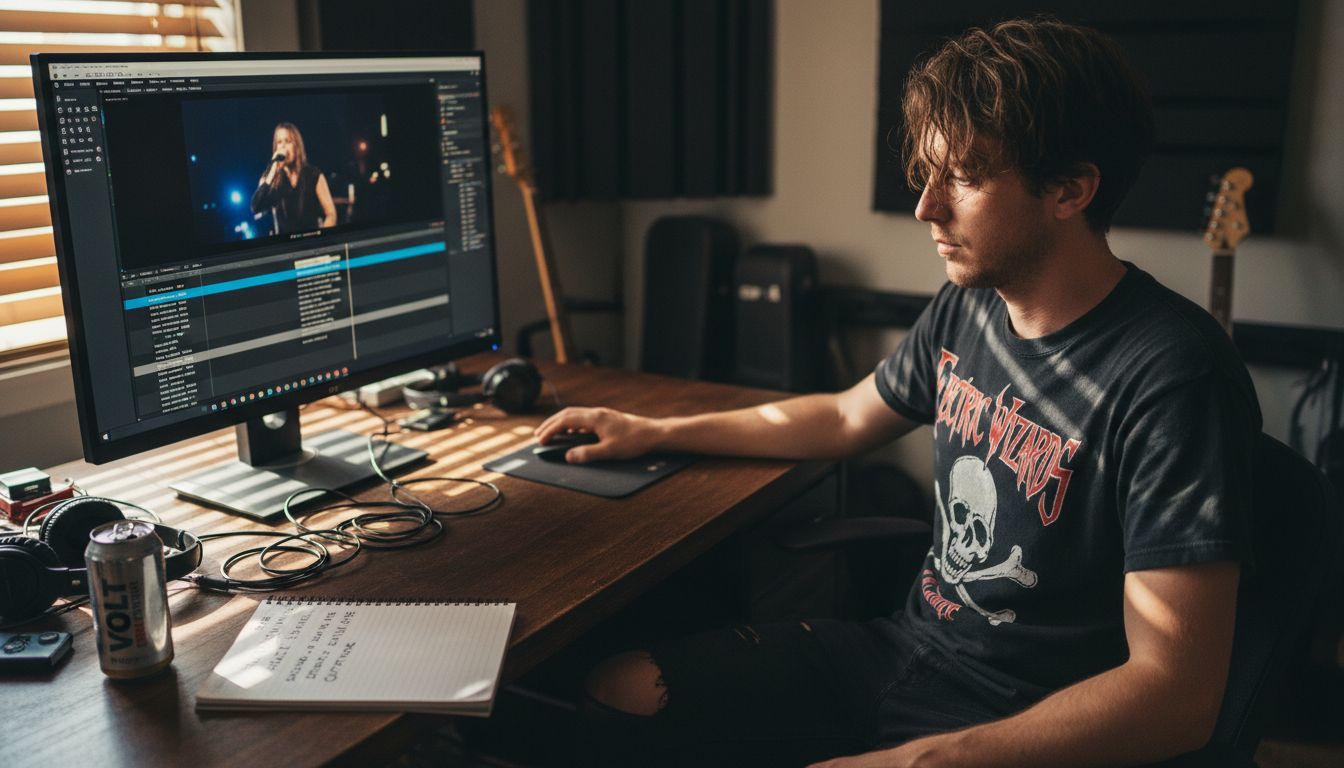
Music Video Creation Guide for Quick YouTube Launch
Launching a new song can feel overwhelming when you face limited technical resources and tight deadlines. Many independent musicians need straightforward tools to build compelling music videos that actually connect with fans on YouTube. This step-by-step guide highlights compatible media elements and legal resources from Creative Commons and Wikimedia Commons, making it easier to gather assets, choose editing platforms, and synchronize visuals with your music. Discover practical, user-friendly strategies to transform your singles into visually engaging stories for a global audience.
Table of Contents
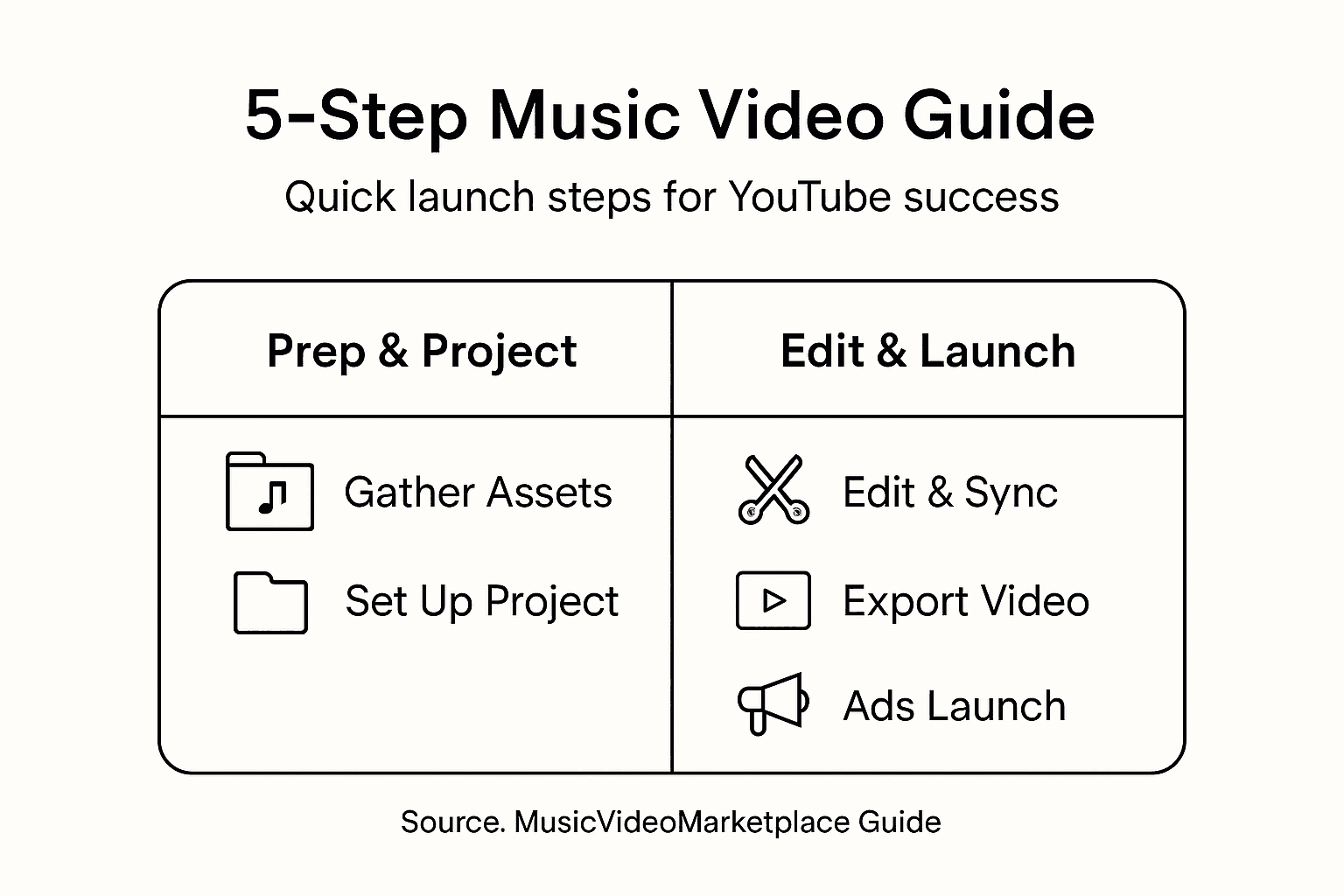
- Step 1: Gather Essential Video And Song Assets
- Step 2: Set Up Your Video Project With Intuitive Tools
- Step 3: Edit And Sync Visuals To Your Music Track
- Step 4: Export Your Completed Music Video For YouTube
- Step 5: Create And Launch A Targeted YouTube Ad Campaign
Quick Summary
| Key Insight | Explanation |
|---|---|
| 1. Gather quality audio and visuals | Start with high-resolution audio recordings and visually compelling footage that align with your song’s message for an engaging experience. |
| 2. Choose user-friendly editing tools | Select intuitive video editing software with essential features like multi-track editing and drag-and-drop functionality to streamline your workflow. |
| 3. Sync visuals with music precisely | Edit your video to match visual transitions and energy levels with the musical rhythm for cohesive storytelling. |
| 4. Optimize export settings for YouTube | Use MP4 format with h.264 codec and maintain original resolution to ensure high-quality playback across devices. |
| 5. Implement targeted YouTube ad campaigns | Create audience-specific ads with engaging content and manageable budgets, continuously refining strategies based on viewer engagement. |
Step 1: Gather essential video and song assets
Successfully launching a music video requires strategic preparation of your visual and audio materials. This initial phase focuses on collecting the right resources that will transform your musical vision into an engaging YouTube experience.
Begin by securing high-quality audio tracks and visual content. Your primary goal is assembling compatible media elements that will create a compelling narrative. Consider these key asset gathering strategies:
- Original Song Recording: Ensure you have a professional, high-resolution audio file of your track
- Video Footage: Collect raw video clips that align with your song’s mood and message
- Performance Clips: Include live or studio performance recordings if available
- Stock Footage: Supplement your narrative with Creative Commons licensed media that enhances storytelling
When sourcing visual content, prioritize legal and copyright-compliant resources. Platforms like Wikimedia Commons offer extensive royalty-free video collections that can elevate your project’s production quality without risking legal complications.
Understand that each asset should serve a specific purpose in your music video’s narrative arc. Match visual elements to your song’s emotional landscape, ensuring seamless integration between sound and imagery.
Successful music videos create a visual language that resonates with your audience’s musical experience.
Pro tip: Always maintain high-resolution source files and create backup copies of all your creative assets to prevent potential loss during editing.
Step 2: Set up your video project with intuitive tools
Transforming your music video from raw assets to a polished final product requires selecting the right editing platform that matches your technical skills and creative vision. Your goal is to find an intuitive tool that simplifies the complex process of video production.
Modern video editing software offers powerful yet user-friendly interfaces designed to streamline your creative workflow. Look for platforms with comprehensive editing capabilities that support seamless project management. Some key features to consider include:
- Intuitive Interface: Easy-to-navigate workspace with drag-and-drop functionality
- Multi-track Editing: Ability to layer audio, video, and visual effects
- Interactive Video Tools: Interactive video editing capabilities that allow dynamic content integration
- Professional Editing Features: Advanced color grading, transitions, and audio mixing options
Professional tools like Blender’s video sequence editor provide robust options for musicians seeking comprehensive editing environments. These platforms support complex editing techniques while maintaining an approachable user experience that doesn’t require extensive technical expertise.
Here’s a summary of top video editing tools to consider for your music video project:
| Software | User Friendliness | Key Feature |
|---|---|---|
| Blender | Moderate | Advanced syncing tools |
| OpenShot | Easy | Simple export presets |
| Adobe Premiere | Professional | Multi-track editing power |
| DaVinci Resolve | Moderate | Robust color grading |
| Shotcut | Beginner-friendly | Flexible format support |
Choosing the right video editing tool is about balancing technical power with creative accessibility.
Pro tip: Always download and test multiple video editing software free trials to find the interface that feels most intuitive and matches your specific project requirements.
Step 3: Edit and sync visuals to your music track
Creating a compelling music video requires precise synchronization between your visual elements and audio track. This critical step transforms raw footage into a seamless narrative that captures your song’s emotional essence.
Mastering audio-visual synchronization techniques involves strategic editing and careful alignment of visual sequences. Blender’s video sequence editor provides powerful tools for achieving professional-level synchronization. Focus on these key editing strategies:
- Rhythmic Matching: Align video cuts and transitions with musical beats
- Emotional Pacing: Coordinate visual energy with song’s emotional landscape
- Precise Timing: Use audio track alignment techniques to ensure perfect sync
- Visual Dynamics: Match video sequence intensity to musical progression
Professional video editing requires understanding the nuanced relationship between sound and imagery. Watch your video multiple times, making incremental adjustments to create a harmonious blend of audio and visual elements. Pay close attention to how each visual transition complements the musical rhythm.
Musical storytelling happens when visuals and sound become one unified experience.
Pro tip: Create multiple rough cuts and listen with eyes closed to ensure the audio-visual synchronization feels natural and emotionally compelling.

Step 4: Export your completed music video for YouTube
Transforming your meticulously edited music video into a YouTube-ready file requires understanding the right export settings that balance quality and performance. This final step determines how your creative work will appear to potential viewers across different devices and internet connections.
Choosing the optimal export configuration is critical for maintaining your video’s visual and audio integrity. OpenShot’s export recommendations provide a solid framework for achieving professional results. Consider these key export strategies:
- Format Selection: Use MP4 with h.264 video codec
- Resolution Matching: Maintain original recording resolution
- Quality Settings: Balance file size with visual clarity
- Codec Configuration: Select optimal video export settings for YouTube compatibility
Professional music video creators understand that YouTube will automatically re-encode your upload. Therefore, focus on providing the highest quality source file possible. Aim for settings that preserve your original artistic vision while ensuring smooth playback across different devices and internet speeds.
Your export settings are the final brushstroke in your music video’s creative journey.
Pro tip: Always create a high-quality master export and keep an uncompressed backup of your original project files for potential future remixes or remastering.
Step 5: Create and launch a targeted YouTube ad campaign
Transforming your music video into a successful digital marketing strategy requires understanding YouTube’s complex advertising ecosystem. Your goal is to connect your artistic creation with the right audience, maximizing visibility and engagement.
Designing an effective ad campaign involves strategic targeting and creative presentation. Understanding YouTube’s ad platform enables musicians to reach specific demographic groups. Focus on these critical campaign development strategies:
- Audience Segmentation: Define precise listener demographics
- Creative Content: Develop compelling marketing campaign ideas that resonate
- Budget Allocation: Start with modest, trackable ad spend
- Performance Metrics: Monitor engagement rates and viewer retention
Successful YouTube advertising requires continuous refinement. Experiment with different targeting options, analyze viewer responses, and be prepared to adjust your approach. Your ad campaign is an extension of your musical storytelling, designed to create meaningful connections with potential fans.
Compare these YouTube ad targeting strategies at a glance:
| Targeting Method | Reach | Customization |
|---|---|---|
| Demographic Filters | Broad | Gender, age, location |
| Interest Groups | Moderate | Genre or lifestyle match |
| Retargeting | Niche | Prior viewers re-engaged |
| Custom Audiences | Highly targeted | Uploaded fan lists used |
Great music finds its audience when marketing meets creativity.
Pro tip: Create multiple ad variations to A/B test and discover which creative approach generates the most viewer engagement and emotional response.
Simplify Your Music Video Launch and Reach Your Audience Faster
Creating a professional music video that perfectly syncs visuals with audio and launches successfully on YouTube can feel overwhelming. The article highlights challenges like gathering high-quality assets, mastering video editing tools, syncing your visuals precisely to your music, and setting up targeted YouTube ad campaigns for maximum impact. These steps require both technical skill and creative focus that can slow down your momentum.
At MusicVideoMarketplace, we understand how vital it is for musicians to quickly turn their songs into engaging long-form videos ready for YouTube. Our platform empowers you to create stunning music videos within minutes, eliminating complicated editing processes while ensuring professional quality. Plus, you can easily launch tailored ad campaigns to connect with your ideal audience and accelerate your song’s exposure.
Experience how simple it is to overcome common video creation roadblocks with tools designed for musicians like you. Imagine focusing more on your music and less on mastering complex editing software. Ready to make your music video launch effortless and effective? Get started now at MusicVideoMarketplace and transform your creative vision into reality.

Don’t wait to amplify your music’s reach. Visit MusicVideoMarketplace today to create your music video and set up your YouTube ad campaign without any hassle.
Frequently Asked Questions
How do I gather the right assets for my music video?
To gather the right assets for your music video, start by securing high-quality audio tracks and relevant video footage that aligns with your song’s message. Collect original recordings, performance clips, and consider using Creative Commons licensed stock footage to enhance storytelling.
What video editing tools are best for beginners creating music videos?
For beginners, user-friendly video editing tools like OpenShot and Shotcut are great options. Start by downloading free trials of these platforms to find one that suits your creative style and technical skill level.
How can I synchronize visuals with my music track effectively?
To effectively synchronize visuals with your music track, focus on rhythmic matching and emotional pacing. Use techniques like precise timing to align video cuts with musical beats, ensuring a harmonious blend of audio and visuals.
What export settings should I use for uploading my music video to YouTube?
When exporting your music video for YouTube, use the MP4 format with the h.264 video codec to maintain quality. Ensure the resolution matches your original recording and balance quality settings to avoid excessive file size while preserving clarity.
What steps should I take to launch a targeted YouTube ad campaign for my music video?
To launch a targeted YouTube ad campaign, define your audience by demographics and interests, then create compelling ads that resonate. Start with a modest budget, track engagement metrics, and be prepared to refine your campaign based on viewer responses.
Recommended
Read next
 Music Video Marketing Guide for Independent MusiciansFollow this step-by-step music video marketing guide to create, promote and advertise your song effectively, boosting your music’s online presence and reach.
 Music video rollout guide for independent artistsDiscover the ultimate music video rollout guide for independent artists. Learn strategies to maximize views and engagement for your next release!
 Music Video Template Licenses: 8 Clauses Musicians Must CheckCheck 8 license clauses before using a music video template, separate visual rights from song clearance, and learn when ads or broadcast need more.
 £400–£2,500 Music Video Budgets: Licence, Edits & Ads for IndiesSee realistic sample budgets (£400–£2,500) and exact line items — licence, edits/exports, and ad spend — plus a pre-purchase checklist and when Music...
Turn the idea into a finished music video.
Drop your track into the Workspace and build your visual in minutes.