
 Try the Workspace
Create DJ promo videos that drive engagement and bookings
Learn how to create DJ promo videos that boost visibility, grow your fanbase, and attract more bookings with this step-by-step guide for DJs and producers.
Create DJ promo videos that drive engagement and bookings
Getting noticed as a DJ in 2026 means more than playing great music. Every week, thousands of producers and DJs upload tracks, sets, and clips, all fighting for the same scroll-stopping attention. The good news? A well-made promo video cuts through that noise faster than almost anything else. Viral short-form DJ clips can drive extraordinary growth in followers, shares, and real-world bookings. This guide walks you through every stage of creating DJ promo videos that actually perform, from the gear you need to the posting strategy that gets results.
Table of Contents
- What you need to make professional DJ promo videos
- Step-by-step guide: Filming and recording your DJ promo video
- Editing for impact: Making your DJ promo video stand out
- Optimising your promo for social growth and bookings
- What most DJs get wrong about promo videos (and how to fix it)
- Next steps: Create standout DJ promo videos with Music Video Marketplace
- Frequently asked questions
Key Takeaways
| Point | Details |
|---|---|
| Focus on short clips | 15–60 second high-energy videos perform best for DJ promotion on social media. |
| Prioritise clean audio | Record audio directly from your DJ setup and sync it for professional results. |
| Use proper lighting | Lighting hands and gear clearly is crucial for engaging visuals. |
| Edit for social formats | Free tools like CapCut let you quickly edit clips to match Instagram and TikTok best practices. |
| Post strategically | Optimising timing and using analytics can drive major growth in followers and bookings. |
What you need to make professional DJ promo videos
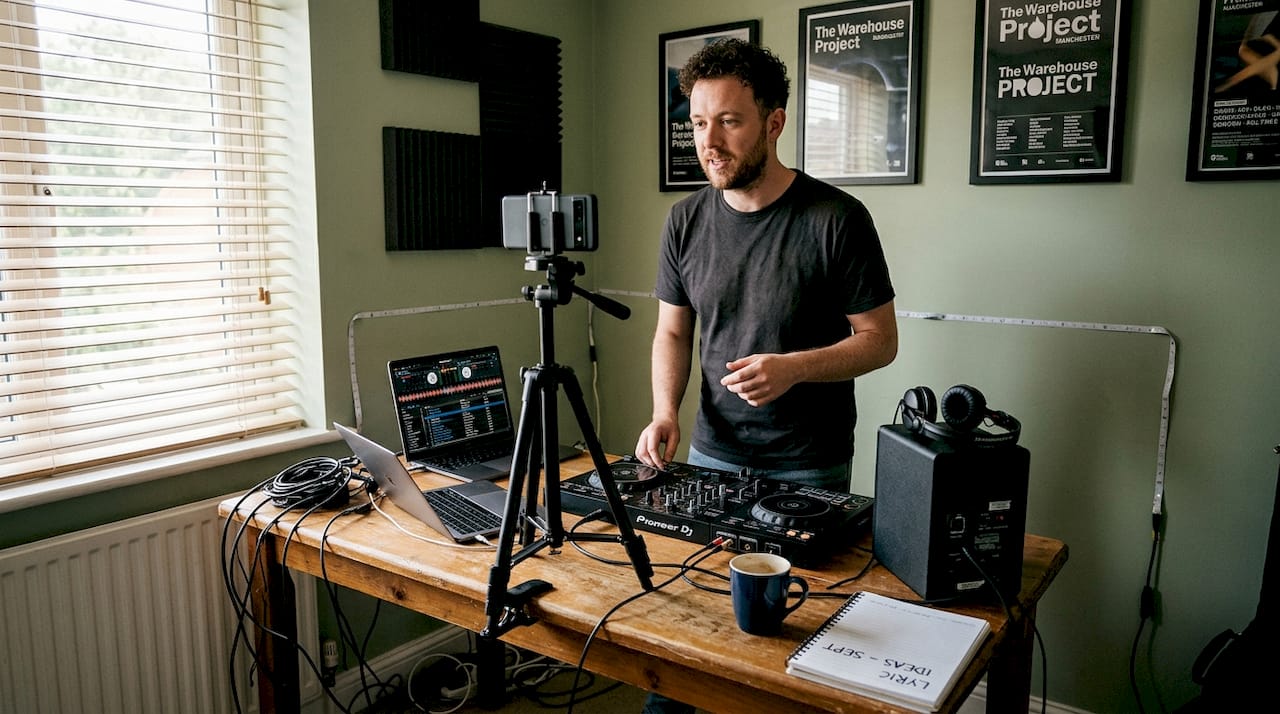
Before you press record, getting your setup right saves you hours of frustration later. You do not need a film crew or expensive studio to produce something that looks and sounds professional. What you do need is the right combination of equipment, preparation, and a clear plan.
Here are the essentials to get started:
- Camera or smartphone: A modern smartphone shoots excellent footage. Position it at eye level or slightly above your mixer for the most engaging angle.
- Tripod: Shaky footage kills credibility instantly. A basic tripod costs very little and makes a dramatic difference.
- Lighting: One well-placed key light on your hands and gear is enough to transform a dark, flat shot into something that looks polished.
- Audio cable or recorder: Never rely on your camera’s built-in microphone. A direct connection from your DJ setup captures clean, professional sound every time.
If you want to step things up, consider these optional upgrades:
- Multi-camera setup for dynamic cuts between angles
- Softbox or ring light for consistent, flattering illumination
- Graphic overlays and animated text for branding
A professional setup typically includes multicam recording, direct audio capture, controlled lighting, and editing in an app like CapCut. You can explore more video tools for musicians to find options that suit your budget and workflow.
| Setup level | Equipment needed | Estimated cost |
|---|---|---|
| Beginner | Smartphone, tripod, one lamp | £0 to £30 |
| Intermediate | DSLR, ring light, audio cable | £100 to £300 |
| Advanced | Multi-cam, softbox, audio interface | £500 and above |
Pro Tip: Before filming, do a two-minute test shot. Check that your hands and gear are clearly lit, your audio levels are balanced, and your background is clean and uncluttered. Fixing these things before you start saves you from re-shooting everything.
Understanding video content essentials early on also helps you make smarter decisions about what to film and why.
Step-by-step guide: Filming and recording your DJ promo video
With your gear assembled, you are ready to start filming. Here is exactly how to do it, step by step, so you avoid the most common mistakes DJs make when shooting promo content.
- Set up your camera on a tripod at a height that captures both your hands on the mixer and your face. This angle shows energy and skill simultaneously.
- Check your lighting before pressing record. Your main light should illuminate your hands and gear first. Viewers watch what DJs do, not just their expressions.
- Connect your audio directly from your DJ setup using a cable or portable recorder. As the Crossfader filming guide makes clear, you should record clean audio directly from your DJ setup and avoid the camera mic entirely, keeping your main light focused on your hands and gear.
- Film short, high-energy clips of two to three minutes maximum. You will trim these down in editing, so capturing more gives you options.
- Test multiple variations: try different angles, lighting positions, and moments in your set. Variety gives you more to work with when you edit.
- Add graphics and text sparingly during post-production. A simple track name or social handle is enough. Overloading the screen distracts from your performance.
- Review everything before publishing: check audio sync, visual clarity, and that your branding is consistent.
“The best DJ promo videos feel live and energetic, not staged. Capture the moment, then shape it in the edit.”
Looking at viral music video examples from other artists can spark ideas for angles and formats that work. You can also explore video marketing for DJs to understand how filming choices connect to your broader promotional strategy.
Pro Tip: Film at least three different clips per session. Platforms like Instagram and TikTok reward consistency, and having a small library of clips means you can post regularly without re-shooting every week.
Editing for impact: Making your DJ promo video stand out
You have captured great footage. Now let us transform it into a video that actually gets views and followers.
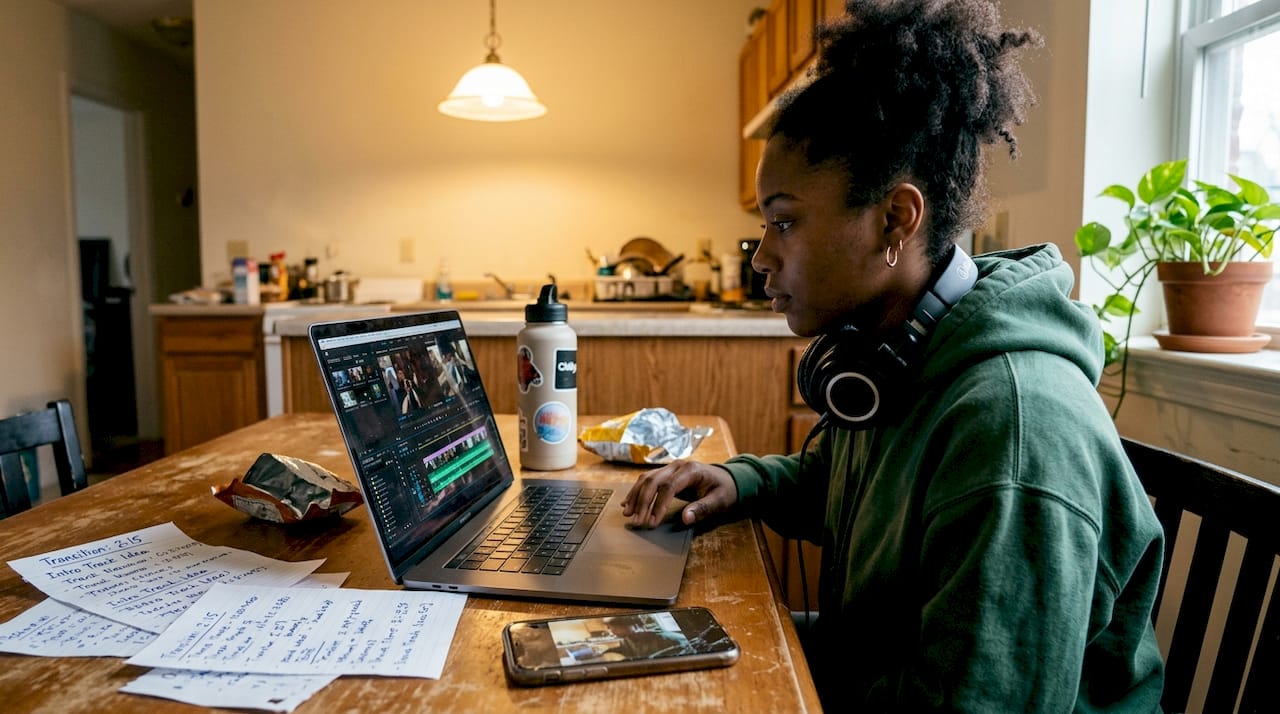
Editing is where good footage becomes great content. The most important principle is restraint. Less is almost always more when it comes to DJ promo videos. Here is what to focus on:
- Sync your audio to your visuals first. If the sound does not match what viewers see on screen, they will scroll away within seconds.
- Trim your clips to 15 to 60 seconds. Short clips perform better for social algorithms, and the Crossfader guide confirms that free tools like CapCut are entirely sufficient for producing professional results.
- Use minimal text overlays: your track name, a release date, or your social handle. Nothing more.
- Test multiple versions: Instagram’s Trial Reels feature lets you experiment with different cuts before committing to a final post.
| Video length | Best platform | Expected engagement |
|---|---|---|
| 15 to 30 seconds | TikTok, Instagram Reels | Highest reach |
| 30 to 60 seconds | YouTube Shorts, Instagram | Strong engagement |
| 60 to 90 seconds | YouTube, Facebook | Moderate reach |
| Over 90 seconds | YouTube only | Lower social reach |
Colour grading is worth a mention too. A consistent visual tone across your videos builds brand recognition over time. Most free editing apps include basic colour filters that can make your footage look cohesive without any technical knowledge.
Explore creative campaign strategies from independent musicians who have used smart editing to punch above their weight. You can also find specific music video promotion tips to help you distribute your edited content effectively once it is ready.
Optimising your promo for social growth and bookings
Editing is not the end. Promoting your video strategically is where the real impact happens.
Posting a great video at the wrong time, with no caption strategy or call to action, wastes all the effort you put into filming and editing. Here is how to maximise every upload:
- Post at peak times: generally Tuesday to Thursday evenings for electronic music audiences. Use your platform analytics to confirm when your specific followers are most active.
- Use Trial Reels on Instagram to test different versions of the same clip before pushing it to your full audience.
- Write a caption that prompts action: ask viewers to follow, share, or tag a friend who needs to hear this track.
- Link your promo videos to releases and gigs: a clip that teases a new track or announces a booking creates urgency and context.
- Repurpose across platforms: the same 30-second clip can go on TikTok, Instagram Reels, YouTube Shorts, and Facebook with minimal extra effort.
The numbers back this up. Kasablanca’s viral DJ promo generated 53,000 Instagram shares, over 10 million views, and a 385% increase in followers. That kind of growth does not happen by accident. It comes from combining compelling content with smart distribution.
Pro Tip: Always include your track name and a streaming link in your bio when you post a promo clip. Viewers who love what they hear will look for it immediately, and making it easy to find converts casual viewers into genuine fans.
For a deeper look at strategy, explore digital marketing for producers and learn how YouTube music promotion fits into a long-form content plan. If you want to go further, video ads for musicians can amplify your reach beyond organic posting.
What most DJs get wrong about promo videos (and how to fix it)
Most DJ promo video guides focus on what to do. We want to talk about what quietly kills results, because the mistakes are often invisible until it is too late.
The single biggest error is poor audio. DJs who record with their camera’s built-in microphone produce muffled, distorted sound that immediately signals amateur content to listeners. As the Crossfader filming guide highlights, poor lighting and audio kill engagement, and you must always prioritise direct audio capture and proper lighting on your hands and gear. No amount of clever editing fixes bad source audio.
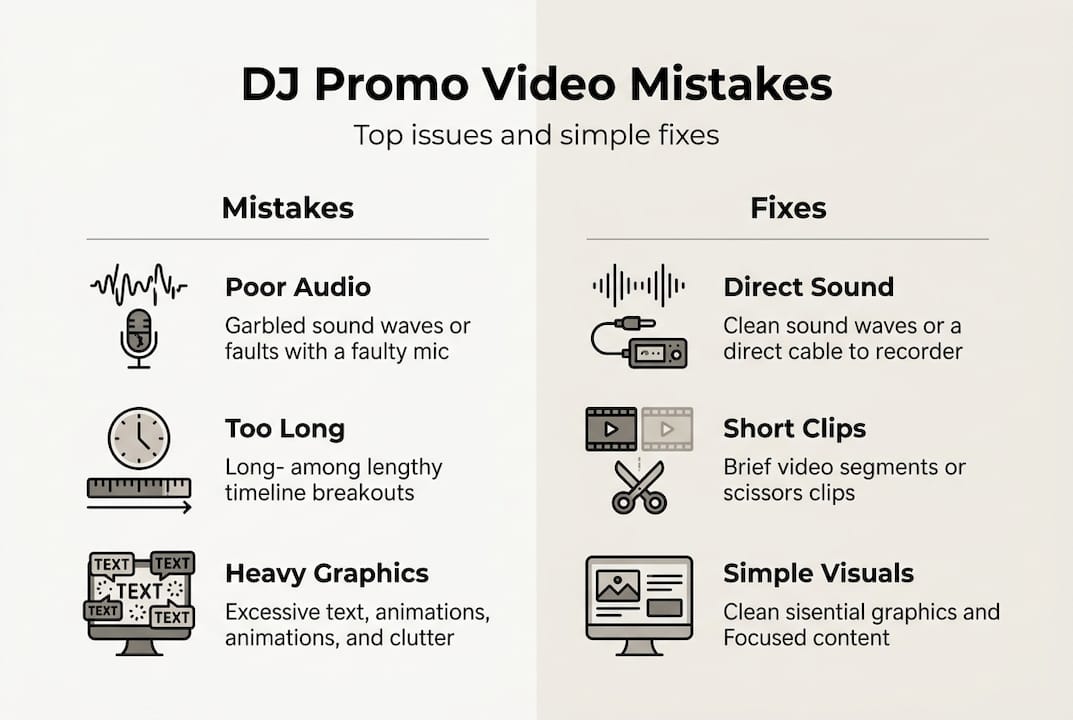
The second mistake is length. DJs often feel their performance needs context, so they post three-minute clips. Social platforms disagree. Anything over 60 seconds sees a sharp drop in completion rates, and the algorithm deprioritises videos that viewers abandon early.
Heavy graphic overlays are the third trap. Animated logos, scrolling text, and flashy transitions feel impressive to create but distract viewers from the actual performance. Your hands on the mixer, your energy, and your music are the product. Let them breathe.
Fixing these three things alone will put your promo videos ahead of the majority of DJ content online. Learn more about building a strategy that avoids these pitfalls by reading our guide on master DJ video marketing.
Next steps: Create standout DJ promo videos with Music Video Marketplace
If you are ready to take your promo videos further, here is where to find proven solutions and support.
At Music Video Marketplace, we help DJs and producers create long-form promotional videos in minutes, ready to upload directly to YouTube and launch as part of a targeted ad campaign for your track. No film crew, no complicated software, no wasted days.

Whether you are promoting a new release, building your fanbase ahead of a run of gigs, or simply trying to get more eyes on your music, our platform gives you the tools to move fast and look professional. Explore how to grow your fanbase with video content that works across every major platform. Your next promo video is closer than you think.
Frequently asked questions
What is the best length for a DJ promo video?
Aim for 15 to 60 seconds, as short clips outperform longer ones on social algorithms and keep viewers watching until the end.
How can I record high-quality audio for my DJ video?
Use a direct connection from your DJ setup and sync the audio in editing. Recording directly from your setup avoids the muffled, distorted sound that a camera microphone produces.
What editing apps should DJs use for promo videos?
Free apps like CapCut are ideal for quick editing and optimising DJ promo videos for short-form social formats without any cost.
What are the most important visual elements for DJ promo videos?
Always light your hands and gear clearly, use a tripod for stability, and keep your background uncluttered. The Crossfader filming guide confirms that focused lighting on your mixer and hands is the single most impactful visual choice.
How do DJ promo videos help grow fanbases and bookings?
Effective promo videos attract attention, encourage shares, and signal professionalism to promoters. The Kasablanca case study shows that viral short-form DJ clips can drive massive follower growth and open doors to significant booking opportunities.
Recommended
- Master DJ video marketing to grow your fanbase in 2026 | Music Video Marketplace Blog
- Why YouTube matters for DJs: grow your audience and career | Music Video Marketplace Blog
- Boost music video engagement: proven tips for 28% reach | Music Video Marketplace Blog
- Video Ads in Music Promotion: Power for Indies | Music Video Marketplace Blog
Read next
 Defining multimedia content strategy for music artistsDiscover the power of defining multimedia content strategy for music artists. Learn how to unify your message across platforms and engage fans.
 Digital music promotion explained: proven strategiesLearn proven digital music promotion strategies for independent artists, covering YouTube, playlist pitching, release cycles, and the metrics that drive real growth.
 Educational Video for Musicians: Boosting Song ReachEducational video for musicians explained: types, creation process, copyright rules, and best practices for impactful YouTube promotion by independent artists.
 Content outreach for musicians: your 2026 guideDiscover what is content outreach for musicians. Learn how to engage fans, promote your music, and boost your career with effective strategies.
Turn the idea into a finished music video.
Drop your track into the Workspace and build your visual in minutes.