
How to repurpose music videos for maximum reach
Discover how to repurpose music videos for maximum reach! Unlock new audiences and boost your views with these effective strategies.

How to repurpose music videos for maximum reach
TL;DR:
- Repurposing music videos involves adapting existing content into various platform-specific formats to maximize reach and engagement.
- A high-quality master file, proper AI preparation, and strategic planning enable the creation of multiple assets within 24 to 72 hours.
You spend weeks and thousands creating a music video, upload it to YouTube, and watch it plateau at a few hundred views. That’s a painful return on investment. Learning how to repurpose music videos is the fix. Content repurposing, the professional term for adapting existing media into new formats and contexts, lets you extract multiple deliverables from a single cinematic master. Done properly, it is not about reposting the same file everywhere. It is about adapting format and pacing for each platform’s audience and turning one shoot into a full release campaign.
Table of Contents
- Key takeaways
- How to repurpose music videos: preparing your assets
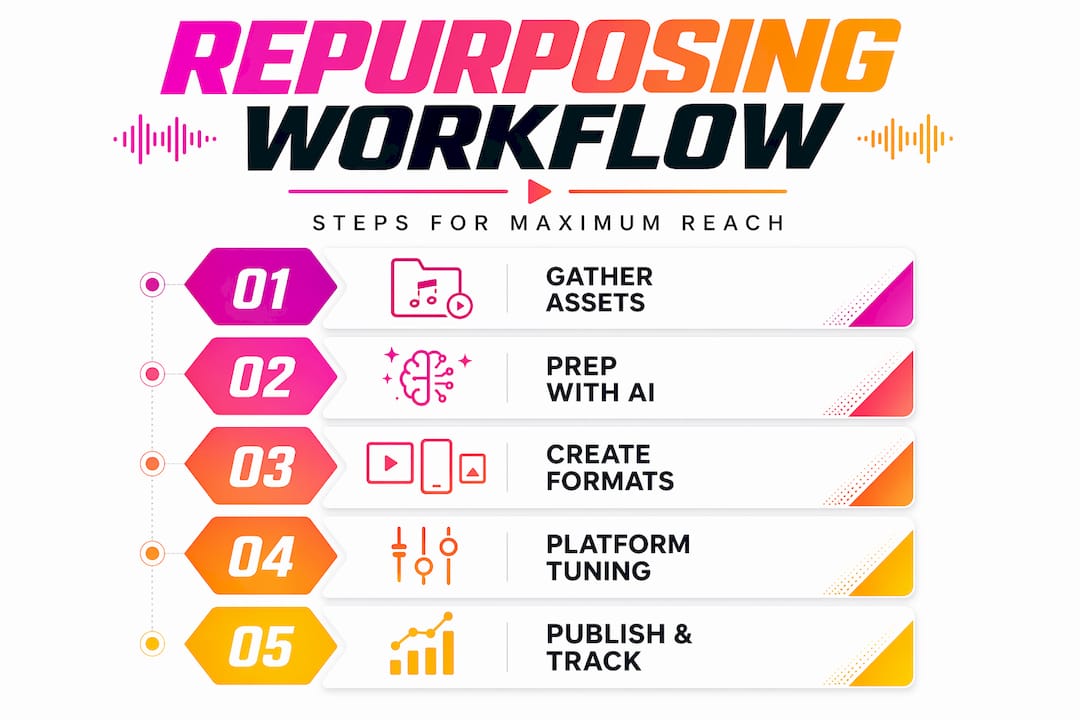
- The repurposing workflow: from master to multi-format
- Platform-specific repurposing strategies
- Common challenges and how to fix them
- My honest take on repurposing music videos
- Get more from every video you create
- FAQ
Key takeaways
| Point | Details |
|---|---|
| Start with a high-quality master | Your source file quality determines the ceiling for every derivative format you produce. |
| Plan asset bundles from day one | Thinking in bundles during production saves scrambling on release day and keeps quality consistent. |
| Tailor content per platform | Cross-posting identical clips without adaptation delivers far weaker results than platform-specific edits. |
| Use AI for preparation, humans for precision | AI handles transcription and scene detection well, but lyric captions and creative cuts need human review. |
| Track performance and iterate | Repurposing is a cycle. Metrics from each release should directly inform your next campaign. |
How to repurpose music videos: preparing your assets
Before you touch an editing timeline, you need to gather the right raw materials. Skipping this step is the single most common reason repurposing projects turn out inconsistent or fall apart mid-workflow.
Your foundation is a high-quality master file. This should be the full-resolution, uncompressed or lightly compressed export from your editing suite. Think of it as the source of truth. Every Short, Reel, Canvas, and teaser you produce will pull from this file, so any compression artefacts or colour grading issues present in the master will follow every derivative you create.
Beyond the video file itself, gather the following before you begin:
- Stems and audio files: Your mixed and mastered WAV or AIFF, plus any instrumental or acapella stems for platform-specific audio needs.
- Metadata: Song title, ISRC code, performing artist name, copyright year, and label or distributor details. Embedding metadata such as your ISRC in video files before distribution aids discovery and rights management significantly.
- Camera reports and shot lists: Knowing your original framing, lens choices, and scene order speeds up the reframing process enormously.
- Lyrics document: A clean, formatted copy of your lyrics, verse by verse, with timestamps if possible.
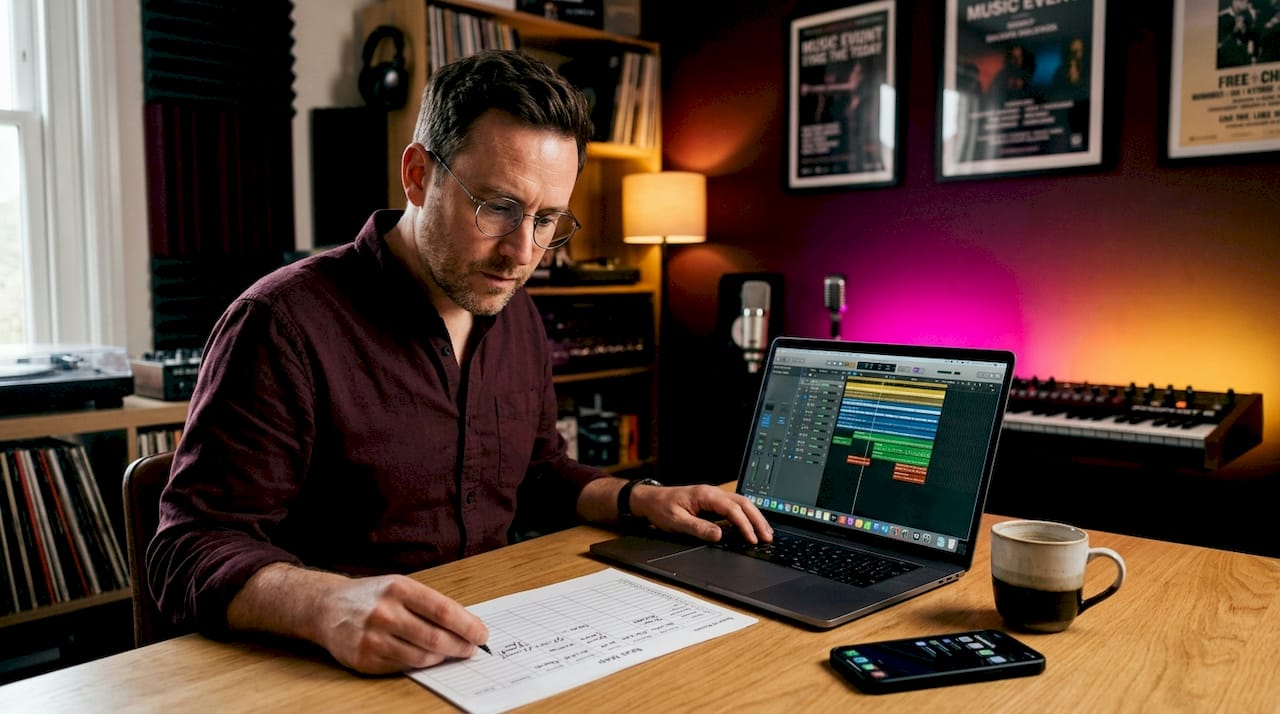
Once you have these, set up your AI-assisted prep tools. Run your master through an AI transcription service to generate a rough caption file. Layer on beat mapping, which analyses the audio waveform and marks tempo-aligned cut points. Shot detection scans the video and logs each scene change automatically. These three outputs become your scaffold for every edit that follows.
Pro Tip: Export your master in both 16:9 and a slightly wider crop if your original footage permits. Having extra frame space on the sides gives your AI auto-pan tool far more flexibility when reframing to vertical 9:16 without cutting into faces or key visual elements.
The repurposing workflow: from master to multi-format
A structured 4-day workflow covering ingest, AI prep, vertical creation, and scheduling can produce a full suite of deliverables within 24 to 72 hours. Here is how that looks in practice:
-
Day 0: Ingest and master. Import your highest-quality source file. Set your project settings to match the master resolution and frame rate. Export a clean reference version with colour correction locked. This is your approved baseline.
-
Day 1: AI preparation. Run transcription to generate your caption file. Use beat mapping to mark cut points aligned to the song’s pulse. Run shot detection to catalogue scenes. Review all AI outputs manually, because AI transcription accuracy sits above 95%, but punctuation and line breaks in lyrical content need a human eye.
-
Day 2: Build your deliverables. This is the production day. Create your vertical reframes first. For each key scene, produce two vertical crops: a close-up version that centres on the artist’s face for emotional impact, and a medium version that retains environmental context. Use your beat map to time cuts so edits feel musical rather than arbitrary. Beat-locked editing makes short clips feel intentional and professional.
-
Day 3: Quality assurance and scheduling. Test every export on an actual mobile device. Check captions for legibility using safe-margin overlays that simulate TikTok and Instagram UI elements. Confirm your Spotify Canvas loops without a visible jump. Schedule uploads with platform-appropriate metadata.
The deliverables you should aim to produce from a single master include:
| Format | Duration | Ratio | Primary platform |
|---|---|---|---|
| Social teaser | 15–30 seconds | 9:16 | Instagram Stories, TikTok |
| Lyric reel | 30–60 seconds | 9:16 | Instagram Reels, YouTube Shorts |
| Spotify Canvas | 3–8 seconds | 9:16 | Spotify |
| Director’s cut | Full length | 16:9 | YouTube |
| Square clip | 30 seconds | 1:1 | Facebook, LinkedIn |
Pro Tip: Use your beat map on Day 2 to identify the two or three moments in the track where the production peaks. These are your best hooks. Build your social teasers around these moments first, then fill in the rest of your deliverables.
Platform-specific repurposing strategies
Understanding each platform’s specific requirements is where music video repurposing strategies become genuinely powerful. Generic cuts rarely perform. Tailored ones do.
YouTube Shorts and Instagram Reels
Both platforms reward 30 to 60 second vertical clips with strong opening hooks. The first spoken word should land within half a second of the video starting. Captions should appear from the first word on screen. The crop must be 9:16. Anything else and the algorithm treats your content as a lower priority.
The hook you choose is critical. Bold claims, curiosity gaps, and micro-stories in the opening three seconds are what separate clips that get watched from clips that get swiped. Aim for more than 70% of viewers watching rather than swiping away. You can check this metric in your Shorts analytics. For music videos, this often means opening on the song’s most emotionally loaded visual moment rather than a slow pan or intro.
On the technical side, subject-aware auto-panning outperforms simple centre-cropping when converting horizontal footage to vertical. If your artist moves across frame, a static centre crop will cut them in half. Auto-pan tracks the subject and keeps them composed correctly throughout.
For metadata, tag your Shorts with the song title, artist name, and genre alongside any trending topic tags relevant to the release. Cross-link your Short to the full YouTube video in the description to funnel curious viewers toward longer engagement.
Spotify Canvas
Spotify Canvas is one of the most underused assets in music video marketing ideas. A Canvas must be vertical 9:16, between 3 and 8 seconds long, and contain no audio track. The crucial technical requirement is that motion must loop seamlessly, with no visible start or end point. A Canvas done well feels like an endlessly moving photograph behind your track.
A well-produced Canvas correlates with higher save and share rates, which directly boosts your algorithmic performance on the platform. The effort involved is minimal once you have your vertical footage from Day 2. Find a section where the movement is slow, atmospheric, or rhythmically hypnotic. Pull 4 to 6 seconds, smooth the loop in your editor, and export at 1080x1920 as an MP4. No audio. No captions.
The comparison below shows how requirements differ across the three main short-form destinations:
| Requirement | YouTube Shorts | Instagram Reels | Spotify Canvas |
|---|---|---|---|
| Duration | 15–60 seconds | 15–90 seconds | 3–8 seconds |
| Ratio | 9:16 | 9:16 | 9:16 |
| Captions | Recommended | Recommended | Not applicable |
| Audio | Yes | Yes | No |
| Loop required | No | No | Yes |
Common challenges and how to fix them
Even with a solid workflow, things go wrong. Here is what to watch for and how to handle it.
-
Awkward vertical crops: Auto-pan is not foolproof. If your artist moves quickly or the shot involves multiple subjects, review every scene manually. A jittery auto-pan that tracks back and forth between two people is more distracting than a static wide crop.
-
Caption timing errors: AI transcription handles spoken words well but struggles with sung lyrics, slant rhymes, and rapid delivery. Always review your lyric captions line by line. Move timestamps manually where the sync is off by even a fraction of a second.
-
Canvas loop jumps: The most common mistake is using footage with a clear directional movement, such as a camera push-in, which makes the loop obvious. Choose ambient motion: swirling fabric, shifting light, smoke, or water. These loop far more convincingly.
-
Device legibility failures: Safe-margin overlays in your editor simulate where platform UI elements will sit. Use them. A caption that looks clear on your desktop monitor can be entirely covered by a TikTok handle or a like button on a phone screen.
Before you schedule a single upload, play every export on two different mobile devices with the sound off. If the content holds attention silently and every caption is readable, it is ready to publish.
For scheduling, batch your uploads strategically. Publishing your YouTube long-form video, your Shorts, and your Reels within a 48-hour window creates cross-platform momentum rather than diluting attention across separate events. Use your YouTube Shorts posting time data to identify when your audience is most active before you commit to a schedule.
My honest take on repurposing music videos
I have watched artists put months into production and then treat distribution as an afterthought. They upload once and wait. The repurposing conversation is one I have had to push, because most musicians think of it as extra work rather than the actual job of releasing music.
What changed my perspective was seeing how transforming music videos into platform-specific assets altered the lifetime performance of a release. A track that stalled at 2,000 YouTube views found its audience on Reels three months after release because someone took twenty minutes to cut a vertical version with proper captions. That is not luck. That is planning.
AI tools have genuinely compressed what used to take three days into one. But I want to be direct: AI is not a shortcut to quality. It is a shortcut to a starting point. The beat mapping is usually excellent. The transcription is mostly good. The auto-pan is hit or miss. Every AI-assisted output still needs a human editor who cares about the artist’s creative intent before it goes anywhere near a publish button.
The insight that has made the biggest difference practically is planning asset bundles before the shoot begins. If you know on the shoot day that you need a vertical close-up of the chorus moment for your Canvas, you capture it then. Trying to manufacture it in post from horizontal wide shots is always a compromise.
Measure everything. Every platform gives you retention data, save rates, and click-through figures. The repurposing cycle only improves if you feed those numbers back into how you plan the next release.
— Music
Get more from every video you create
If you have invested in a quality music video, Musicvideomarketplace makes it straightforward to extend its reach immediately. The platform lets you create and launch a YouTube campaign for your track in minutes, connecting your video content directly to a targeted ad audience without needing a media buying background.

For musicians who want their repurposed content to work harder across platforms, Musicvideomarketplace also publishes resources on boosting music video engagement and best practices for YouTube ads so your distribution strategy is as strong as your creative work. The time you spend repurposing is only valuable if the distribution side is built to convert that effort into real streams, saves, and followers.
FAQ
What does repurposing a music video actually mean?
Content repurposing means adapting your existing music video into new formats suited to different platforms, such as vertical Reels, Shorts, and Spotify Canvas clips. It goes well beyond simply reposting the same file.
How long does it take to repurpose a music video?
A structured workflow using AI tools for transcription, beat mapping, and shot detection can produce a full suite of deliverables within 24 to 72 hours from a single master file.
Do I need separate footage for Spotify Canvas?
No. Spotify Canvas videos are typically extracted from existing footage, with 3 to 8 seconds of motion-based vertical content edited to loop seamlessly at 1080x1920 resolution with no audio.
Why do my vertical crops look bad even with auto-pan?
Auto-pan struggles with fast-moving or multi-subject shots. Review each scene manually and produce at least two vertical crop options per scene, one close-up and one medium, to retain narrative quality across different moments.
How do I know if my repurposed clips are performing well?
Monitor retention rate on Shorts and Reels and save or share rate on Spotify Canvas. Strong hooks in the first three seconds that achieve more than 70% viewer retention indicate your content is connecting with the platform’s audience.
Recommended
- Role of Video in Music Promotion: Unlocking Reach | Music Video Marketplace Blog
- Music Video Best Practices: 28% More Reach With YouTube Ads | Music Video Marketplace Blog
- Creative video campaign examples for independent musicians | Music Video Marketplace Blog
- Types of Video Ads for Musicians: Boosting Reach | Music Video Marketplace Blog
Read next
 How to sequence song video launches in 2026Discover how to sequence song video launches effectively in 2026. Learn to engage audiences and maximize your music video's impact!
 Instant Music Videos-the fastest way to growInstant music videos help artists release faster, save money, and grow their fanbase. Upload your song, find the perfect visual match, and share your video instantly with Music Video Marketplace.
 Label digital asset organisation checklist for UK labelsEnsure smooth music distribution with our label digital asset organization checklist. Follow essential steps for accurate asset management.
 How to monetise music videos in 2026Unlock your earning potential! Discover how to monetize music videos in 2026 with proven strategies and tips for independent artists.
Turn the idea into a finished music video.
Drop your track into the Studio and build your visual in minutes.