
Common errors in artist YouTube strategy: fix them fast
Discover how to fix common errors in artist YouTube strategy. Improve your discoverability with quick fixes that enhance metadata and engagement!

Common errors in artist YouTube strategy: fix them fast
TL;DR:
- Most artist YouTube failures come from gaps in metadata, format mix, and channel structure. Fixing these can restore discoverability immediately through improved content organization and metadata optimization.
Most YouTube campaign failures for artists come down to three gaps: metadata, format mix, and channel architecture. Fix those and you restore discoverability almost immediately.
Quick fixes to apply today:
- Write titles using a keyword + emotion or context formula (not just the song name)
- Publish at least two Shorts on release day, linked to the full video
- Add chapters, a smartlink in the description, and a pinned comment
- Confirm master and mechanical rights before upload
- Check watch time and retention in YouTube Studio within 48 hours
Table of Contents
- What metadata mistakes are killing your discoverability?
- Are your thumbnails and Shorts costing you clicks?
- Why single-video launches almost always underperform
- Technical and audio mistakes that hurt retention
- Rights, Content ID, and UK legal missteps
- Which YouTube metrics should musicians actually track?
- YouTube ad campaign mistakes musicians make and quick fixes
- How long does improvement take, and what does it cost in the UK?
- Ready-to-edit videos fix multiple errors at once
- Key takeaways
- What most guides miss about YouTube strategy for artists
- Musicvideomarketplace gets you past these errors faster
- Useful UK resources and further reading
What metadata mistakes are killing your discoverability?
Poor metadata is the single most common error in artist YouTube strategy. A title that reads only as a song name tells the algorithm nothing. YouTube Search and Suggested both rely on title, description, and tags to decide who sees your content, and most artists leave all three half-finished.
Title formula: [Song Name] – [Genre or Mood] [Format] | [Artist Name]. So instead of “Midnight”, try “Midnight – UK R&B Official Video | Jade Ayo”. That one change opens the video to genre searches, mood searches, and name searches simultaneously.
Description checklist:
- First two lines: include the song name, genre, and a short hook (these show before “Show more”)
- Lines 3–10: streaming links, social links, lyrics credit, production credits
- Lines 11+: full credits, related video links, and a playlist embed
Use 5–10 tags: lead with the exact song title, then genre, mood, and two or three artist-adjacent terms. Avoid stuffing 30 generic tags — YouTube’s own guidance confirms that relevance beats volume.
Add timestamps (chapters) from the first minute. They appear in Search results as jump links, which increases click-through rate and signals structured content to the algorithm.
Pro Tip: Edit your title and description within the first 48 hours of a video going live. YouTube re-crawls updated metadata quickly, and an early revision can shift a video from zero impressions to appearing in Suggested within days.
Are your thumbnails and Shorts costing you clicks?
Viewer satisfaction matters more than raw views, and a weak thumbnail is the fastest way to destroy it before a single second plays. CTR drops when thumbnails are cluttered, low-contrast, or use text that disappears on a mobile screen.
Thumbnail specification checklist:
- Size: 1280 × 720 px, under 2 MB, JPG or PNG
- Text: maximum 3–4 words, at least 60pt equivalent, high contrast against the background
- Face or focal point: occupies at least 60% of the frame
- Consistent colour palette and logo placement across all releases
For Shorts, the most common error is cropping a 16:9 video and hoping it works vertically. It rarely does. Shorts favour immediate hooks of 10–20 seconds, and a hook filmed for landscape loses its subject in the crop. Either shoot a dedicated vertical clip or use a looping visualiser with a centred composition.
Pro Tip: Build three reusable visual templates: one for official video thumbnails, one for Shorts covers, and one for lyric/visualiser content. Canva or Adobe Express both let you lock brand colours and fonts so every asset takes under ten minutes to produce.

Why single-video launches almost always underperform
Dropping a lone music video without surrounding content is like opening a club in the desert: no address, no discovery. The algorithm needs contextual links and supporting content to surface a track, and listeners need a content flow to stay on your channel.
A practical release publish plan:
- Day minus 7: Post a teaser Short (10–15 seconds, audio hook, no full chorus)
- Release day: Upload the official video as a Premiere; post 2 Shorts using the audio picker; update channel banner and featured video
- Days 2–5: Publish a lyric video or visualiser; post one Short per day using a different moment from the track
- Week 2: Upload a performance clip or BTS; add all release content to a dedicated playlist; set end screens on every video to route to that playlist
Designing clusters of related content — visualisers, lyric videos, performance clips — increases session depth, which is a primary signal for YouTube recommendations. One video cannot build session depth. Five can.
Internal linking checklist:
- Playlists: add every release video to a named release playlist within 24 hours
- End screens: point to the playlist or the next most-watched video
- Cards: trigger at 20% and 80% of video length, linking to a related video
- Pinned comment: link to a smartlink hub so viewers can choose their streaming platform
Pro Tip: A pinned comment with a smartlink converts passive viewers into active streamers. Keep it short: “Stream everywhere [link]”. Pin it within the first hour of going live.
Technical and audio mistakes that hurt retention
Upload problems reduce perceived quality before the algorithm even gets involved. Fix these before you publish.
Technical upload checklist:
- Container: MP4 (H.264 video, AAC audio)
- Resolution: 1080p minimum; 4K if your source allows
- Audio bitrate: 320 kbps stereo
- Loudness: target –14 LUFS integrated for YouTube’s normalisation (louder masters get turned down; quieter ones sound thin)
- Captions: upload an SRT file rather than relying on auto-captions; auto-captions on music content are frequently inaccurate
Captions also expand reach. Accurate subtitles make your content searchable in international markets and accessible to deaf and hard-of-hearing viewers, both of which YouTube’s algorithm rewards with broader distribution.
Pro Tip: Before export, run your final file through YouTube’s own upload encoder recommendations and check loudness with a free tool such as Youlean Loudness Meter. Two minutes of checking saves a re-upload.
Rights, Content ID, and UK legal missteps
Uploading without cleared rights risks a Content ID claim, a takedown, or lost revenue on every stream. Confirm ownership before release day, not after.
Before you upload, confirm: (1) you own or have licensed the master recording; (2) mechanical rights are cleared for any samples or cover versions; (3) your distributor’s contract specifies how Content ID is handled; and (4) any featured performer has signed off on the release. In the UK, performer rights under the Copyright, Designs and Patents Act 1988 are separate from master ownership — both must be addressed.
UK-focused rights checklist:
- Master rights: confirm with your label or confirm you own them outright as an independent
- Mechanical rights: for covers, obtain a licence via a publisher or a service such as Songfile (Harry Fox Agency equivalent processes exist via UK publishers)
- Samples: clear with the original master owner and publisher before release
- Content ID: check whether your distributor includes Content ID in their plan or charges an add-on fee — some do, some don’t
- Claim your Official Artist Channel via your distributor to consolidate Art Tracks and manual uploads under one verified profile
Pro Tip: Run a four-point check 48 hours before upload: master clearance confirmed, mechanical licence in hand, distributor Content ID status verified, and OAC claimed. Screenshot each confirmation and keep it in a release folder.
Which YouTube metrics should musicians actually track?
Watch time, session depth, audience retention, and CTR determine recommendation velocity far more than raw view counts. Artists who chase views without monitoring these metrics often plateau quickly.
| Metric | What it tells you | Immediate action |
|---|---|---|
| CTR (click-through rate) | Whether your thumbnail and title attract clicks | A/B test a new thumbnail if CTR is below 4% |
| Audience retention | Where viewers drop off in the video | Tighten the first 30 seconds; add a chapter at the drop point |
| Watch time (hours) | Total value delivered to the algorithm | Publish more content in the same format as your highest-watch-time video |
| Session depth | Whether viewers watch more than one video | Improve end screens and playlist architecture |
| Traffic sources | Where views originate | Double down on the source driving the most watch time |
Three-step iteration plan:
- After each release, pull retention and CTR data at 48 hours, 7 days, and 28 days
- Identify the single biggest drop-off point and test one change (new thumbnail, revised title, or a Short that addresses that moment)
- Apply the winning change to your next release before launch, not after
YouTube ad campaign mistakes musicians make and quick fixes
The most common ad mistake is choosing a reach or views objective when you should be optimising for watch time and channel subscribers. Views without retention build nothing.
Ad creative and targeting checklist:
- Creative length: 15–30 seconds for skippable in-stream; 6 seconds for bumper ads
- Asset set: prepare at least one vertical (9:16) and one horizontal (16:9) creative per campaign
- Hook: the first 5 seconds must deliver the song’s strongest moment — not a logo or an intro
- Targeting: in the UK, use custom intent audiences built from competitor artist searches and genre-related search terms; layer with age and geography
- Objective: choose “Video views” with a target CPV, or “Brand awareness and reach” for bumpers — avoid pure reach campaigns for music
For a two-week test, allocate a modest daily budget, run days 1–7 with the horizontal creative only, then introduce the vertical on days 8–14 and compare session depth between the two.
Pro Tip: Pair a Shorts creative with a long-form in-stream ad in the same campaign. The Short captures mobile-first viewers; the long-form captures intent-driven viewers. Together they increase session depth more than either format alone.
For proven campaign structures, the YouTube ad campaign examples guide covers budget splits and KPI benchmarks worth reviewing before you spend.
How long does improvement take, and what does it cost in the UK?
Noticeable uplift in watch time and CTR typically appears within 2–4 weeks of fixing metadata and publishing supporting content. Subscriber growth follows at 6–12 weeks if cadence is consistent. Early signals to watch: CTR above 4%, retention past the 50% mark, and at least one Short driving traffic to the main video.
| Asset | Rough UK cost band | Notes |
|---|---|---|
| Thumbnail design (freelance) | £30–£80 per set | Fiverr or local designers; brief with brand guidelines |
| Lyric video (freelance) | — | Varies with animation complexity |
| Full music video (indie production) | — | Location, crew, and edit all affect cost |
| Ready-to-edit video licence | £20–£100 | Marketplace options; fastest route to a polished asset |
| YouTube ad test (2 weeks) | — | Enough to generate meaningful CTR and retention data |
For initial testing, allocate roughly 60% of your ad budget to the first two weeks and hold 40% for a second flight once you have retention data to optimise against.
Ready-to-edit videos fix multiple errors at once
Ready-to-edit long-form videos paired with auto-generated Shorts are the fastest route to correcting visual assets, content cadence, and ad creative simultaneously. Rather than commissioning each asset separately, a marketplace approach bundles them.
Musicvideomarketplace supplies ready-to-edit long-form videos, short-clip exports, and metadata-ready files. The workflow is straightforward:
- Upload your audio to the chosen template
- Brand the template with your artist name, logo, and colour palette
- Export a YouTube-ready file at the correct resolution and codec
- Generate Shorts from the same session, already cropped to 9:16
- Launch a small ad test using the exported creatives directly
Pro Tip: When you download an exported file from a marketplace, check the filename and embedded metadata before upload. Rename the file to include the song title and artist name (e.g. jade-ayo-midnight-official.mp4) — YouTube’s ingestion pipeline reads filenames as a weak metadata signal.
For a broader look at how to build a cohesive YouTube ecosystem around these assets, the Musicvideomarketplace blog covers content clustering in detail.
Key takeaways
The most damaging errors in artist YouTube strategy are metadata gaps, missing short-form content, and weak channel architecture — fix all three before your next release and you restore discoverability without a budget increase.
| Point | Details |
|---|---|
| Metadata drives discovery | Optimise title, first two description lines, and 5–10 tags before every upload. |
| Shorts cadence matters | Post 2–3 Shorts per week during a campaign; at least one per week otherwise. |
| Session depth beats raw views | Build content clusters — lyric videos, visualisers, Shorts — to keep viewers on your channel. |
| Rights before release | Confirm master, mechanical, and Content ID status 48 hours before upload. |
| Musicvideomarketplace accelerates fixes | Ready-to-edit videos and auto-generated Shorts close asset, cadence, and ad creative gaps in one workflow. |
What most guides miss about YouTube strategy for artists
The conventional advice is to “be consistent” and “optimise your metadata.” Both are correct and both are incomplete. The real failure pattern is architectural: artists treat YouTube as a broadcast channel rather than a content graph. A single music video, however well-produced, has no neighbours. The algorithm cannot recommend it because there is nothing adjacent to recommend next.
What managers and producers do differently is plan the channel before the release. They map out five to seven pieces of content per single — not because they have bigger budgets, but because they understand that coherence beats intensity. A cluster of related videos increases session depth, and session depth is the signal that moves a track from Search into Suggested and Home.
The second thing professionals get right is the CTA hierarchy. Most artists either have no call to action or have three competing ones. One pinned comment, one end screen destination, one description link. That discipline converts passive viewers into followers and streamers at a measurably higher rate than a cluttered description full of every social handle the artist owns.
The third fix is the one nobody wants to hear: poor asset specs. A 128 kbps audio track on a 720p video with no captions tells the algorithm this content is low-effort. It does not matter how good the song is. The technical floor is low, but you have to clear it.
Musicvideomarketplace gets you past these errors faster
If the checklist above feels like a full production pipeline you do not have time to build from scratch, there is a direct shortcut. Musicvideomarketplace gives you a library of human-made, ready-to-edit music videos you can brand, export at the correct specs, and publish the same day.
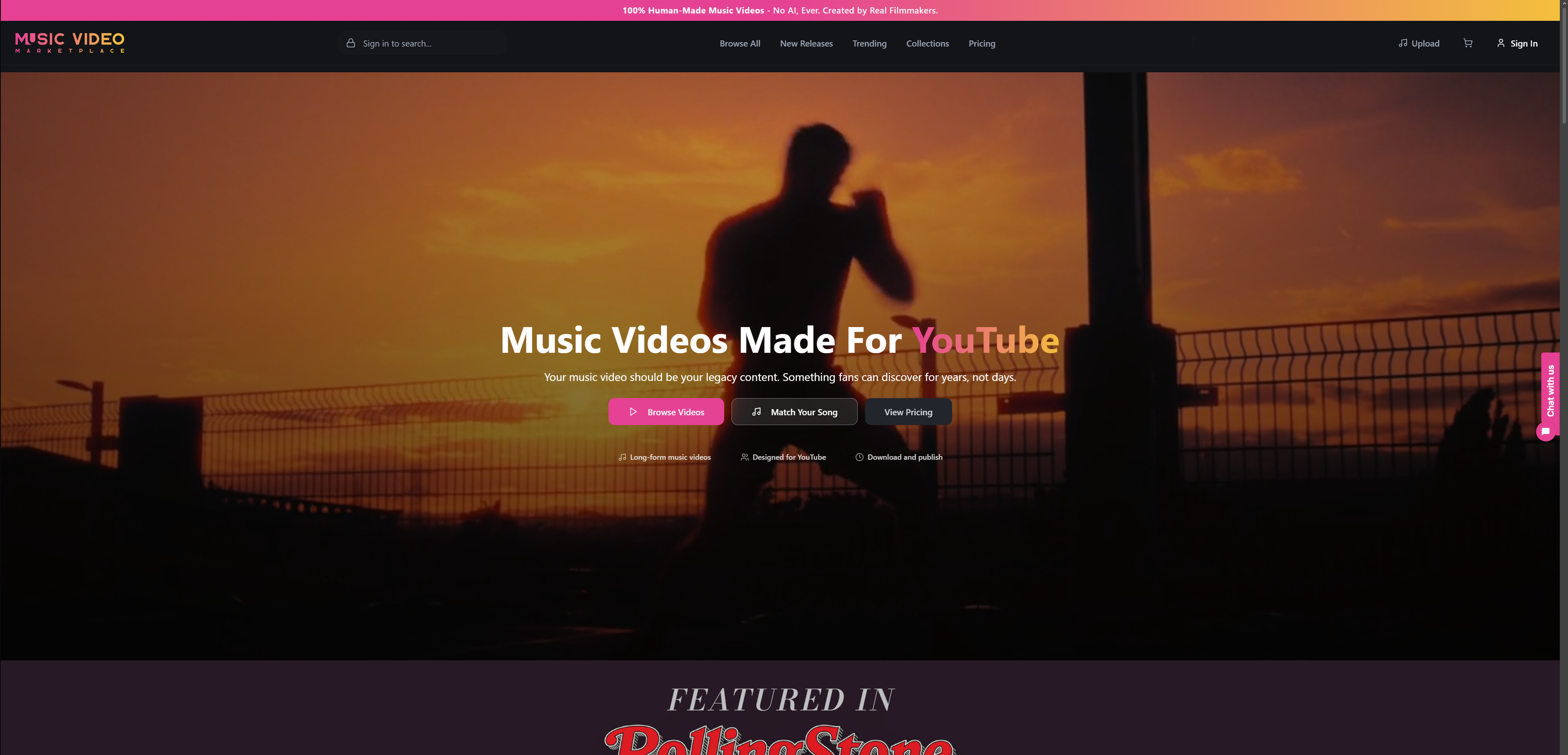
Upload your audio, apply your branding, and export a YouTube-ready long-form video plus a set of 9:16 Shorts in one session. The files come out at the right resolution and codec, so the technical checklist above is already handled. You can move straight to metadata, rights confirmation, and your ad test without commissioning a production team or waiting weeks for delivery.
For UK artists who need to move quickly on a release, browse the video catalogue at Musicvideomarketplace and pick a template that fits your track today.
Useful UK resources and further reading
- YouTube for Artists: Release Day Strategy — YouTube’s own release-day checklist covering Shorts, Premieres, and channel setup. Start here for platform-official guidance.
- YouTube for Artists: Growing Your Audience — Covers the attract/engage/convert/retain framework and localisation tactics relevant to UK artists targeting international listeners.
- Playlist Pilot: Music Release Schedule Best Practices — Practical cadence guidance for independent artists planning a release calendar.
- Playlist Pilot: How to Get on YouTube Music Playlists — Explains how playlisting on YouTube Music supports discovery alongside your organic channel strategy.
- Musicvideomarketplace Blog: YouTube Algorithm and Song Visibility — Explains traffic-source mechanics and how content design influences Suggested and Search placement.
Recommended
- Artist video content strategy for YouTube success 2026 | Music Video Marketplace Blog
- Guide to YouTube music uploads for indie artists 2026 | Music Video Marketplace Blog
- Stratégie vidéo pour musiciens : réussir sur YouTube | Music Video Marketplace Blog
- Optimise your YouTube music distribution workflow | Music Video Marketplace Blog
Read next
 Copyright essentials for DJ videos: stay safe and growLearn how YouTube copyright works for DJ videos, debunk common myths, and get practical steps to protect your channel and grow your audience in 2026.
 Creative video campaign examples for independent musiciansDiscover innovative video campaign examples for independent musicians. Learn proven YouTube strategies that boost engagement, streams, and audience growth with practical, budget-friendly tactics.
 Creative video content ideas for producers: boost music promotionDiscover the best creative video content ideas for music producers to boost YouTube promotion, increase retention, and grow your audience in 2026.
 Call to Action Music Videos: What to Say and WhereHow to add a call to action to your music video: wording, timing, YouTube end screens, Shorts and ads, with a UK budget view and a ready-made video route.
Turn the idea into a finished music video.
Drop your track into the Studio and build your visual in minutes.