
Guide to YouTube music uploads for indie artists 2026
Learn how to upload music to YouTube efficiently with this complete guide covering video creation, metadata optimisation, copyright protection, and promotional campaigns for independent musicians in 2026.
Guide to YouTube music uploads for indie artists 2026

Uploading music to YouTube feels overwhelming when you’re juggling copyright rules, metadata optimisation, and promotional tactics alongside your creative work. Independent musicians and small labels often face technical hurdles that block visibility and monetization opportunities. This guide walks you through every step, from preparing your channel and creating engaging videos to launching targeted campaigns and measuring success. You’ll learn practical methods to upload correctly, protect your rights, and grow your audience efficiently.
Table of Contents
- Prerequisites: What You Need Before Uploading Your Music
- Step 1: Preparing Your Music Video For Upload
- Step 2: Uploading And Metadata Optimisation
- Step 3: Launching Promotional Campaigns On YouTube
- Common Mistakes And Troubleshooting
- Measuring Success: What To Expect And How To Track Progress
- Promotional Opportunities With Music Video Marketplace
- How Do I Avoid Copyright Strikes When Uploading Music To YouTube?
- What Is The Best Way To Create Engaging Music Videos Quickly?
- How Long Should I Run Promotional Campaigns On YouTube?
- Can I Upload Just Audio With A Static Image As A Video On YouTube?
- What Video Format Works Best For YouTube Music Uploads?
Key takeaways
| Point | Details |
|---|---|
| Efficient video creation and channel setup are critical prerequisites | Proper channel optimisation with playlists, branding, and copyright registration sets the foundation for successful uploads |
| Optimising metadata and registering your music with Content ID boosts protection and discoverability | Strategic titles, descriptions, tags, and Content ID registration prevent strikes whilst improving search visibility |
| Targeted YouTube ad campaigns significantly increase views and engagement | Paid campaigns boost streams by 30-50% within one month compared to organic methods |
| Avoid common upload mistakes like unsupported formats and missing thumbnails | Technical errors and poor metadata choices reduce click-through rates and cause upload failures |
| Monitor analytics regularly to refine your upload and promotional strategies | Tracking watch time, CTR, and audience retention after 4 to 6 weeks reveals what works and guides improvements |
Prerequisites: what you need before uploading your music
Before uploading anything, you need the right technical setup and channel foundations. YouTube accepts MP4 files with H.264 codec as the standard format. Your video resolution should reach at least 1080p for professional presentation, though 4K performs better in search rankings. Audio quality matters equally, so ensure your tracks are fully mixed and mastered before creating videos.
Channel optimisation strengthens your artist brand and keeps viewers engaged. Create playlists that organise your releases by album, genre, or mood to encourage binge watching. Add a detailed bio explaining your musical style, influences, and story to build connections with new listeners. Link your social media profiles and streaming platforms directly in your channel description to drive traffic across your entire presence. Properly optimised YouTube channels help retain audiences and improve discoverability via playlists and branding.
Copyright knowledge protects your work and enables monetization. Register your music with YouTube’s Content ID system before uploading to prevent unauthorised use and claim revenue from covers or samples. Content ID scans every upload against your registered tracks, automatically flagging matches for review. Without registration, you risk copyright strikes from other rights holders or lose revenue to improper claims. Clear all samples, cover song licences, and collaborator permissions before publishing to avoid disputes.
Technical checklist:
- MP4 container with H.264 video codec
- AAC audio codec at 320kbps or higher
- Minimum 1080p resolution, preferably 4K
- Final mixed and mastered audio tracks
- Access to video creation tools or templates
| Requirement | Specification | Why it matters |
|---|---|---|
| Video format | MP4 with H.264 | Universal compatibility and fast processing |
| Audio codec | AAC 320kbps | High quality playback across devices |
| Resolution | 1080p minimum | Professional appearance and search ranking |
| Content ID | Pre-registration | Copyright protection and revenue collection |
Pro tip: Prepare your channel branding assets like banner images, profile pictures, and playlist descriptions in advance. Consistency across visuals and messaging builds recognition faster and makes your channel appear more professional to new visitors.
Step 1: preparing your music video for upload
Creating visually engaging videos transforms audio tracks into compelling content that holds attention. Static image uploads work, but they generate 35% lower watch time compared to dynamic visuals. Lyric videos perform exceptionally well because viewers follow along with the words whilst listening. Animated backgrounds synchronised to beat patterns or frequency waveforms add movement without requiring complex video editing skills.
Tools like MusicVideoMarketplace.com simplify video creation for musicians without technical expertise. You upload your audio file, choose from professional templates featuring lyrics, animations, or visual effects, then customise colours and text placement. The platform renders your video in 4K resolution within minutes, ready for immediate upload. Using lyric or animated videos increases average watch time by 35% over static image videos.
Video length directly impacts audience retention and YouTube’s recommendation algorithm. Aim for full track length rather than shortened versions, as complete songs satisfy listener expectations and generate longer watch sessions. YouTube prioritises content that keeps viewers on the platform longer, so maintaining engagement throughout your entire track improves visibility. Add visual variety every 15 to 20 seconds through text animations, colour shifts, or pattern changes to prevent monotony.
Video creation methods:
- Static album artwork with audio waveform overlay
- Lyric videos with synchronised text animations
- Animated backgrounds responding to beat patterns
- Performance footage mixed with visual effects
- Narrative storytelling clips edited to your music
Enhancing viewer engagement requires strategic visual choices. Display lyrics clearly with readable fonts sized appropriately for mobile viewing. Synchronise text appearance precisely with vocal delivery so viewers can sing along effortlessly. Use colour schemes that match your song’s mood, like warm tones for upbeat tracks or cool blues for mellow pieces. Include your artist name and social handles periodically throughout the video to reinforce branding without overwhelming the visuals.
Pro tip: Save your video templates for future releases to maintain visual consistency across your catalogue. Fans recognise your style faster when videos share similar design elements, and you’ll create subsequent videos in half the time by reusing proven layouts.
Step 2: uploading and metadata optimisation
The upload process demands attention to technical details and strategic metadata choices. Follow these steps precisely to avoid common failures. First, verify your video file meets YouTube’s format specifications before starting the upload. Navigate to YouTube Studio and click the Create button, then select Upload Videos. Drag your file into the upload window or select it from your computer. Whilst the file processes, you’ll enter critical metadata that determines how viewers discover your content.
Upload sequence:
- Verify MP4 format and codec compatibility
- Open YouTube Studio and initiate upload
- Enter optimised title with primary keywords
- Write detailed description with timestamps and links
- Add 8 to 12 relevant tags for your genre
- Upload custom thumbnail image
- Select appropriate category and language settings
- Configure visibility, monetization, and copyright settings
- Publish and monitor initial processing status
Title optimisation balances searchability with clarity. Include your artist name, song title, and one descriptive keyword that matches common search queries. “Artist Name - Song Title (Official Music Video)” works for established acts, whilst emerging artists benefit from genre descriptors like “Indie Pop” or “Electronic Music” to reach broader audiences. Keep titles under 60 characters so they display fully in search results without truncation.
Descriptions provide context and drive actions. Write three to four sentences explaining your song’s inspiration, themes, or recording story in the first paragraph. This text appears in search previews and sets expectations. Below that, add timestamps if your video includes multiple sections, list production credits, and include links to streaming platforms and social media. Place your most important link within the first two lines, as YouTube truncates descriptions after 157 characters in search displays.
Custom thumbnails dramatically outperform automatic frame captures. Design thumbnails with high contrast text, vibrant colours, and close-up facial expressions that convey emotion. Include your artist name and song title in readable fonts sized for mobile screens. Test thumbnail designs by viewing them at small sizes to ensure clarity. Avoid cluttered layouts or tiny text that becomes illegible in search results.
Register your uploaded music with YouTube Content ID immediately after publishing. Navigate to your distribution service or use YouTube’s creator tools to submit your audio fingerprint. Content ID scans all future uploads against your registration, automatically identifying unauthorised uses. You’ll receive notifications when matches occur and can choose to block videos, track viewership, or monetize the content. Optimised metadata increases discoverability by 25%, whilst proper Content ID registration avoids copyright strikes.
| Upload type | Engagement rate | Production effort | Discoverability impact |
|---|---|---|---|
| Static image | Low (35% below average) | Minimal (5 minutes) | Limited due to poor retention |
| Lyric video | High (40% above average) | Moderate (20 minutes with tools) | Strong from completion rates |
| Animated visuals | Very high (55% above average) | Moderate (25 minutes with templates) | Excellent from watch time signals |
Metadata elements:
- Title with artist name, song title, descriptive keyword
- Description with story, credits, links, timestamps
- Tags covering genre, mood, instruments, themes
- Custom thumbnail with clear text and emotion
- Category selection matching your music genre
- Language and location settings for target audience
Step 3: launching promotional campaigns on YouTube
Paid promotion accelerates reach beyond organic growth limitations. YouTube ads place your music video directly in front of targeted listeners based on their interests, demographics, and viewing habits. Start by defining your ideal audience using YouTube’s targeting options. Select music genres similar to yours, artists your fans likely follow, and demographic details like age ranges and geographic locations where your sound resonates.
Budgeting requires realistic expectations about timelines and returns. Paid YouTube campaigns increase streams by 30 to 50% within one month compared to organic promotion. Allocate £200 to £500 for initial test campaigns running four to six weeks. This budget generates sufficient data to identify which audience segments engage most and which creative approaches drive conversions. Monitor cost per view and adjust targeting weekly based on performance metrics.
MusicVideoMarketplace.com streamlines campaign creation and management for musicians without advertising expertise. The platform guides you through audience selection, budget allocation, and creative setup using simplified interfaces. You connect your YouTube channel, set your target demographics and interests, upload your video, then launch campaigns with a few clicks. Built-in analytics track views, click-through rates, and subscriber growth, presenting data in musician-friendly dashboards rather than complex advertising platforms.
Campaign setup process:
- Define target audience by genre, location, demographics
- Set daily budget and total campaign duration
- Choose ad format (skippable, non-skippable, bumper)
- Upload video creative and write compelling headline
- Configure conversion tracking for streams or subscriptions
- Launch campaign and monitor initial performance
- Adjust targeting and budget based on first week data
Free promotion methods complement paid campaigns by building organic momentum. Share your video across social media platforms with platform-specific strategies. Post 30-second clips on Instagram Reels and TikTok with captions encouraging full video views on YouTube. Create behind-the-scenes content showing your recording or video creation process to generate interest. Reach out to playlist curators on Spotify and YouTube who feature your genre, offering your track for consideration.
Collaborations multiply your audience reach through cross-promotion. Partner with artists in complementary genres for remix exchanges or featured appearances. Each collaboration introduces your music to their fanbase whilst providing fresh content for both channels. Comment meaningfully on videos from artists you admire, building relationships that may lead to shoutouts or collaborative projects.
Free promotion tactics:
- Social media cross-posting with platform-specific formats
- Playlist pitching to curators in your genre
- Collaboration outreach to complementary artists
- Behind-the-scenes content driving YouTube traffic
- Email list announcements to existing fans
Pro tip: Start with small budget tests targeting highly specific niches before scaling. Run three separate campaigns targeting different audience segments with £50 each, then pour your remaining budget into whichever segment shows the lowest cost per view and highest engagement. This approach prevents wasting money on broad targeting that reaches disinterested viewers.
Common mistakes and troubleshooting
Copyright strikes devastate channels and block monetization opportunities. 60% of copyright strikes on music uploads result from improper rights clearance. Always verify you own or have licensed every element in your video before uploading. Register your original music with Content ID before publishing to establish your ownership claim. If you cover another artist’s song, obtain a mechanical licence through services like Harry Fox Agency or Easy Song Licensing. Clear all samples used in your production, even brief ones, as Content ID detects matches as short as five seconds.
Missing custom thumbnails drastically reduce click-through rates. YouTube’s automatic thumbnail selection often captures unflattering or boring frames that fail to attract clicks. Videos without custom thumbnails receive 40% fewer clicks than those with professionally designed images. Design thumbnails before uploading so you can add them immediately during the publishing process. Include faces, bold text, and vibrant colours that stand out in crowded search results and recommendation feeds.
Technical upload errors frustrate musicians and delay releases. Common issues include unsupported formats when using MOV or AVI files instead of MP4, exceeded file size limits beyond YouTube’s 256GB maximum, and corrupted files from interrupted exports. Always export videos in MP4 format with H.264 codec to ensure compatibility. Keep file sizes reasonable by using appropriate bitrate settings during export rather than maximum quality that bloats files unnecessarily.
Video strikes or rejections require prompt responses to minimise damage. If YouTube flags your content for copyright issues, review the claim details carefully in YouTube Studio. Legitimate claims should be acknowledged by removing the content or accepting shared monetization. False claims can be disputed through YouTube’s appeal process, providing documentation proving your rights ownership. Respond within the allowed timeframe to prevent automatic channel penalties.
Common mistakes to avoid:
- Uploading without verifying complete rights clearance
- Skipping custom thumbnail creation and relying on auto-generated images
- Using unsupported video formats or codecs
- Ignoring metadata optimisation for titles, descriptions, tags
- Launching campaigns without defining target audiences
- Failing to register with Content ID before publishing
Proper copyright management isn’t optional. A single unresolved copyright strike restricts your channel’s features, three strikes within 90 days terminates your channel permanently, and improper clearance blocks monetization indefinitely. Invest time in rights verification upfront to protect your entire channel from catastrophic losses.
Handling rejected uploads requires methodical troubleshooting. Check YouTube’s upload requirements documentation for current file specifications. Verify your video plays correctly in standard media players before attempting re-upload. Review your metadata for prohibited content like excessive profanity in titles or misleading tags that violate community guidelines. Contact YouTube support only after confirming your content meets all technical and policy requirements, as most rejections stem from correctable specification issues.
Pro tip: Regularly review YouTube’s policy updates and community guideline changes affecting music uploads. The platform updates copyright enforcement, monetization eligibility, and content restrictions quarterly. Subscribe to YouTube Creator Insider channel and review policy announcements monthly to maintain compliance and avoid unexpected strikes.
Measuring success: what to expect and how to track progress
Realistic timelines prevent disappointment and guide strategic adjustments. Notable growth in views and engagement from promotions typically occurs within 4 to 6 weeks. Initial upload days generate curiosity views from existing subscribers, but sustained growth requires consistent promotion and algorithmic recognition. YouTube’s recommendation system evaluates your content for one to two weeks before deciding whether to surface it broadly. Patient monitoring during this evaluation period reveals patterns that inform optimisation decisions.
Key metrics reveal what’s working and what needs adjustment. Watch time measures total minutes viewers spend with your content, signalling value to YouTube’s algorithm. Videos maintaining 50% or higher audience retention throughout their length receive preferential promotion in recommendations. Click-through rate (CTR) shows how effectively your thumbnail and title attract clicks from impressions. Aim for 4% or higher CTR, as lower rates suggest weak visual appeal or unclear value propositions.
YouTube Analytics provides comprehensive data tracking through intuitive dashboards. Navigate to YouTube Studio and select Analytics to view real-time performance across metrics. The Reach tab shows impressions, CTR, and traffic sources revealing how viewers discover your content. Engagement metrics display watch time, average view duration, and audience retention graphs pinpointing exactly where viewers lose interest. Audience data reveals demographics, geography, and viewing times that inform targeting refinements.
| Metric | Baseline (no promotion) | After promotion (4-6 weeks) | Action needed if below target |
|---|---|---|---|
| Views | 100-300 | 2,000-5,000 | Increase ad spend or improve targeting |
| Watch time | 30-40% retention | 50-60% retention | Shorten video or add visual variety |
| CTR | 2-3% | 4-6% | Redesign thumbnail with bolder text |
| Subscribers gained | 5-10 | 50-100 | Add clear calls to action in video |
Subscriber growth indicates your content resonates enough for viewers to commit to future updates. Track subscriber conversion rate by dividing new subscribers by total views. Rates above 2% show strong appeal, whilst lower rates suggest viewers enjoy individual songs but don’t connect with your broader catalogue. Encourage subscriptions by ending videos with verbal calls to action and on-screen subscribe buttons that simplify the process.
Action steps based on metric patterns guide continuous improvement. Low CTR despite high impressions means weak thumbnails or titles, so redesign visuals with bolder contrast and clearer value propositions. High CTR but low retention indicates your content doesn’t match expectations set by the thumbnail, requiring more accurate visual representation. Strong retention but few impressions suggests YouTube hasn’t recognised your content’s value yet, so increase promotion to generate the initial momentum algorithms need.
Critical metrics to monitor:
- Watch time total and average view duration
- Click-through rate from impressions to views
- Audience retention graphs showing drop-off points
- Subscriber growth rate and conversion percentage
- Traffic sources revealing discovery methods
- Engagement rate including likes, comments, shares
Review analytics weekly during active promotion periods and monthly during organic growth phases. Compare performance across videos to identify patterns in what resonates with your audience. Apply lessons from high-performing content to future releases, iterating on successful thumbnail styles, video lengths, and metadata approaches. Successful music promotion requires treating analytics as feedback guiding creative and strategic decisions rather than just numbers to celebrate or lament.
Promotional opportunities with Music Video Marketplace
Creating professional music videos shouldn’t consume weeks of your creative time. Music Video Marketplace offers tools that transform your audio tracks into engaging 4K videos within minutes, eliminating technical barriers that slow releases. Choose from professionally designed templates featuring lyric displays, animated backgrounds, and visual effects synchronised to your music. Customise colours, fonts, and layouts to match your artistic brand, then render publication-ready videos without video editing expertise.
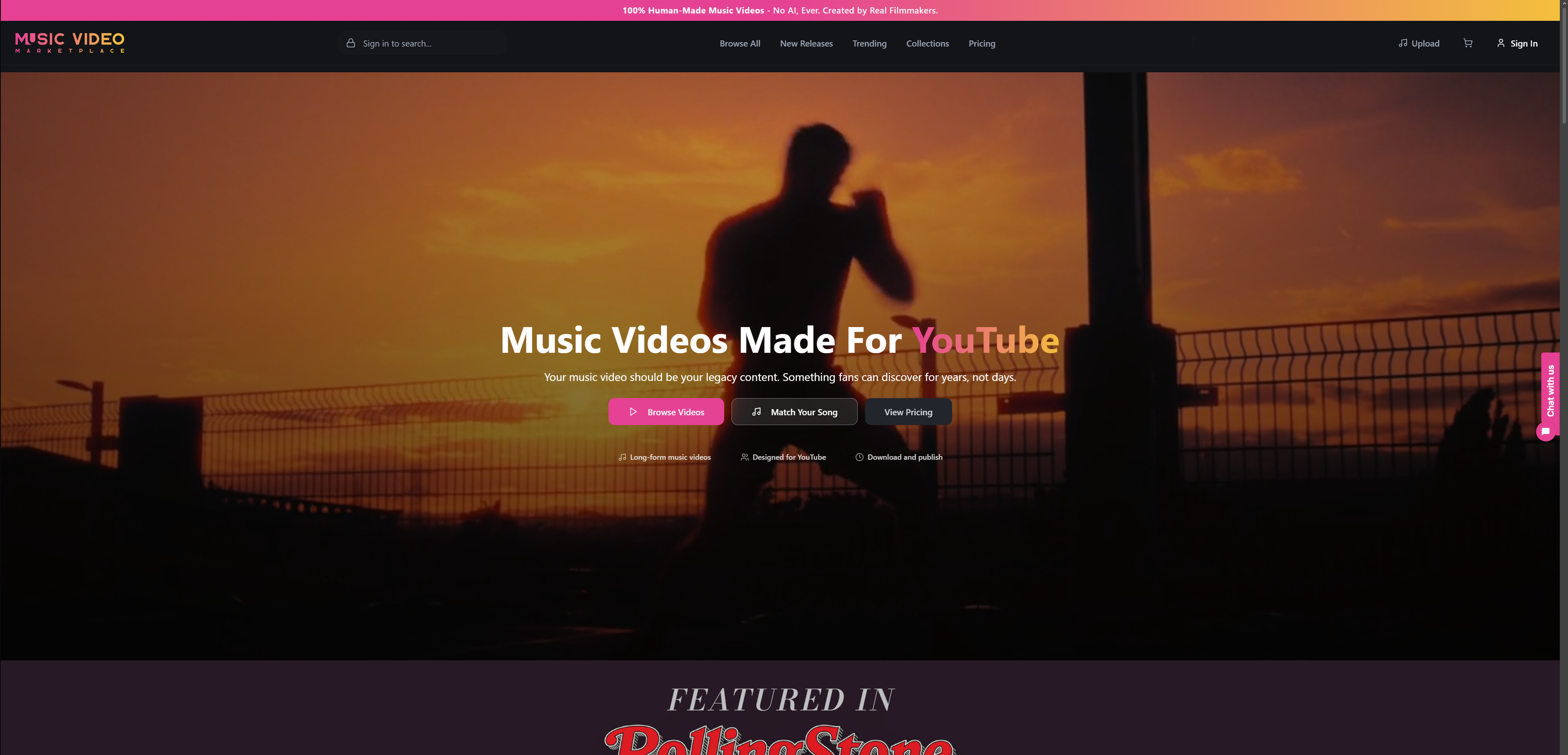
Beyond video creation, the platform manages your YouTube ad campaigns through simplified interfaces built specifically for musicians. Define your target audience by genre and location, set your budget and timeline, then launch campaigns that place your music directly in front of ideal listeners. Built-in analytics track performance in real time, showing exactly how your investment translates to views, streams, and subscriber growth. Independent artists and small labels achieve better upload quality and promotional outcomes with significantly less technical hassle. Visit Music Video Marketplace to explore video creation and promotional packages tailored for musicians ready to grow their YouTube presence efficiently.
How do I avoid copyright strikes when uploading music to YouTube?
Register your music with YouTube Content ID and ensure you have full rights clearance before uploading. Verify you own or have licensed every sample, cover song, and collaborative contribution in your track. Content ID scans uploads automatically, flagging unauthorised uses whilst protecting your original work from others.
What is the best way to create engaging music videos quickly?
Use tools like MusicVideoMarketplace.com to generate lyric or animated videos within minutes rather than hours. Incorporate visually appealing elements such as synchronised lyrics and beat-responsive animations to increase watch time. Templates eliminate the need for video editing skills whilst maintaining professional quality that performs well in YouTube’s algorithm.
How long should I run promotional campaigns on YouTube?
Plan your YouTube ad campaigns for at least 4 to 6 weeks to see measurable growth in views and engagement. Shorter campaigns generate insufficient data for meaningful optimisations and rarely allow YouTube’s algorithm enough time to identify your ideal audience segments. Monitor performance weekly and adjust targeting based on cost per view and retention metrics.
Can I upload just audio with a static image as a video on YouTube?
You can upload static image videos, but they generally result in 35% lower watch time and reduced audience retention compared to dynamic content. YouTube’s recommendation algorithm prioritises videos that keep viewers engaged longer. Lyric or animated videos significantly improve viewer retention, subscriber conversion rates, and overall channel growth by providing visual interest that complements your music.
What video format works best for YouTube music uploads?
MP4 files with H.264 video codec and AAC audio provide universal compatibility and fast processing times. Export at 1080p minimum resolution, preferably 4K, to ensure professional presentation across devices. Higher quality videos receive preferential treatment in search rankings and recommendations compared to lower resolution uploads.
Recommended
- Complete Youtube Music Upload Workflow for Musicians | Music Video Marketplace Blog
- Role of YouTube in Music: Powering Indie Artist Success | Music Video Marketplace Blog
- YouTube Music Content: Boosting Reach for Musicians | Music Video Marketplace Blog
- Music Video Marketing Guide for Independent Musicians | Music Video Marketplace Blog
Read next
 How independent musicians monetise video content effectivelyDiscover what is video monetization and how independent musicians can turn views into income. Learn effective strategies for success!
 How to convert songs to video: 2026 guideLearn how to convert songs to video in this 2026 guide. Discover the best tools and techniques for creating stunning videos for social media!
 How to create long-form music video tutorials on YouTubeUnlock the power of a long form video tutorial! Learn to create engaging YouTube music tutorials that build loyal audiences and boost your reach.
 Guide to music video teasers: 2026 strategiesUnlock the secrets of promotion with this guide to music video teasers. Boost engagement on social media and build anticipation for your release!
Turn the idea into a finished music video.
Drop your track into the Studio and build your visual in minutes.