
How to convert songs to video: 2026 guide
Learn how to convert songs to video in this 2026 guide. Discover the best tools and techniques for creating stunning videos for social media!
How to convert songs to video: 2026 guide
TL;DR:
- Converting a song to video involves combining audio with visuals and selecting export settings suited to each platform. Visual elements like lyric overlays or visualisers significantly boost viewer engagement and watch time. Using appropriate tools, aspect ratios, and codecs ensures optimal quality and compatibility across platforms like YouTube, TikTok, and Instagram.
Converting a song to video means combining your audio track with visual elements and exporting the result as an MP4 file ready for YouTube, TikTok, or Instagram. The process is the standard industry term for audio-to-video rendering, and it requires three decisions: which visuals to use, which tool to use, and which export settings match your target platform. Tools like Clideo, Canva, and FFmpeg each handle this differently, and the right choice depends on how much creative control you need versus how quickly you need results.
How to convert songs to video: choosing your approach
The core process of converting a song to video follows the same logic regardless of which tool you use. You supply an audio file, attach visual content, set the duration, and export. The standard output format is MP4 with H.264 video encoding and AAC audio encoding. This combination plays back on every major platform and device without compatibility issues.
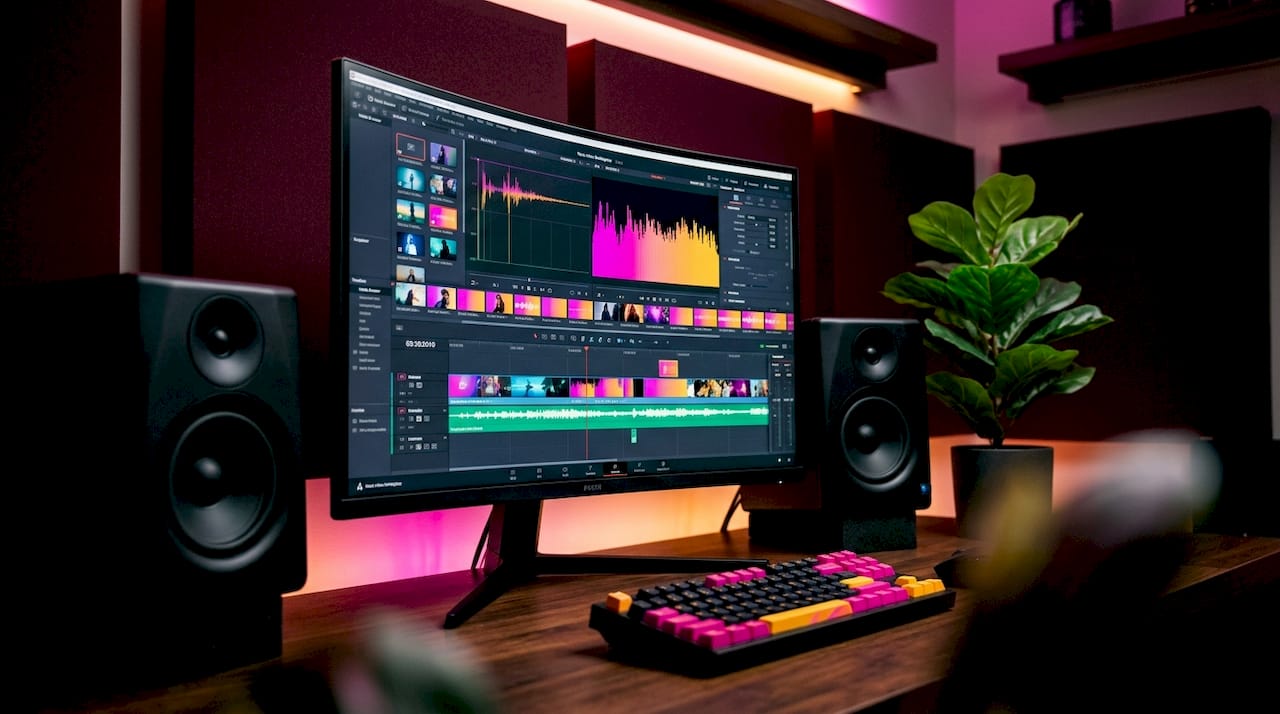
What separates a forgettable upload from one that holds attention is the visual layer. Static album art works, but it is the minimum viable option. A waveform visualiser, a lyric overlay, or a well-timed slideshow gives viewers a reason to stay past the first ten seconds. The choice you make here directly affects watch time, and watch time is the metric YouTube’s algorithm weighs most heavily.
Musicians converting audio tracks for the first time often underestimate how much the visual format matters. A 3-minute track uploaded as a landscape video to YouTube Shorts will display with black bars on both sides, cutting engagement before the hook even lands.
What visual elements work best for audio-based videos?
The visual layer is where most creators either win or lose their audience. There are four main approaches, and each suits a different context.
- Static image: A single album cover, artist photo, or branded graphic held for the full track duration. This is the fastest option and works well for catalogue releases or tracks you want on YouTube without heavy production investment.
- Slideshow: A sequence of images timed to the track, often synced to verse and chorus changes. Canva’s template library makes this straightforward, and the result feels more considered than a single static frame.
- Audio visualiser: A waveform or frequency spectrum that reacts to the audio in real time. Dynamic visualisers increase viewer engagement compared to static backgrounds, particularly for music and podcast content.
- Lyric overlay: Text synced to the vocal line, either as full-screen cards or as animated subtitles. This format performs strongly on mobile, where viewers often watch without sound initially and need a reason to unmute.
Choosing between these options comes down to platform and purpose. A long-form YouTube upload benefits from a visualiser or slideshow. A YouTube Short or TikTok clip needs vertical framing and fast-moving visuals to compete in a scroll-heavy feed.
Pro Tip: If you are releasing on multiple platforms simultaneously, create two exports: one in 16:9 for YouTube and one in 9:16 for Shorts and TikTok. Trying to crop a landscape video into a vertical format after the fact always degrades quality.
Which tools can you use to convert audio to video?
The music-to-video converter market splits into three tiers: browser-based tools, desktop editors, and command-line solutions. Each has a distinct trade-off between speed and control.
| Tool | Best for | Skill level | Cost |
|---|---|---|---|
| Clideo | Quick online conversion with presets | Beginner | Free / paid tiers |
| Canva | Branded visuals with templates | Beginner to intermediate | Free / Pro |
| Adobe Premiere Pro | Full creative control, complex timelines | Advanced | Subscription |
| DaVinci Resolve | Professional colour grading and editing | Advanced | Free / Studio |
| FFmpeg | Scripted, automated batch conversion | Technical | Free |
| CapCut | Mobile-first, short-form content | Beginner | Free |
Clideo and Canva are the fastest entry points. Both run in a browser, require no installation, and produce a shareable MP4 in under five minutes. Canva goes further by letting you drag audio onto a canvas, apply platform-specific templates, and export directly to the correct dimensions for YouTube or Instagram.
For creators who need more than a template, desktop editors like Adobe Premiere Pro or DaVinci Resolve give you frame-level control over timing, transitions, and colour. The trade-off is a steeper learning curve and longer export times. If you are producing one or two videos per week, the investment pays off. If you are converting a back catalogue of 40 tracks, it does not.
FFmpeg sits in a category of its own. It is a free, open-source command-line tool that runs on Windows, macOS, and Linux. It is not beginner-friendly, but it is the most precise option available. You can script a batch process that converts 50 audio files overnight, each with a looped cover image and perfectly synced output. For musicians with large catalogues or developers building automated pipelines, FFmpeg is the right choice.
Mobile apps like CapCut and Adobe Express handle the steps to make video with music on a phone, which matters for creators who shoot and post from the same device. The quality ceiling is lower than desktop tools, but for short-form content the difference is rarely visible on a phone screen.
How should you format and export for different platforms?
Export settings are where most creators make avoidable mistakes. Getting the aspect ratio, resolution, and codec right before you upload saves time and protects your video’s performance in platform algorithms.
| Platform | Aspect ratio | Resolution | Max length |
|---|---|---|---|
| YouTube (standard) | 16:9 | 1920 × 1080 | No hard limit |
| YouTube Shorts | 9:16 | 1080 × 1920 | 3 minutes |
| Instagram Reels | 9:16 | 1080 × 1920 | 90 seconds |
| TikTok | 9:16 | 1080 × 1920 | 10 minutes |
| Instagram Feed (square) | 1:1 | 1080 × 1080 | 60 seconds |
YouTube Shorts requires a 9:16 aspect ratio at 1080 × 1920 pixels for best display. Uploading a 16:9 video to Shorts without reformatting produces black bars on the left and right sides, which reduces engagement and signals to the algorithm that the content is not optimised for the format.
For codec settings, MP4 with H.264 and AAC is the universal standard. H.264 keeps file sizes manageable without visible quality loss, and AAC preserves audio fidelity at bitrates between 192 kbps and 320 kbps. Frame rate should sit at 24 fps or 30 fps for music content. Higher frame rates like 60 fps are unnecessary for a static or slideshow-based video and inflate file size without benefit.
Pro Tip: Export at the highest resolution your source material supports, then let the platform compress it on upload. Uploading a 1080p file and letting YouTube downscale it produces better results than uploading a pre-compressed 720p file.
For a complete walkthrough of the upload process itself, the YouTube music upload workflow guide covers metadata, thumbnails, and scheduling in detail.
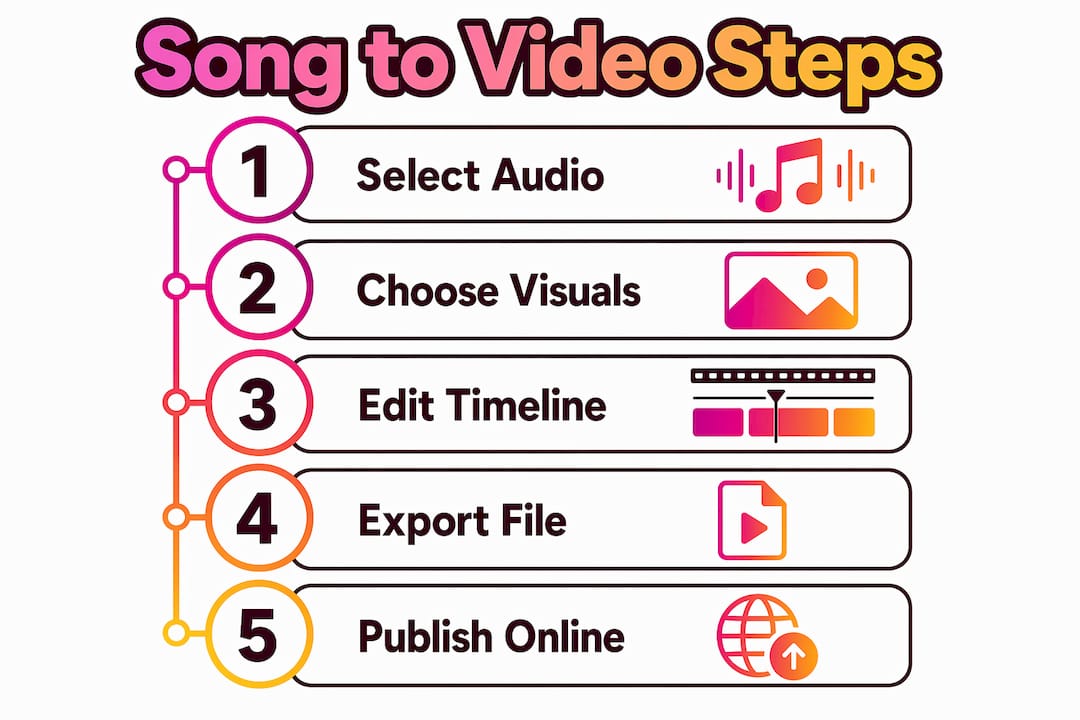
Step-by-step: how to create a video from a song
The following workflow covers two methods: a browser-based approach using Clideo, and a command-line approach using FFmpeg.
Method 1: Using Clideo (browser-based)
- Go to Clideo’s audio-to-video tool and upload your MP3 or WAV file.
- Upload your visual asset, whether that is a single image or a set of images for a slideshow.
- Select your aspect ratio from the preset menu. Choose 16:9 for YouTube or 9:16 for Shorts.
- Trim the audio if needed, or set the image duration to match the full track length.
- Add captions or text overlays if your format calls for them. Clideo’s editor supports captions, colour adjustments, and basic transitions.
- Click export and select MP4 as the output format.
- Download the file and review it before uploading to your platform.
Method 2: Using FFmpeg (command-line)
- Install FFmpeg on your machine from the official FFmpeg website.
- Place your cover image (cover.jpg) and audio file (audio.mp3) in the same folder.
- Open your terminal and navigate to that folder.
- Run the following command:
"`` ffmpeg -loop 1 -i cover.jpg -i audio.mp3 -c:v libx264 -c:a aac -shortest output.mp4
5. The -shortest flag tells FFmpeg to stop encoding when the shortest stream ends, which synchronises the video length exactly to the audio length and prevents black frames at the end.
6. Check the output file plays correctly before uploading.
The FFmpeg method is particularly useful for batch processing. You can wrap the command in a shell script and loop it across an entire folder of tracks, each paired with its own cover image. For musicians converting a back catalogue, this saves hours of manual work.
## Common mistakes when converting songs to video
Even experienced creators run into the same set of problems. Knowing them in advance saves a frustrating round of re-exports.
- **Aspect ratio mismatch:** Uploading a 16:9 video to a vertical-only feed produces letterboxing. Always match your export dimensions to the platform before you start, not after.
- **Audio and visual length mismatch:** If your image duration is shorter than your audio track, the video ends early and the audio cuts off. If it is longer, you get a silent black screen at the end. Use the -shortest flag in FFmpeg or manually match durations in your editor.
- **Codec incompatibility:** Some platforms reject files encoded with codecs other than H.264. If your upload fails or plays without sound, re-export using H.264 for video and AAC for audio.
- **Audio quality loss:** Exporting at a low bitrate compresses the audio noticeably, which is unacceptable for a music release. Set your AAC bitrate to at least 192 kbps, and 320 kbps if the platform supports it.
- **File size too large:** High-resolution exports with lossless audio can exceed platform upload limits. Reduce file size by lowering the video bitrate slightly rather than compressing the audio.
> Waveform timings are the source of truth for synchronising dynamic visuals or subtitles to music. Relying on metadata-only timing estimates in AI tools causes drift over longer tracks. Always verify sync against the actual audio waveform before exporting.
For more on repurposing your finished videos across platforms, the guide on [repurposing music videos](https://musicvideomarketplace.com/blog/how-to-repurpose-music-videos-for-maximum-reach) covers distribution strategy in depth.
## Key takeaways
Converting songs to video requires matching the right visual format, export settings, and tool to your platform before you start, not after.
| Point | Details |
| --- | --- |
| Use MP4 with H.264 and AAC | This codec combination plays on every major platform without compatibility issues. |
| Match aspect ratio to platform | Export 16:9 for standard YouTube and 9:16 for Shorts, TikTok, and Reels. |
| Dynamic visuals outperform static | Visualisers and lyric overlays hold attention longer than a single static image. |
| FFmpeg suits batch conversion | Use the -shortest flag to sync video length to audio length automatically. |
| Set audio bitrate at 192 kbps minimum | Lower bitrates compress music noticeably and undermine the quality of your release. |
## Why the visual layer matters more than most musicians realise
Most conversations about converting audio to video focus on the technical steps. The codec, the aspect ratio, the export settings. Those things matter, but they are table stakes. What actually determines whether a video performs is the visual decision you make before you open any tool.
I have seen musicians spend hours perfecting a mix and then upload it with a static JPEG that has not been updated since 2019. The track is excellent. The video is invisible. Platforms like YouTube reward watch time and click-through rate, and both of those metrics start with the thumbnail and the first three seconds of visual content. A waveform visualiser that pulses with the kick drum does more for retention than any amount of metadata optimisation.
The other thing worth saying plainly: do not treat the vertical format as an afterthought. Creators who produce Shorts natively in 9:16 rather than cropping from landscape consistently outperform those who do not. The platform can tell the difference, and so can the viewer. If you are serious about short-form reach, build the vertical version first and treat the landscape version as the secondary export.
The tools available in 2026 make this easier than it has ever been. AI-assisted visualisers, one-click platform presets in Canva, and free command-line power in FFmpeg mean there is no budget barrier to producing a properly formatted video for every platform you care about. The barrier is attention, not technology. Decide what your visual says about the track before you decide which button to press.
> *— Music*
## Take your music videos further with Musicvideomarketplace
Musicvideomarketplace is built specifically for musicians who want to go from audio track to published YouTube video without a production team. The platform lets you create a long-form video in minutes, upload directly to YouTube, and launch an ad campaign for your song from the same place.

If you are ready to move beyond basic conversion and start building an audience around your music, explore the [best video creation tools](https://musicvideomarketplace.com/blog/best-video-creation-tools-for-musicians-4) available to musicians in 2026. For a broader look at social video strategy, the [social media video marketing](https://cine.salon/resourses/10-tips-to-boost-your-social-media-video-marketing-strategy) guide covers platform-specific tactics worth knowing. Start at [Musicvideomarketplace](https://musicvideomarketplace.com) to see how quickly a finished, campaign-ready video is within reach.
## FAQ
### What file format should I use when converting a song to video?
MP4 with H.264 video encoding and AAC audio encoding is the standard format for song videos. It plays on every major platform including YouTube, Instagram, and TikTok without compatibility issues.
### What aspect ratio do I need for YouTube Shorts?
YouTube Shorts requires a 9:16 aspect ratio at 1080 × 1920 pixels. Uploading a landscape video without reformatting produces black bars and reduces platform performance.
### Can I convert audio to video without any software installed?
Yes. Browser-based tools like Clideo and Canva convert MP3 files to MP4 directly in your browser with no installation required, making them the fastest option for quick conversions.
### What is the best free tool for batch audio-to-video conversion?
FFmpeg is the most capable free tool for batch conversion. A single command using the -shortest flag loops a cover image over an audio file and exports a correctly synced MP4, and the command can be scripted to process entire folders at once.
### How do I stop black frames appearing at the end of my converted video?
Use FFmpeg's -shortest flag, which stops encoding the moment the audio stream ends. In browser-based editors, manually match the image or slideshow duration to the exact length of the audio track before exporting.
## Recommended
- [Étapes montage vidéo pour artistes : guide 2026 | Music Video Marketplace Blog](https://musicvideomarketplace.com/blog/etapes-montage-video-pour-artistes-guide-2026)
- [Créer du contenu vidéo pour artistes : guide facile 2026 | Music Video Marketplace Blog](https://musicvideomarketplace.com/blog/creer-contenu-video-professionnel-artistes-guide-facile)
- [Comment promouvoir une chanson sur YouTube : guide 2026 | Music Video Marketplace Blog](https://musicvideomarketplace.com/blog/comment-promouvoir-chanson-youtube-guide-artistes)
- [Why video boosts song exposure for musicians in 2026 | Music Video Marketplace Blog](https://musicvideomarketplace.com/blog/why-video-boosts-song-exposure-musicians-2026)Read next
 How to launch song campaigns that actually get heardDiscover how to launch song campaigns that truly connect with your audience. Learn strategic steps for impactful music releases!
 How to monetise music videos in 2026Unlock your earning potential! Discover how to monetize music videos in 2026 with proven strategies and tips for independent artists.
 How to repurpose music videos for maximum reachDiscover how to repurpose music videos for maximum reach! Unlock new audiences and boost your views with these effective strategies.
 How independent musicians monetise video content effectivelyDiscover what is video monetization and how independent musicians can turn views into income. Learn effective strategies for success!
Turn the idea into a finished music video.
Drop your track into the Studio and build your visual in minutes.