
Music Video Automation: Saving Time for Musicians
Music video automation lets musicians swiftly create video content. Learn how automation software works, types available, and key legal factors.
Music Video Automation: Saving Time for Musicians
Spending countless hours editing music videos can leave little time for creative ideas and meaningful promotion. For independent musicians and small record label managers navigating global release schedules, the challenge is balancing artistic vision with technical demands. This article uncovers how music video automation transforms routine tasks into creative opportunities, helping you stay consistent, adapt visuals across platforms, and bring fresh energy to every launch.
Table of Contents
- Defining Music Video Automation for Artists
- Core Processes and Automation Technologies
- Available Tools and Feature Differences
- Legal Rights, Copyrights, and Ownership
- Common Pitfalls and How to Avoid Them
Key Takeaways
| Point | Details |
|---|---|
| Music Video Automation Revolutionises Production | Automation enables artists to focus on creativity rather than repetitive technical tasks, significantly reducing production time. |
| Retain Creative Control | Despite utilising technology, artists maintain full control over visual style, messaging, and pacing, ensuring their artistic vision is upheld. |
| Select the Right Tools | Different automation platforms vary in function; choose one that aligns with your specific workflow needs and creative process. |
| Plan and Prepare Thoroughly | Adequate pre-production and quality source material are essential to leverage automation effectively and achieve professional results. |
Defining Music Video Automation for Artists
Music video automation is the process of using technology to handle repetitive video production and promotional tasks, freeing you to focus on creative decisions. Rather than spending hours on manual editing, rendering, or campaign setup, automation tools handle the computational work whilst you maintain full artistic control.
At its core, automation shifts your role from doing technical work to making creative choices. You set the vision, the mood, the message. The system executes it.
Think of it like a music production workflow. When producing a song, you use a DAW to automate volume changes, effects, and instrument timing. You don’t manually adjust every single millisecond yourself. Music video automation works the same way.
How It Works in Practice
Automation platforms handle multiple tasks simultaneously:
- Generate long-form video content from a single music track
- Synchronise visuals automatically to beat, tempo, and song structure
- Create platform-specific formats (YouTube, Instagram, TikTok) without manual resizing
- Set up advertising campaigns with minimal input
- Produce multiple variations of the same video for A/B testing
The technology uses algorithmic decision-making and probabilistic parameters to generate different creative outcomes each time you run it. This means you can produce fresh content variations without redoing the entire creative process.
What Automation Actually Saves
For independent musicians managing everything alone, the time savings are substantial. Instead of spending 15-20 hours creating, editing, and rendering a single music video, automation platforms compress this into minutes.
Beyond time, automation reduces the learning curve. You don’t need advanced video editing skills or months of production experience. The system handles the technical complexity whilst you shape the final result.
Where Creative Control Remains
Automation isn’t about removing your artistry. You still decide:
- Visual style and colour palette
- Which shots or imagery appear
- Pacing and rhythm preferences
- Messaging and branding elements
- Campaign targeting and audience
The difference is that AI-driven tools work as collaborators extending your creative possibilities rather than replacing your choices. You’re using technology to amplify your vision, not surrender it.
Automation transforms music video creation from a time-intensive technical process into a strategic creative task where you focus on decisions that matter.
Pro tip: Start by automating your most routine tasks first—video formatting for different platforms or basic advertisement setup—before exploring more advanced creative automation features.
Core Processes and Automation Technologies
Automation technologies for music videos rely on several interconnected processes that work together to produce finished content rapidly. Understanding these core systems helps you make better decisions about which tools suit your workflow.
The foundation starts with real-time editing and scene detection. Rather than you manually reviewing every frame and deciding where cuts belong, algorithms analyse your footage and identify natural transition points based on visual content, movement, and audio cues.
Key Technologies in Action
Modern music video automation combines multiple AI techniques:
- Scene recognition identifies shots and segments automatically
- Motion graphics generation creates effects without manual animation
- Colour grading applies consistent visual style across all footage
- Audio synchronisation locks visuals to beat and tempo
- Trailer and highlight creation extracts key moments
Generative models and deep learning algorithms enhance these capabilities by producing realistic effects, improving overall quality, and enabling personalisation for different audiences or platforms.
How Conditional Sequencing Works
One powerful feature is conditional sequencing—the system makes creative decisions based on rules you set. For example, if a song builds intensity, the algorithm automatically increases shot frequency and adds motion effects.
You establish the creative parameters once. The automation applies them consistently across the entire video, then generates variations by adjusting probabilistic parameters. Each run produces something slightly different, perfect for testing multiple versions.
Scene Variation and Dynamic Output
Instead of creating one static video, probabilistic parameters enable different outcomes each time the system renders. This means you can produce multiple video versions for A/B testing advertising campaigns without recreating content from scratch.
These variations maintain your core creative vision whilst offering fresh perspectives. One viewer sees a fast-paced cut sequence; another experiences a slower, atmospheric version. Both align with your artistic direction.
Reducing Production Cost and Time
The impact on your workflow is immediate. Tasks that typically require specialised skills—colour correction, motion graphics, editing synchronisation—happen automatically. You shift from hands-on technical work to decision-making and creative oversight.
Automation compresses weeks of production into hours, making professional-quality music videos accessible to musicians working independently.
Pro tip: Test automation settings on a short song clip first to understand how the system responds to your creative parameters before committing to a full-length production.
Available Tools and Feature Differences
Not all automation tools are created equal. Some focus heavily on video generation, whilst others specialise in ad campaign creation. Understanding what each type offers helps you choose the right fit for your specific needs.
Tools vary significantly in their automation depth and user control. Some handle nearly everything automatically; others require more input but offer greater creative flexibility. Your workflow preferences and budget will determine which approach works best.
Categories of Automation Tools
Automation platforms fall into distinct categories based on their primary function:
- Full-suite platforms: video generation, editing, and ad campaign setup
- Video-focused tools: composition, scene selection, and output rendering
- Ad-specific platforms: campaign creation, targeting, and performance tracking
- Hybrid systems: combine music generation with video automation
Each category serves different musician workflows. A solo artist needing quick YouTube content has different requirements than a label managing multiple releases across platforms.
Here’s how automation platforms differ by their primary focus and user benefits:
| Platform Type | Typical Users | Main Advantage | Strength |
|---|---|---|---|
| Full-suite | Independent artists, labels | One-stop workflow simplification | Broad feature integration |
| Video-focused | Solo creators, videographers | Customisable visuals and scenes | Highest creative flexibility |
| Ad-specific | Marketers, publishers | Streamlined campaign setup | Advanced targeting options |
| Hybrid systems | Experimental musicians | Combine music and video automation | Unique creative combinations |
Key Feature Differences
Different tools offer varying levels of creativity support and interactivity, ranging from fully automated systems to interactive platforms where you guide creative decisions step by step.
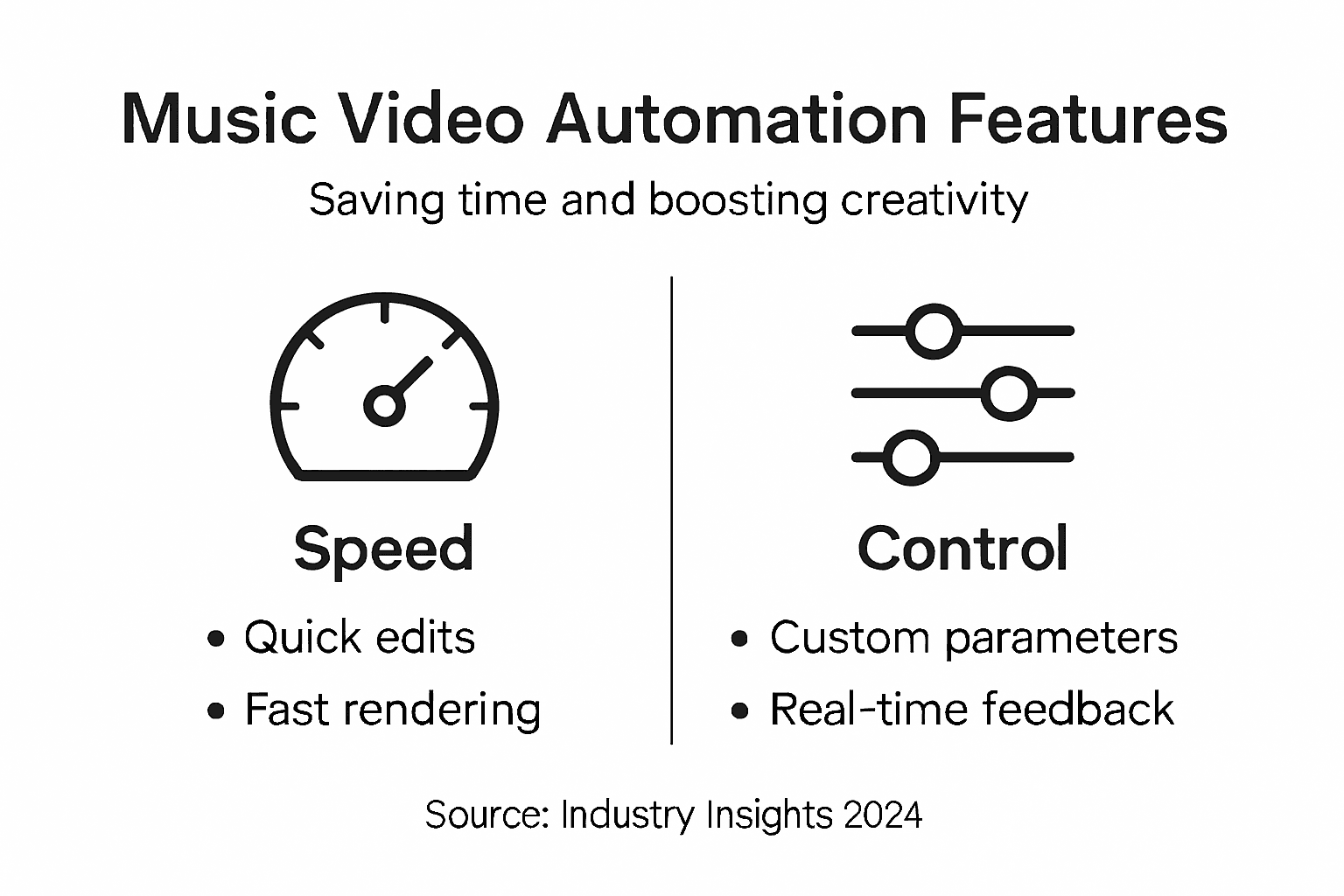
Some tools prioritise speed—generating complete videos in minutes with minimal input. Others emphasise control, letting you tweak every parameter before rendering. Understanding this spectrum helps you match tools to your working style.
Automation depth varies too. Basic tools handle standard editing tasks. Advanced systems integrate real-time feedback, machine learning refinements, and adaptive parameters that improve output quality based on your historical choices.
Integration with Your Workflow
Consider how tools fit into your existing process. Do they connect with your DAW? Can you export directly to YouTube or social platforms? Usability in composition workflows and creative integration differs significantly between platforms.
Some musicians prefer standalone tools they control independently. Others want tightly integrated ecosystems where video automation connects directly with production software they already use daily.
Quality and Output Variations
Output quality depends on automation sophistication and the source material you provide. Tools using advanced generative models produce higher-quality effects and smoother transitions. Simpler automation may feel more basic visually.
Testing tools with your own music before committing reveals whether the output quality matches your release standards and audience expectations.
Choosing the right automation tool depends less on features and more on which platform aligns with your creative process and technical comfort level.
Pro tip: Request trial access or demo versions of tools before purchasing; test them with actual unreleased tracks to evaluate how well the output matches your artistic vision.
Legal Rights, Copyrights, and Ownership
When you use automation tools to create music videos, questions about ownership and copyright immediately arise. Understanding who owns what protects your work and prevents costly legal disputes down the road.
The core issue is straightforward: you own your original music. But when automation tools contribute to video creation, the legal landscape becomes murkier. The question of copyright ownership and authorship remains ambiguous when AI is involved in creative output.
What You Own When Using Automation
Your rights depend on how the tool operates and what your agreement states:
- Your original music composition always remains yours
- Video footage you provide or licence is yours to use
- The automation tool’s output—if you created it—is typically yours
- Rights to the tool’s underlying technology belong to the developer
Most reputable automation platforms grant you ownership of the final video. Check your terms of service carefully; this is non-negotiable before signing up.
Training Data and Copyright Infringement
A critical legal issue involves how automation tools train their systems. AI training on existing copyrighted material raises serious copyright infringement concerns that affect both tool developers and users.
If a platform trained its algorithms on copyrighted music videos without permission, you could inadvertently face liability. Before adopting any tool, research whether it licensed its training data properly from original copyright holders.
Platform Liability and Your Responsibility
Most automation platforms include terms limiting their liability. They typically require you to guarantee that input material (your music, any footage) belongs to you or is properly licenced.
Violating this means you bear the legal risk if someone claims infringement. This shifts responsibility to you, making due diligence essential before uploading anything.
Transparency and Disclosure Requirements
Emerging regulations may soon require you to disclose when AI or automation created your content. Some platforms already recommend labelling videos as AI-assisted for transparency with audiences and algorithms.
Staying ahead of these emerging obligations protects your reputation and keeps you compliant as laws evolve globally.
Your original music always belongs to you, but automation platform agreements determine ownership of the final video—read the terms before creating anything.
Pro tip: Before committing to any automation platform, request their legal documentation confirming they own and have licenced all training data, then retain copies for your records.
Common Pitfalls and How to Avoid Them
Automation saves time, but it cannot compensate for poor planning or neglected fundamentals. Musicians who rush into automation without preparation often end up with underwhelming results that hurt their reputation.
The most preventable mistakes stem from skipping essential groundwork before ever opening an automation platform. A few hours of preparation prevents weeks of frustration and rework.
Planning and Pre-Production Matter
Inadequate planning and poor narrative clarity undermine video quality regardless of how advanced your automation tools are. Start by defining your creative vision clearly before automation begins.
Ask yourself specific questions:
- What story does your song tell?
- Who is your target audience for this video?
- What mood or aesthetic fits the track?
- Which platforms will you prioritise?
- What measurable outcomes matter for success?
Writing these down forces clarity. Automation platforms perform better when given clear parameters rather than vague instructions.
Source Material Quality Determines Output
Automation amplifies whatever you feed it. Poor-quality audio, dim footage, or weak visual assets produce poor final videos regardless of tool sophistication.
Before automating, audit your materials:
- Audio: Is your mix clean and properly mastered?
- Visuals: Are images sharp, well-lit, and colour-corrected?
- Metadata: Have you tagged content with relevant information?
Spending time refining source material yields dramatically better automated results. This is not time wasted; it is foundational work.
Avoid Over-Reliance on Defaults
Automation tools ship with preset settings. Using them unchanged often produces generic-looking videos that blend in with thousands of others. Your competitors using the same tool will generate similar output.
Invest time customising parameters, even if automation handles most tasks. Small adjustments to colour grading, pacing, or effect intensity make outputs unmistakably yours.
Testing Before Full Commitment
Run test renders on short clips before automating full tracks. This reveals how the tool responds to your material and creative preferences without wasting time on complete production.
Testing catches compatibility issues, unexpected visual quirks, and parameter adjustments needed before you commit hours to final output.
These issues are common when using automation tools—here’s how to mitigate them:
| Pitfall | Potential Impact | Prevention Strategy |
|---|---|---|
| Weak source material | Poor video quality | Refine audio and visuals first |
| Over-reliance on presets | Generic, indistinct output | Customise parameters each time |
| Insufficient planning | Disjointed narrative | Define vision and outcomes early |
| Skipping test renders | Unexpected final results | Test short clips before full scale |
Poor preparation makes automation tools produce disappointing results; thorough planning makes them produce professional-quality videos.
Pro tip: Create a production checklist documenting your creative vision, source material requirements, and platform-specific specifications before starting any automation project.
Unlock Your Time and Creativity with Music Video Automation
The challenges of manual video editing and campaign setup described in “Music Video Automation Saving Time for Musicians” highlight the need for tools that allow you to focus on creative choices rather than technical tasks. If you want to save hours normally spent on rendering and synchronisation, while maintaining full control over your video’s style and messaging, automation is your answer. Embrace features like conditional sequencing and multiple video variations to engage different audiences effectively without overwhelming effort.

Discover how you can create long form music videos ready for YouTube publication in just minutes and launch tailored ad campaigns seamlessly by visiting Music Video Marketplace. Take control of your creative workflow and free yourself from tedious editing tasks now. Start transforming your music videos with automation and bring your vision to life with professional quality at https://musicvideomarketplace.com today.
Frequently Asked Questions
What is music video automation?
Music video automation is the use of technology to streamline video production and promotional tasks, allowing artists to focus on creative decisions rather than time-consuming technical work.
How can automation save time for independent musicians?
Automation tools can reduce the time required to create, edit, and render a music video from 15-20 hours to just a few minutes, significantly enhancing efficiency for independent musicians managing tasks alone.
What creative control do artists retain when using automation tools?
Artists maintain full control over visual style, pacing, messaging, and choice of imagery. Automation acts as a collaborator, executing the artist’s vision rather than replacing it.
What types of tasks can music video automation handle?
Automation platforms can handle tasks such as generating video content from a single music track, synchronising visuals to song structure, creating platform-specific formats, setting up advertising campaigns, and producing variations for A/B testing.
Recommended
- 6 Essential Music Video Ideas Checklist for Musicians | Music Video Marketplace Blog
- Video Ads in Music Promotion: Power for Indies | Music Video Marketplace Blog
- Types of Video Ads for Musicians: Boosting Reach | Music Video Marketplace Blog
- Educational Video for Musicians: Boosting Song Reach | Music Video Marketplace Blog
- TikTok’s Sonic Revolution | Fresh Entertainments
Read next
 Top 6 music video generators for djs 2026Discover the top 6 music video generators for djs 2026 to help you create engaging videos and promote your tracks effectively online.
 Top 5 music video marketing tools 2026Discover the top 5 music video marketing tools 2026 and compare their features to boost your video marketing strategy.
 Music Video Marketplace Awarded Invest NI R&D GrantMusic Video Marketplace has been awarded Invest NI R&D grant to develop its technology platform, improve the user journey, and advance AI-assisted music video creation for artists.
 Create standout explainer videos for your record labelDiscover how independent musicians and record labels can create standout explainer videos using AI tools and proven strategies, without a big budget.
Turn the idea into a finished music video.
Drop your track into the Studio and build your visual in minutes.