
The role of YouTube cards: a 2026 strategy guide
Discover the role of YouTube cards in boosting viewer engagement. Learn how to use this powerful tool effectively for your strategy.

The role of YouTube cards: a 2026 strategy guide
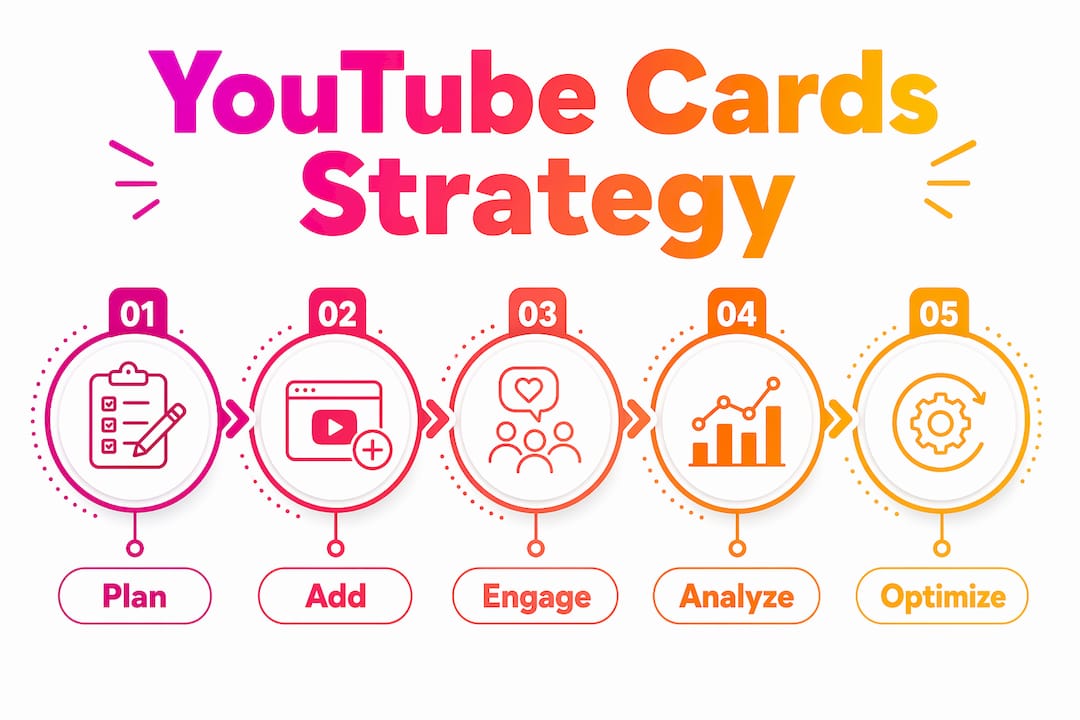
YouTube cards are the single most underused mid-video tool available to creators. They appear as a small interactive overlay in the top-right corner of the player, linking viewers to other videos, playlists, channels, or approved external sites, all while the video is still playing. Unlike end screens, which only fire in the final 5–20 seconds, cards can appear at any point in a video, making them your primary lever for mid-video engagement.
What is the role of YouTube cards in viewer engagement?
YouTube cards, formally called info cards, are interactive overlays that sit in the top-right corner of the player. A small teaser icon appears at the timestamp you choose; clicking it expands a panel with a thumbnail, title, and custom message. Cards replaced the old annotations system, which only worked on desktop. Cards work across both mobile and desktop, which is why YouTube sunsetted annotations in their favour.
Their role goes beyond simple links. Cards act as real-time visual CTAs that guide the viewer journey and extend channel session time, a metric YouTube’s recommendation algorithm weighs heavily. When a viewer clicks a card and watches another of your videos, the platform registers that as a strong quality signal. That chain reaction, from one video to the next, is exactly what cards are built to trigger.
- Cards appear mid-video, not just at the end, giving creators multiple touchpoints throughout a video.
- They work on mobile and desktop, unlike the deprecated annotations they replaced.
- Each video supports up to five cards, each set to a different timestamp.
- Cards influence YouTube’s algorithm indirectly by increasing session watch time across your channel.
- They are free to use and available to all creators, with one exception covered below.
What types of YouTube cards can you use?
There are several card types, each serving a distinct purpose. Choosing the right one for the right moment is where most creators go wrong.
- Video cards link to a specific YouTube video. These are the highest-performing card type on most channels, accounting for the vast majority of all card clicks on mature channels. Use them to send viewers deeper into a related topic.
- Playlist cards link to a curated playlist rather than a single video. They work well when you want to encourage a binge-watching session around a theme, rather than directing someone to one specific piece of content.
- Channel cards promote another YouTube channel. They are useful for collaborations and shout-outs, but use them sparingly. Every click on a channel card sends a viewer away from your content entirely.
- Link cards direct viewers to an external website. These are exclusive to YouTube Partner Program members. Misuse of link cards, such as linking to sites that violate YouTube’s Community Guidelines, risks card removal, strikes, or account termination.
Cards are not available on videos marked as “made for kids,” and they will not display on videos where a Content ID claim has triggered a campaign by the content owner.
Why YouTube cards are worth building a strategy around
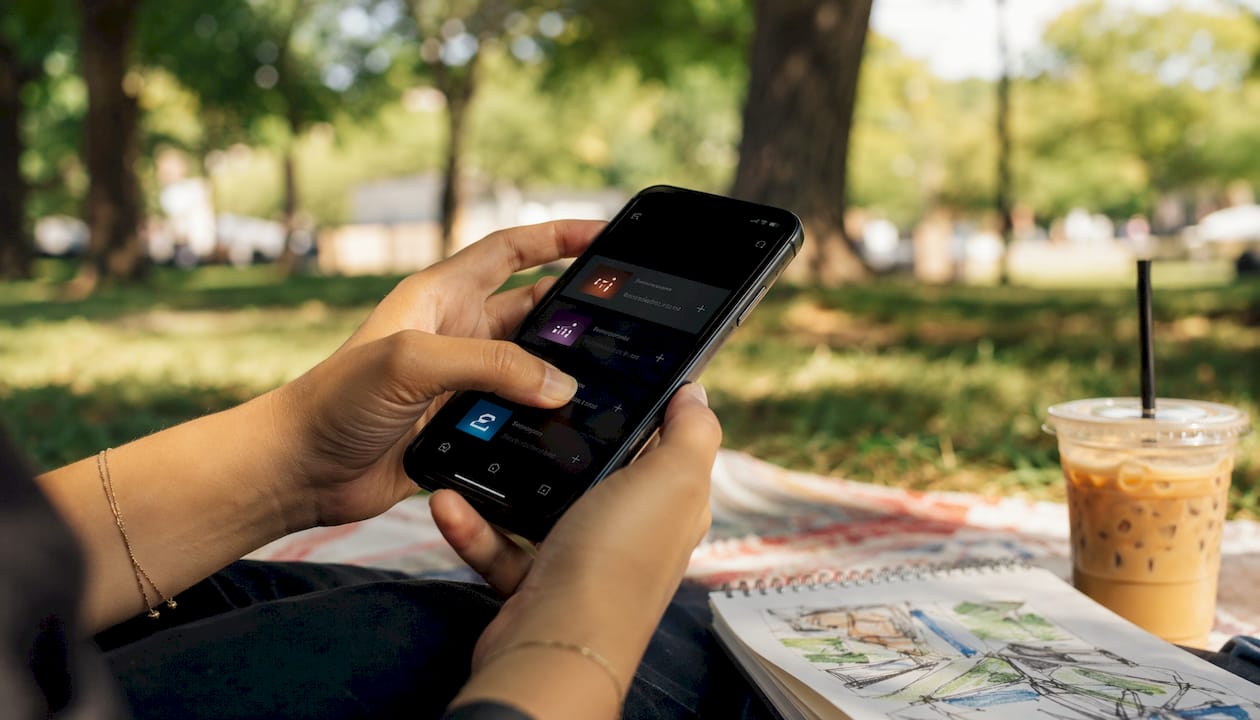
Cards serve as visual CTAs that guide the viewer journey in real time, and their impact on session watch time is direct. When a viewer clicks a card and watches another of your videos, YouTube logs that as continued session time on your channel. That extended session signals to the algorithm that your content is worth recommending, which feeds into suggested video placements, the largest traffic source for most channels.
Beyond algorithm signals, cards build what YouTube calls “fan signals.” High card engagement tells the platform that your audience actively wants more of your content, which influences how your videos are prioritised in subscribers’ feeds. For music creators especially, this kind of viewer loyalty compounds over time.
- Cards increase session watch time, a key algorithmic quality signal.
- Consistent card clicks help YouTube map topical relationships between your videos, improving suggested video placement.
- Cross-promotion via cards keeps viewers inside your channel ecosystem rather than losing them to other creators.
- Link cards, when used correctly by YouTube Partner Programme members, can drive website traffic and lead generation directly from video content.
- For music creators, cards on a popular video can funnel viewers to newer releases or music promotion content they would not have found otherwise.
How to add YouTube cards to your videos
Adding cards takes under five minutes once you know where to look. Here is the process inside YouTube Studio.
- Open YouTube Studio and navigate to “Content” in the left-hand menu. Select the video you want to edit.
- Click “Edit” on the video, then select the “Cards” tab in the video editor panel on the right.
- Choose your card type: video, playlist, channel, or link. For link cards, confirm your channel is enrolled in the YouTube Partner Programme before proceeding.
- Set the timestamp for when the card teaser will appear. You can drag the marker along the timeline to place it precisely.
- Add teaser text and a custom message. These fields are optional for video and playlist cards, but skipping them is a mistake. Compelling copy here directly affects whether a viewer clicks.
- Preview the card in the player to confirm it appears at the right moment and does not obscure important on-screen content.
- Save your changes. Cards go live immediately on published videos; no re-upload is needed.
Pro Tip: Place cards at multiple timestamps rather than clustering them all at the end. YouTube recommends the final 20% of a video as a safe default, but strategic mid-video placement often outperforms that.
Common mistakes that reduce card effectiveness
Most creators either ignore cards entirely or deploy them without any thought to timing or relevance. Both approaches leave views on the table.
- Placing cards too early. YouTube Certified Expert Liron Segev advises against placing cards in the first half of a video, because a viewer who clicks away before reaching the 50% mark can register as an abandonment signal for the current video.
- Overloading with cards. You can add up to five cards per video, but that does not mean you should always use all five. Too many cards in quick succession irritate viewers and dilute click-through rates.
- Linking the same video in both a card and an end screen. This wastes an opportunity. Cards and end screens should promote different content to maximise your internal traffic flow.
- Using link cards without checking compliance. Linking to sites that violate YouTube’s policies risks strikes or account penalties. Always verify the destination URL before publishing.
- Ignoring analytics. Cards that nobody clicks are invisible noise. Check your card performance data in YouTube Studio regularly to see which types and timestamps are working.
Pro Tip: Open your audience retention graph in YouTube Studio and identify where your steepest drop-off occurs. Place a card just before that point to redirect viewers before they leave, rather than after.
Expert best practices for getting the most from cards
The best card strategies treat cards and end screens as two halves of one navigation system, not as separate features.
- Align card placement with retention analytics. The steepest drop-off point in your retention graph is where a well-placed card does the most work, catching viewers before they leave rather than after.
- Write click-enticing teaser text. Custom teaser text with a genuine CTA, such as “Watch this before you buy,” consistently outperforms a plain video title. Generic titles get ignored.
- Map your content as a web, not a list. Think about which videos naturally lead to which others, then use cards to make those pathways explicit. A viewer who starts anywhere in your library should be able to navigate through cards to find exactly what they need.
- Never link the same content in both a card and an end screen. Use cards for contextual, mid-video redirects to related subtopics, and reserve end screens for broader channel navigation, such as your best-performing video or a subscribe prompt.
- Review card performance monthly. Click-through rates vary by niche, video length, and audience behaviour. What works on a ten-minute tutorial may not work on a three-minute music video.
- Use cards to promote new content via older videos. Identify your highest-traffic videos on related topics, add a card linking to the new release, and let existing traffic do the promotional work.
Real-world examples of YouTube card campaigns that worked
Practical card use cases show the range of what is possible when creators treat cards as a deliberate tool rather than an afterthought.

Playlist-driven brand building: Wayfair uses playlist cards on its DIY tutorial videos to direct viewers to its “All of Our Best Tricks” playlist, a collection of over 60 home tips. A viewer who arrives on one tutorial is immediately offered a pathway to dozens more, turning a single visit into a browsing session.
Lead generation via link cards: HubSpot uses link cards to promote downloadable guides and online training courses directly from its YouTube videos. Each card click that converts into a guide download feeds directly into its sales pipeline, making YouTube a legitimate lead generation channel rather than just a content platform.
Channel cross-promotion: HGTV uses channel cards to direct viewers from individual show clips to its main YouTube channel, where they can subscribe and access the full content library. The card removes the friction between discovering a clip and finding the broader channel.
Music creator promotion: For musicians, cards on a popular lyric video or live performance can link directly to a new single, a playlist of releases, or a music video campaign. That mid-video moment, when a viewer is already engaged, is the ideal time to introduce them to new material.
How YouTube cards affect viewer retention and channel growth
Cards do not directly influence YouTube’s recommendation algorithm, but their indirect effect is substantial. When a viewer clicks a card and watches another of your videos, the platform records that as extended session time on your channel. Session watch time across a channel, not just within a single video, is one of the signals YouTube uses to decide which content to recommend.
There is a trade-off worth understanding. A viewer who clicks a card mid-video reduces the watch time on the current video, which can look like a retention dip in isolation. But if that viewer then watches two more of your videos, the net effect on your channel’s session time is positive. The algorithm sees the full session, not just the individual video. For music video creators especially, where individual videos are often short, chaining views through cards can meaningfully extend average session duration. The 22% session duration increase cited earlier illustrates exactly this effect at scale.
Key takeaways
YouTube cards are one of the few free, mid-video tools that directly extend session watch time and feed YouTube’s recommendation algorithm, making a proper card strategy one of the highest-return investments a creator can make.
| Point | Details |
|---|---|
| Cards work mid-video | Unlike end screens, cards can appear at any timestamp, giving you multiple engagement touchpoints throughout a video. |
| Five cards per video maximum | You can add up to five cards per video, each set to a different timestamp; video cards typically generate the most clicks on established channels. |
| Session time is the real metric | A viewer clicking a card and watching another of your videos extends channel session time, a key algorithmic signal. |
| Placement before drop-off | Use your retention graph to place cards just before the steepest audience drop-off, not at the end by default. |
| Link cards require Partner Programme | External link cards are exclusive to YouTube Partner Programme members; misuse risks strikes or account termination. |
Musicvideomarketplace helps musicians create professional long-form videos in minutes and launch YouTube ad campaigns for their songs. If you are ready to put your music in front of the right audience, see what’s possible on the platform.

Recommended
- Artist video content strategy for YouTube success 2026 | Music Video Marketplace Blog
- Role of YouTube in music distribution: 2026 guide | Music Video Marketplace Blog
- Angles de visibilité sur YouTube : guide 2026 | Music Video Marketplace Blog
- Rôle de l’algorithme YouTube : guide créateurs 2026 | Music Video Marketplace Blog
Read next
 Role of YouTube in Music: Powering Indie Artist SuccessRole of YouTube in music—explore music discovery, channel features, long-form video, campaign strategies, and risks for independent artists worldwide.
 Streamline your music content creation for YouTubeLearn how to streamline your music content creation process for YouTube with batch planning, AI tools, upload optimisation, and audience engagement strategies.
 Types of music thumbnails: the 2026 creator's guideDiscover the types of music thumbnails that boost your video's clicks. Learn how to attract viewers and enhance engagement in your 2026 music projects.
 Role of subtitles in music videos: 2026 guideDiscover the role of subtitles in music videos. Enhance engagement and viewership to make your content stand out in 2026.
Turn the idea into a finished music video.
Drop your track into the Studio and build your visual in minutes.