
Guide to music video teasers: 2026 strategies
Unlock the secrets of promotion with this guide to music video teasers. Boost engagement on social media and build anticipation for your release!

Guide to music video teasers: 2026 strategies
TL;DR:
- A music video teaser is a short clip released before a full launch to generate anticipation and engagement. It should be brief, under 10 seconds for social feeds, with a vertical format to match platform algorithms; 3 to 5 variations over two to three weeks maintain audience interest. Effective teasers withhold the main hook, focus on mood, and escalate gradually, encouraging viewers to seek the full video.
A music video teaser is a short, mood-evoking clip released before a full video drop to generate anticipation and drive audience engagement. Done well, this guide to music video teasers will show you how a single shoot can fuel weeks of promotion across TikTok, Instagram Reels, and YouTube Shorts. The key variables are length, format, posting frequency, and content selection. Get those right, and your release builds genuine momentum rather than burning out before the video even lands.
What is the ideal length and format for music video teasers?
Music video teasers perform best when kept under 10 seconds on social media feeds. That constraint forces you to choose one powerful moment rather than cramming in a summary. For narrative-heavy or audio-first previews, up to 30 seconds is acceptable, but only when the story genuinely needs that room.
Format matters as much as length. The vertical 9:16 aspect ratio is the standard for TikTok, Instagram Reels, and YouTube Shorts. Horizontal videos suit a full video drop on YouTube; teasers belong in the mobile feed. Shooting or cropping to 9:16 from the start saves time in post-production and keeps your clips ready to publish without reworking.
Short-form vertical content also benefits from platform algorithms that reward high watch-time completion rates. A 7-second clip watched to the end scores better than a 25-second clip abandoned halfway. That algorithmic reality makes brevity a tactical choice, not just an aesthetic one.
Here is a quick reference for teaser format decisions:
| Format variable | Recommendation | Reason |
|---|---|---|
| Length for social feeds | Under 10 seconds | Higher completion rate and algorithmic reach |
| Length for narrative clips | Up to 30 seconds | Allows mood and audio context |
| Aspect ratio | 9:16 vertical | Matches TikTok, Reels, and Shorts |
| Horizontal format | Full video drop only | Teasers are mobile-first content |
- Keep the opening frame visually striking. Feeds auto-play without sound, so the first image must stop the scroll.
- Add on-screen text or captions. Many viewers watch on mute, particularly on Instagram.
- End on a beat or a cut, not a fade. Abrupt endings create a “what was that?” reaction that drives replays.
Pro Tip: Edit your teaser so the most visually arresting moment appears within the first two seconds. Anything after that is context, not the hook.
How long should your teaser campaign last, and how often should you post?
The ideal teaser campaign runs 2–3 weeks before the release date. Campaigns shorter than two weeks do not generate enough buzz. Campaigns longer than three weeks risk audience fatigue, where followers start ignoring posts because the release feels perpetually distant.

Frequency sits at 3–5 teaser posts spread across the campaign window. That spacing gives each clip room to breathe and perform before the next one lands. Posting daily kills the sense of occasion. Posting once a week feels like you have forgotten your own release.
Varied content types are what make the frequency sustainable. If every post looks identical, fans tune out regardless of how well-spaced the posts are. Rotating between performance clips, lyric moments, and behind-the-scenes footage keeps each post feeling like a new piece of the puzzle.
Pro Tip: Map your 3–5 posts on a calendar before you shoot anything. Knowing your posting dates in advance shapes which moments you capture on the day.
For scheduling, mid-week posts (Tuesday through Thursday) tend to attract stronger engagement than weekend drops, when feeds are noisier and attention is fragmented. Check your own audience analytics and adjust accordingly, but mid-week is a reliable default.
How to create and categorise your teaser clips
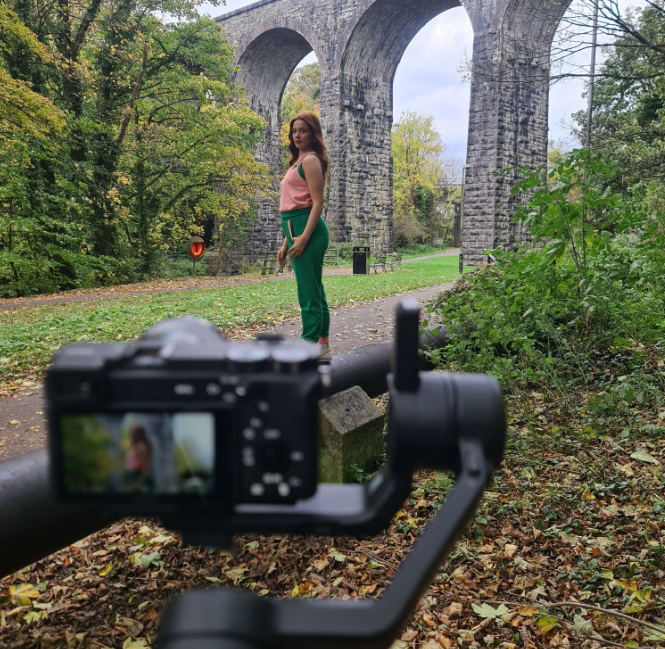
A single video shoot can yield 12–15 distinct vertical clips when you plan the edit with promotion in mind. Most musicians treat the shoot as a means to one end. The sharper approach treats it as a content library.
The concept of “clip families” organises that library into three clear categories:
- Performance clips. These show you singing, playing, or moving. They establish your presence and energy. They work well on TikTok and YouTube Shorts, where viewers want to see the artist.
- Lyric-focused clips. These pair a visual moment with a line or phrase from the song. On-screen text works here. These clips perform strongly on Instagram Reels, where text overlays are common and expected.
- Behind-the-scenes clips. These show the process: lighting rigs, costume choices, a candid laugh between takes. They humanise the release and reward fans who follow closely.
Creating multiple clip families from one shoot gives you flexibility across platforms without requiring additional production days. Each family serves a different viewer motivation: curiosity about the artist, connection to the lyrics, and access to the process.
Editing technique matters within each clip. Start with motion already in frame rather than a static opening. Cut on the beat. Use on-screen text sparingly but deliberately. End the clip at a moment of tension or mid-gesture, not at a natural resolution. That unresolved ending is what makes someone watch again or seek out the full video.
| Clip family | Best platform | Viewer motivation |
|---|---|---|
| Performance | TikTok, YouTube Shorts | See the artist in action |
| Lyric-focused | Instagram Reels | Connect with the song’s meaning |
| Behind-the-scenes | Instagram Stories, TikTok | Feel close to the creative process |
For practical examples of how artists structure these clip sequences, the artist YouTube trailers guide on Musicvideomarketplace shows real-world approaches that translate directly to teaser planning.
What content should you include without spoiling the video?
Teasers work as invitations to a mood, not summaries of a story. The distinction sounds simple, but most musicians get it wrong. They show the best scene, the biggest hook, or the most dramatic moment because those feel like the most compelling things to share. That logic is backwards.
The content that builds the most curiosity is fragmentary. A raised eyebrow. A hand reaching toward the camera. A colour grade that feels slightly unsettling. A half-second of a chorus with the volume pulled back. These fragments invite viewers to seek the full experience rather than satisfying their curiosity upfront.
Audio use in teasers follows the same principle. A brief snippet of the song, ideally a non-chorus section or an instrumental moment, gives a flavour without delivering the payoff. Avoid oversharing by withholding the most memorable moments. Showing too much early satisfies curiosity prematurely and reduces the incentive to watch the full release.
- Show atmosphere over plot. A moody location shot tells a story without explaining it.
- Use audio at low prominence. Let the visual carry the clip; let the sound intrigue rather than reveal.
- Avoid the chorus. The hook is the payoff. Save it for the drop.
- Cut before the resolution. Leave the viewer mid-thought.
Pro Tip: Watch your teaser with the sound off. If it still creates a reaction, the visual is doing its job. If it only works with audio, the clip depends too heavily on the song to function as a standalone hook.
The music video trends guide for 2026 on Musicvideomarketplace covers how indie artists are currently using atmospheric fragments to build pre-release interest across platforms.
How to escalate your teaser campaign week by week
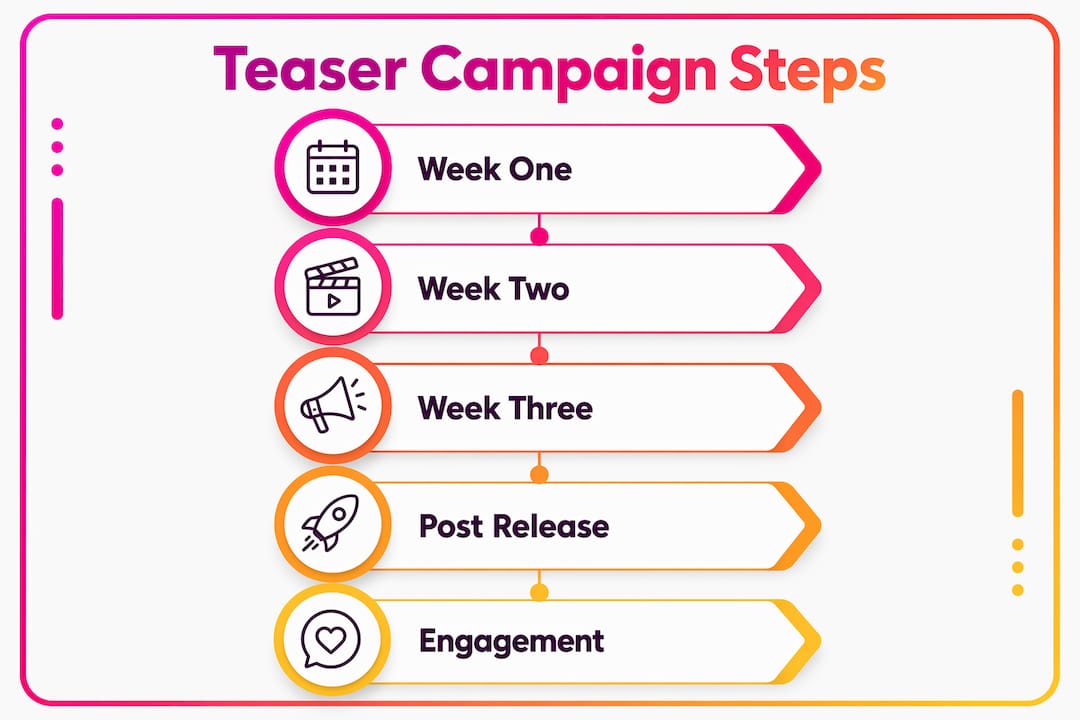
Escalating teaser content weekly maintains audience interest and prevents the campaign from flattening out. The structure is straightforward: start abstract, grow more specific, and end with a direct call to action.
Week one is for atmosphere. Post a clip that establishes mood without revealing much. A colour palette, a texture, a fragment of movement. The goal is to make people feel something without explaining what they are feeling or why.
Week two introduces audio and more recognisable visuals. A lyric clip with on-screen text, or a performance moment that shows your face and energy. This is where fans start to form an opinion about the song. Gradual escalation avoids burning through your best material too early and keeps each post feeling like a meaningful step forward.
Week three is the close. This is where you introduce:
- A countdown post or story series in the final 48–72 hours before release.
- A pre-save or premiere reminder link, placed prominently in the caption and bio.
- A sneak-peek clip that is slightly longer or more revealing than previous posts, rewarding fans who have followed the campaign.
- A direct call to action: “Out Friday. Link in bio.”
Fan participation works well in this final phase. Asking followers to guess the song title, share their reaction to a lyric, or tag someone who needs to hear this creates organic reach without paid promotion. Music premieres generate measurable buzz when paired with a pre-release teaser sequence that has already primed the audience.
The escalation model also protects you from the most common campaign mistake: posting your strongest content first and having nowhere to go. Every week should feel like a step up from the last.
Key takeaways
Effective music video teaser campaigns require the right format, a clear posting schedule, and content that builds curiosity without giving away the payoff.
| Point | Details |
|---|---|
| Keep teasers short | Under 10 seconds for social feeds; up to 30 seconds for narrative clips. |
| Use vertical format | Shoot or crop to 9:16 for TikTok, Instagram Reels, and YouTube Shorts. |
| Run a 2–3 week campaign | Post 3–5 varied clips across the window to sustain interest without fatigue. |
| Build clip families | Produce 12–15 clips per shoot across performance, lyric, and behind-the-scenes categories. |
| Escalate each week | Start with mood, add audio in week two, and close with a direct call to action. |
What I have learned from watching teaser campaigns succeed and fail
Most musicians over-share. They post the best scene, the biggest hook, and the most cinematic moment in the first week because it feels like the strongest way to make an impression. What it actually does is remove every reason to watch the full video.
The campaigns I have seen work consistently are the ones where the artist commits to restraint. They post a clip that makes you feel something without explaining what it is. They hold back the chorus. They cut the clip before the resolution. That discipline is harder than it sounds when you are excited about a release and want to show people everything at once.
The other pattern I have noticed is that musicians underestimate how much content a single shoot can generate. Twelve to fifteen vertical clips from one day of filming is not an exaggeration. It requires planning the edit before you shoot, knowing which moments you are capturing for performance clips, which for lyric content, and which for behind-the-scenes. When that planning happens in advance, the campaign almost runs itself.
Engagement during the campaign matters more than most artists realise. Replying to comments on teaser posts, resharing fan reactions, and acknowledging people who tag friends all signal to the algorithm that the content is worth distributing further. The teaser is not just a countdown. It is a conversation.
— Music
Ready to build your teaser campaign with high-quality video content?
A teaser campaign is only as strong as the footage behind it. Musicvideomarketplace gives musicians access to professional 4K music videos ready to edit into vertical clips, lyric moments, and behind-the-scenes content for any release campaign.

Browse the trending video catalogue to find content that fits your sound and visual style. Musicvideomarketplace also offers gift vouchers for musicians planning ahead or budgeting for an upcoming release. Every video is built for the kind of campaign this article describes: short, vertical, and made to hold attention.
FAQ
How long should a music video teaser be?
Music video teasers perform best at under 10 seconds on social media feeds. Narrative-heavy or audio-first previews can extend to 30 seconds, but brevity drives higher completion rates and better algorithmic reach.
What aspect ratio should I use for music video teasers?
The 9:16 vertical format is the standard for TikTok, Instagram Reels, and YouTube Shorts. Horizontal video suits a full YouTube drop; teasers are mobile-first content and should be formatted accordingly.
How many teasers should I post before a music video release?
Post 3–5 teaser clips across a 2–3 week campaign window. Varied content types, such as performance, lyric, and behind-the-scenes clips, prevent repetition and sustain audience interest throughout the campaign.
What should I avoid showing in a music video teaser?
Avoid showing the chorus, the main narrative reveal, or the most visually memorable scene. Withholding the payoff is what keeps viewers motivated to watch the full release when it drops.
When should I add a pre-save link to my teaser campaign?
Introduce pre-save or premiere reminder links in the final week of the campaign, ideally within 48–72 hours of the release date, when audience interest is at its peak.
Recommended
- Examples of artist YouTube trailers: 2026 guide | Music Video Marketplace Blog
- Creative video content ideas for producers: boost music promotion | Music Video Marketplace Blog
- Explaining music release strategies: your 2026 guide | Music Video Marketplace Blog
- Top video marketing trends for musicians: 2026 strategies | Music Video Marketplace Blog
Read next
 Guide to YouTube music uploads for indie artists 2026Learn how to upload music to YouTube efficiently with this complete guide covering video creation, metadata optimisation, copyright protection, and promotional campaigns for independent musicians in 2026.
 How independent musicians monetise video content effectivelyDiscover what is video monetization and how independent musicians can turn views into income. Learn effective strategies for success!
 How to convert songs to video: 2026 guideLearn how to convert songs to video in this 2026 guide. Discover the best tools and techniques for creating stunning videos for social media!
 Fan engagement strategies that power your music marketingDiscover the vital role of engagement in music marketing. Learn effective strategies to connect with fans, boost sales, and enhance your reach.
Turn the idea into a finished music video.
Drop your track into the Studio and build your visual in minutes.