
How to storyboard song videos: a practical guide
Master how to storyboard song videos to save time and costs. Create a clear, effective plan that boosts your music video production today!

How to storyboard song videos: a practical guide
TL;DR:
- Creating a music video storyboard involves breaking down the song into timed sections, associating visual concepts, and planning shot variety to match emotional shifts. It enhances shoot efficiency and storytelling clarity by mapping camera types, movements, and notes, making the production process smoother. Using simple sketches, reference images, and digital tools, musicians can craft effective storyboards to produce engaging, well-structured videos that connect with viewers emotionally.
A music video storyboard is a sequence of drawn or photographed frames that maps each visual scene to a specific moment in your song, giving your entire production a clear plan before a single camera rolls. Most musicians skip this step and pay for it on set. A storyboard is not a piece of artwork. As clarity beats artistry every time, even rough stick figures with clear notes outperform polished sketches that leave the crew guessing. Tools like Boords, Studiovity AI, and StudioBinder exist precisely to make this process fast and accessible for musicians who are not professional directors. When you know how to storyboard song videos properly, you cut shoot time, reduce costs, and arrive on set with confidence.
How to storyboard song videos: breaking down your track first
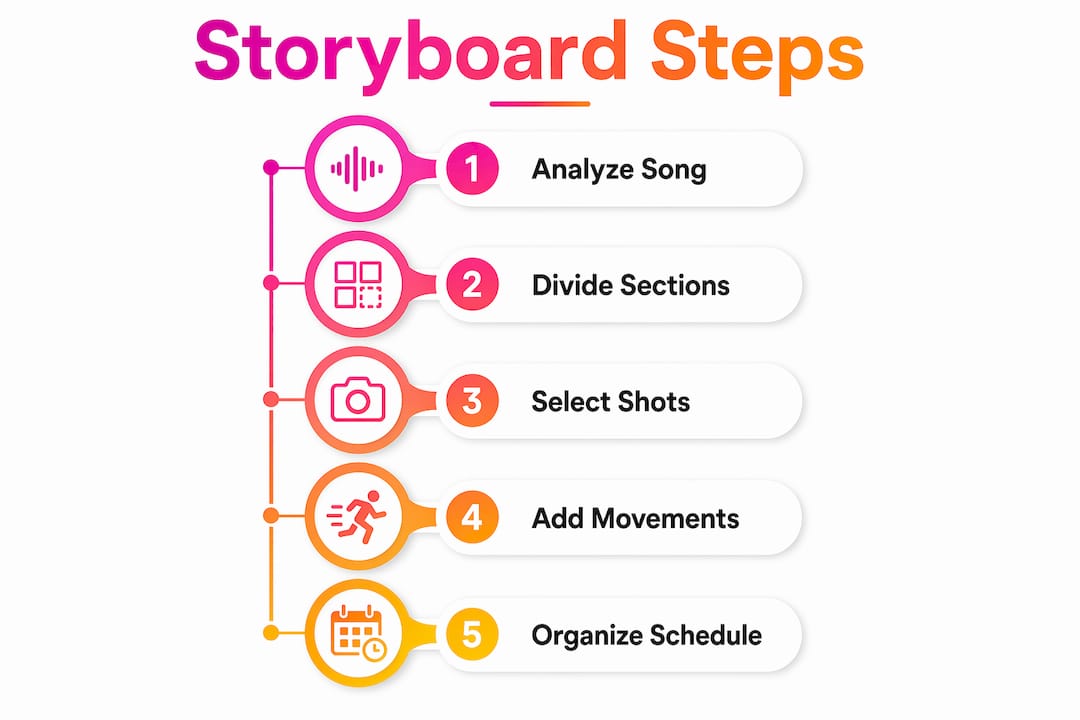
The foundation of any strong music video storyboard is a thorough analysis of the song itself. Before you draw a single frame, you need to understand the emotional and structural shape of the track. Play it three times with your eyes closed and pay attention to where the energy shifts, where the lyrics hit hardest, and where the mood changes. Those moments are your visual cues.
Start by dividing the song into its core sections: intro, verse, chorus, bridge, and outro. Write the timestamp for each section. For example, timed sections like 00:00 to 00:22 for the intro give you a precise window to plan visuals against. This approach prevents the common mistake of planning shots in the abstract, disconnected from the actual pacing of the audio.
Once you have your sections mapped, assign frames to each one. Experts recommend 3 to 6 frames per section to keep the video pacing aligned with the audio structure. A three-minute song with five sections could therefore require anywhere from 15 to 30 frames. Most music videos land in the range of 20 to 40 total frames, depending on song length and production complexity. That number gives you a concrete target before you start sketching.
Here is a simple process to follow:
- Write out every section of the song with its start and end timestamp.
- Note the dominant emotion or lyrical theme for each section.
- Decide on a rough visual concept for each section (performance, narrative, abstract, or a mix).
- Assign a frame count to each section based on how much visual change you want.
- Begin sketching or sourcing reference images for each frame.
Pro Tip: Listen to the song on headphones while walking. Movement triggers visual thinking, and you will often picture shots instinctively that you would never generate sitting at a desk.
What shot types and camera movements should your storyboard include?
Shot variety is the single most underestimated factor in music video quality. Avoiding a predominance of medium shots is one of the clearest pieces of advice from experienced directors, yet most first-time creators default to them for every frame. A video built entirely on medium shots feels flat and static, regardless of how good the performance is.
Your storyboard should deliberately plan a mix of the following:
- Wide shots to establish location and scale, particularly at the start of a new section.
- Medium shots to show the artist or subject in context, used sparingly and purposefully.
- Close-ups to capture emotion, detail, or lyrical emphasis.
- Extreme close-ups for intensity, such as eyes, hands on an instrument, or a specific prop.
Beyond shot type, camera movement adds energy and rhythm to your visuals. A zoom into a close-up during a chorus drop feels very different from a slow pan across a wide landscape during a quiet verse. Both are valid, but they communicate different things. Plan your movements deliberately rather than leaving them to chance on the day.
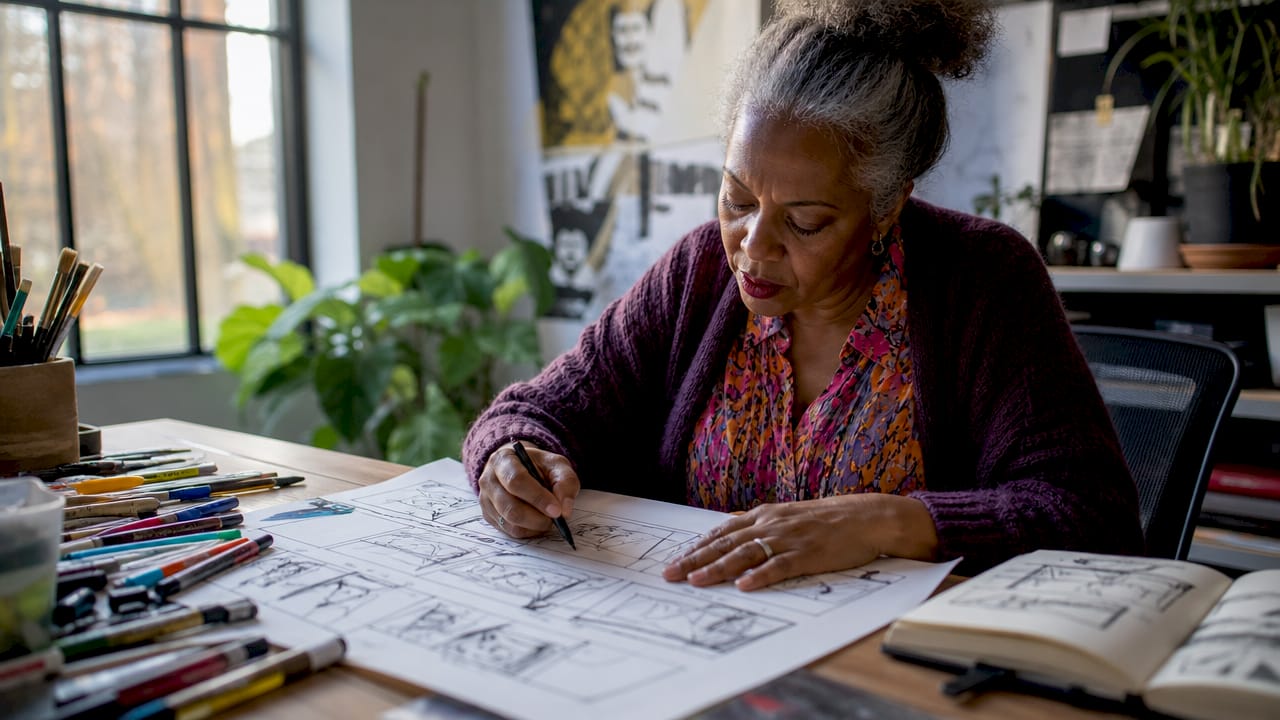
Storyboard arrows are the tool that converts a static sketch into a dynamic instruction. Draw an arrow across a frame to indicate a pan. Draw one pointing inward to show a zoom. Draw a curved arrow to suggest a tracking movement around a subject. These marks are often overlooked, but they are what separate a storyboard that actually directs a shoot from one that merely decorates a notebook.
Balancing stillness and movement is equally important. High-energy choruses benefit from dynamic camera work. Quiet, introspective verses often land harder with a locked-off, still frame that forces the viewer to sit with the emotion. Plan this contrast into your storyboard deliberately, and your video will feel structured rather than chaotic.
Pro Tip: Watch three music videos you admire and pause every time the shot changes. Write down the shot type for each cut. You will quickly see the variety that professional directors build in, and you can replicate that pattern in your own storyboard.
Which storyboard format and tools work best for musicians?
The format of your storyboard matters less than its clarity. Hand-drawn sketches, printed photo mood boards, and fully digital templates all work, provided the frames communicate the intended shot clearly. The 16:9 aspect ratio is the standard for modern music video storyboards because it matches the display format of YouTube, Vimeo, and most streaming platforms. Use this ratio for every frame you draw or template you select.
The table below compares the most common storyboard formats and tools available to musicians and creators:
| Format or tool | Best for | Key advantage |
|---|---|---|
| Hand-drawn sketches | Solo creators on a budget | Fast, flexible, no software required |
| Photo mood boards | Concept-heavy or abstract videos | Communicates colour, tone, and atmosphere quickly |
| Boords | Teams and collaborative projects | Digital tools like Boords speed up the process and improve collaboration |
| Studiovity AI | Musicians with limited drawing skills | AI-generated frames from text descriptions |
| Storyboarder app | Creators who want free desktop software | Open-source, simple interface, exports cleanly |
For musicians working alone, a printed template with blank 16:9 boxes and a notes field beneath each frame is often the fastest starting point. You can find these through video planning resources or generate them in any word processor. The goal is to remove friction from the process so you actually complete the storyboard rather than abandoning it halfway through.
If you are working with a director, cinematographer, or editor, digital tools like Boords allow you to share frames, leave comments, and update the storyboard in real time. This matters because a storyboard that lives only in your head or on a single sheet of paper cannot be collaborated on. The more people who can read and respond to your storyboard, the stronger your final shoot plan will be.
From storyboard to shoot: organising your plan and avoiding mistakes
A completed storyboard is not a shooting script. It is the raw material from which you build a shot list, and the way you organise that shot list determines how efficient your shoot day will be. Grouping shots by location rather than by song order is one of the most practical decisions you can make. Shooting all your outdoor wide shots together, regardless of where they fall in the song, eliminates the need to move equipment back and forth between locations multiple times.
Once your storyboard is complete, convert it into a shot list by doing the following:
- Group all frames that share the same location or setup into a single shooting block.
- Note the required equipment, lighting conditions, and number of people for each block.
- Schedule the most complex or location-dependent shots first, when energy and light are at their best.
- Flag any frames that depend on a specific time of day, weather condition, or prop.
The most common storyboarding mistakes musicians make are predictable and avoidable. Over-relying on medium shots, as noted earlier, is the biggest one. A close second is leaving frames without written notes. A sketch of a person standing in a field tells your crew almost nothing. A sketch of a person standing in a field with a note reading “extreme wide, golden hour, artist facing away from camera, slow zoom out” tells them everything. Write notes beneath every single frame without exception.
Another frequent error is treating the storyboard as a private document. Share it with everyone involved in the shoot, including the artist, the camera operator, and any assistants. Gather feedback before the shoot day, not during it. A storyboard that has been reviewed by the full team catches problems that a solo creator will always miss. The music video production workflow for a successful YouTube release depends on this kind of pre-production discipline.
Key takeaways
A strong music video storyboard is built on song analysis, shot variety, and location-based shoot planning, not artistic skill.
| Point | Details |
|---|---|
| Break the song into timed sections | Map each section with timestamps and assign 3 to 6 frames per section to match pacing. |
| Vary shot types deliberately | Mix wide, medium, close-up, and extreme close-up shots to prevent a flat, static video. |
| Use storyboard arrows | Mark camera movements on every frame to convert static sketches into clear on-set instructions. |
| Choose the right format | Use the 16:9 aspect ratio and select hand-drawn, photo-based, or digital tools based on your workflow. |
| Organise by location, not song order | Group shots by location when building your shot list to reduce setup time and increase efficiency. |
Why storyboarding changed how I think about music video production
Most musicians treat storyboarding as a chore that belongs to big-budget productions. That assumption costs them dearly on shoot day. The first time I worked through a proper storyboard for a music video, the shoot finished two hours ahead of schedule. Not because the crew was faster, but because every decision had already been made. Nobody was standing around waiting for direction.
The insight that shifted my thinking was this: a storyboard is not a plan for what you want to film. It is a plan for what you want the viewer to feel at each moment in the song. Once you approach it that way, the shot choices become obvious. A quiet verse calls for stillness. A chorus that hits like a wall of sound calls for movement and scale. The storyboard is where you make those decisions in advance, calmly, rather than under pressure on set.
I have also found that visual storytelling aligned with song structure produces videos that hold viewer attention far longer than performance-only clips. Viewers stay because they are following a visual narrative, not just watching someone sing. That retention matters enormously for YouTube performance and ad campaign results.
My honest advice: do not wait until you have drawing skills or expensive software. Start with a printed template, a pencil, and the timestamps from your song. The act of committing visual ideas to paper, however roughly, will transform the quality of your shoot and your final video.
— Music
Turn your storyboard into a finished video with Musicvideomarketplace
Once your storyboard is complete, the next step is production, and that is where Musicvideomarketplace comes in. Musicvideomarketplace enables musicians to create a long-form video in minutes, ready to upload to YouTube and launch as an ad campaign for their song. You do not need a full production crew or a post-production budget to get a polished result.

Explore the professional video examples on Musicvideomarketplace to see what a well-planned visual concept looks like in its finished form. Whether you are working from a hand-drawn storyboard or a fully digital plan, Musicvideomarketplace gives you the tools to bring it to life quickly and get your music in front of an audience. Visit Musicvideomarketplace to get started today.
FAQ
What is a music video storyboard?
A music video storyboard is a sequence of frames that maps planned visuals to specific moments in a song, covering shot types, camera movements, and scene notes. Its purpose is to communicate the production plan clearly before filming begins.
How many frames does a music video storyboard need?
Most music videos require 20 to 40 storyboard frames in total, with 3 to 6 frames recommended per major song section. The exact number depends on song length and how much visual variety the video requires.
Do I need to be able to draw to storyboard a music video?
No. A storyboard is primarily a communication tool, and simple sketches with clear written notes are more useful than detailed artwork. Tools like Studiovity AI can also generate frames from text descriptions if drawing feels like a barrier.
What aspect ratio should I use for a music video storyboard?
The standard is 16:9 aspect ratio, which matches the display format of YouTube and most digital platforms. Using this ratio from the start keeps your storyboard frames proportionally accurate to the final video.
How do I turn a storyboard into a shoot plan?
Convert your storyboard into a shot list by grouping frames according to location rather than song order. This approach, as recommended by production planning guides, reduces equipment moves and makes your shoot day significantly more efficient.
Recommended
- How to create song visuals: a 2026 guide | Music Video Marketplace Blog
- How to convert songs to video: 2026 guide | Music Video Marketplace Blog
- Music Video Creation Guide for Quick YouTube Launch | Music Video Marketplace Blog
- How to create long-form music video tutorials on YouTube | Music Video Marketplace Blog
Read next
 How to write music video scripts: a practical guideLearn how to write music video scripts that transform songs into visual stories. Master the art of crafting compelling AV scripts today!
 Inside Loraa White’s Vintage Country Creative OfficeLoraa White’s newly redecorated office in Dromore, Co. Down captures her love of creativity, upcycling, and countryside charm. With vintage furniture, rich colours, and DIY touches, it’s the perfect cosy space for music video shoots and content creation.
 Location Release for a Music Video: A UK GuideWhat a location release is, who must sign it in the UK, what it should cover, and what insurance and fees to expect before you film your music video.
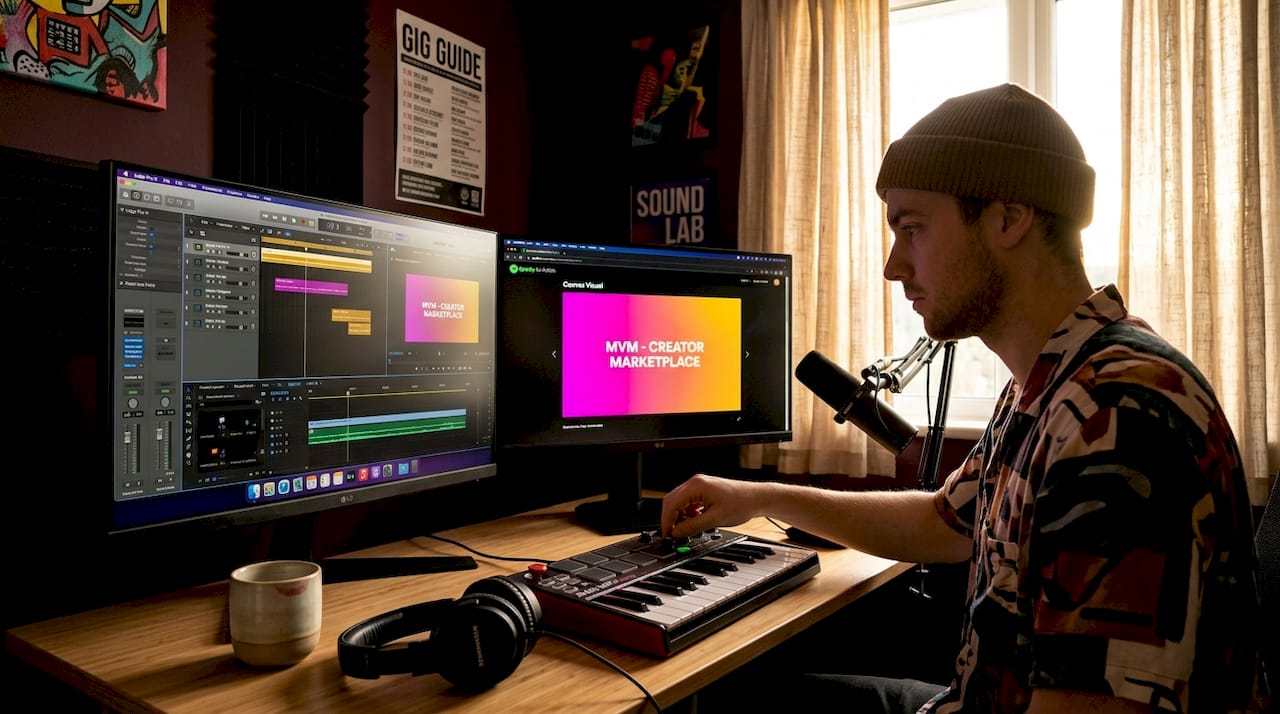 How to create song visuals: a 2026 guideLearn how to create song visuals in this 2026 guide. Engage listeners with stunning animations and boost your music's reach effectively!
Turn the idea into a finished music video.
Drop your track into the Studio and build your visual in minutes.