
How to upload long music videos to YouTube easily
Master the art of step by step YouTube upload for long music videos. Avoid common pitfalls and showcase your talent effortlessly!
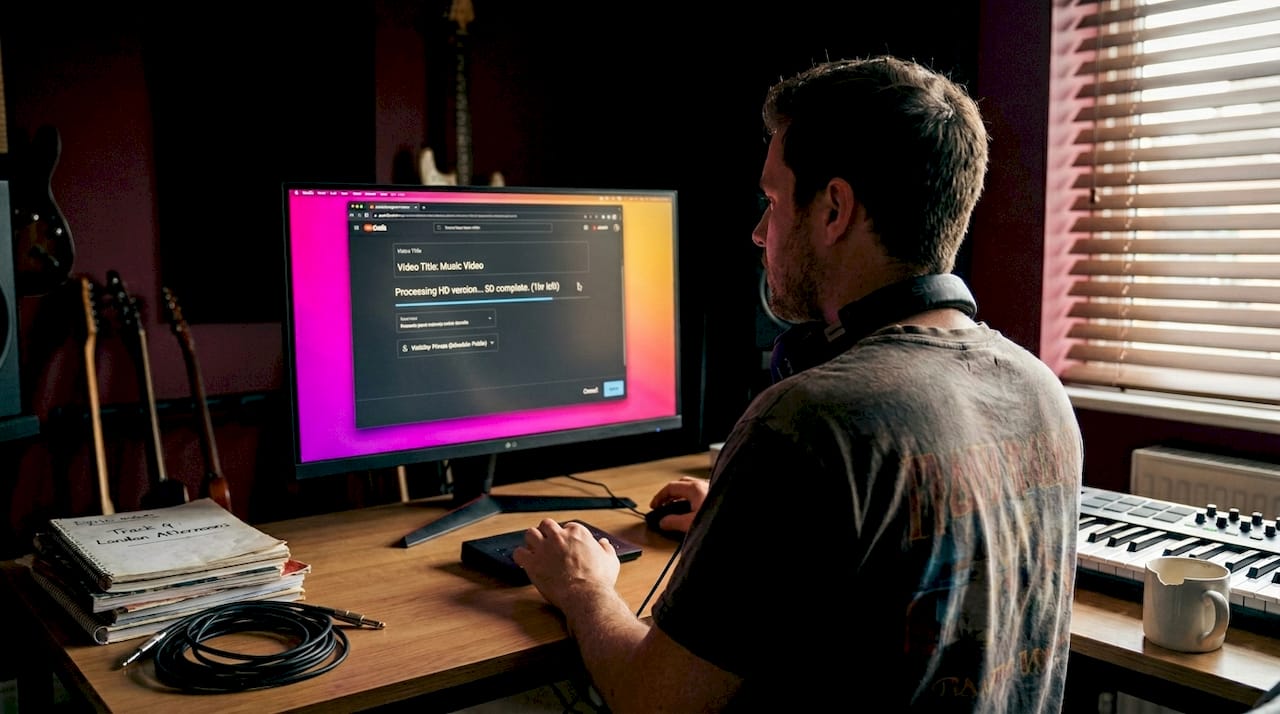
How to upload long music videos to YouTube easily
TL;DR:
- Uploading long-form music videos to YouTube requires account verification to unlock the full 12-hour, 256GB limit. Proper file formatting, optimized metadata, and strategic campaign planning are essential to maximize reach and avoid common technical issues. Success depends on integrating upload routines into a comprehensive release strategy that builds momentum before and after publishing.
Uploading a long promotional music video to YouTube sounds simple until you hit a wall: the upload bar freezes at 67%, your file gets rejected for an unsupported format, or your carefully crafted video sits invisible because you missed a verification step. These setbacks are incredibly common, and for independent musicians racing to coordinate a release campaign, they can derail everything. This guide walks you through every stage, from preparing your files correctly to post-upload strategy, so you can get your music in front of listeners without the guesswork and frustration that trips up so many artists.
Table of Contents
- What you need before you upload
- Step-by-step YouTube upload process for long-form videos
- Troubleshooting: common upload problems and fixes
- Set up for success: music-specific tweaks and post-upload strategy
- What most upload guides miss: why ‘just uploading’ isn’t enough for musicians
- Ready for next-level YouTube uploads?
- Frequently asked questions
Key Takeaways
| Point | Details |
|---|---|
| Verify account for long uploads | Verification lifts the 15-minute barrier and unlocks YouTube’s full upload potential for music videos. |
| Optimise formats for smooth uploads | Using the right MP4/H.264/AAC format prevents errors and ensures high-quality playback. |
| Follow all upload steps | A methodical, step-by-step approach minimises issues and sets campaigns up for success. |
| Fix common errors fast | Knowing troubleshooting basics lets you resolve failed uploads or stuck processing without stalling your release. |
| Engage fans post-upload | Post-upload tweaks—like end screens and swift replies—significantly improve your reach and fanbase growth. |
What you need before you upload
Once you know what’s at stake, let’s look at exactly what you’ll need before you even press upload.
The single biggest blocker for musicians uploading long-form content is account verification. Without it, YouTube caps your uploads at 15 minutes. To unlock the full long-form video limit of up to 12 hours or 256GB, you need to verify your account using a phone number. The process takes under two minutes and is found in your YouTube Studio settings. This is the very first thing to sort before anything else.
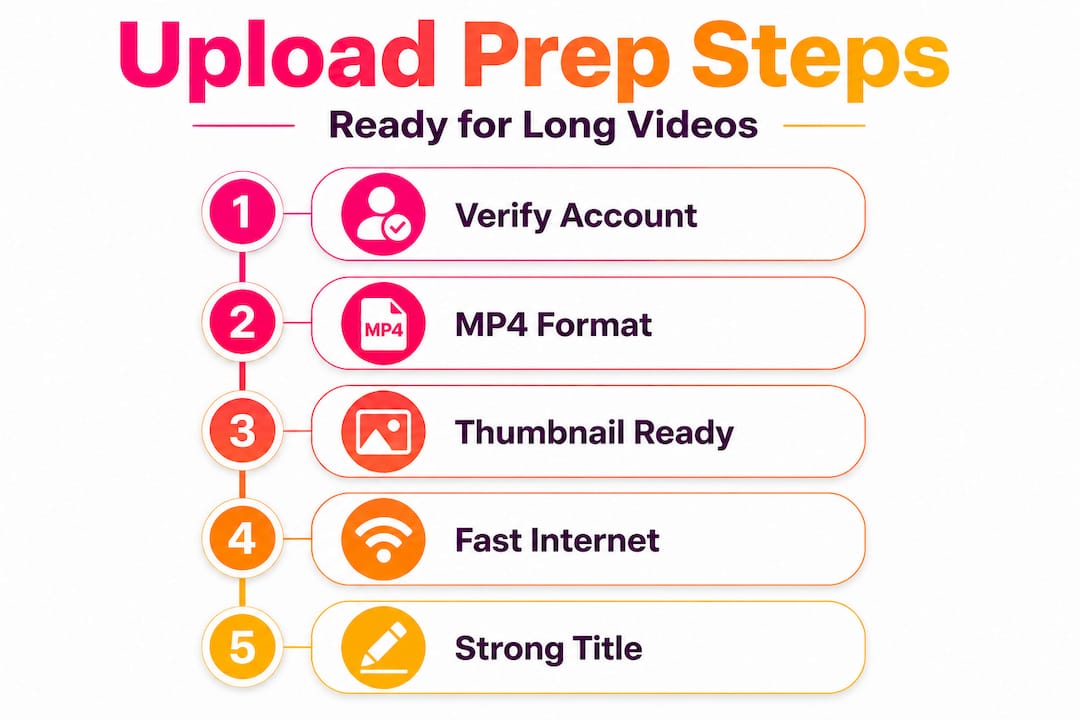
File format matters enormously. YouTube officially recommends MP4 with the H.264 video codec and AAC audio, as outlined in their upload step-by-step guide. Other formats such as MOV, AVI, and WMV are technically accepted, but MP4 with H.264 is by far the most reliable and produces the fastest processing times. For music videos specifically, AAC audio at 320kbps preserves the sonic quality your listeners deserve.
Here is a quick reference table for YouTube’s technical requirements:
| Requirement | Specification |
|---|---|
| Recommended format | MP4 |
| Video codec | H.264 |
| Audio codec | AAC (320kbps recommended) |
| Max duration (verified) | 12 hours |
| Max file size (verified) | 256GB |
| Minimum resolution | 1280x720 (720p) |
| Recommended resolution | 1920x1080 (1080p) or 4K |
Beyond the file itself, you should also prepare these assets before opening YouTube Studio:
- A compelling video title (60 characters or fewer for full display in search)
- A detailed description including artist name, song title, lyrics link, social media handles, and relevant keywords
- A custom thumbnail at 1280x720 pixels in JPG or PNG format
- Tags that combine specific terms (e.g. your genre, song name) with broader ones (e.g. “indie music video 2026”)
- Chapter markers if your video is over 20 minutes, as these improve viewer retention
Pro Tip: Upload your thumbnail file before you begin the video upload. Having your thumbnail ready in advance removes one distraction during the upload window and ensures your packaging looks polished the moment the video goes live.
Your internet connection also plays a key role. A stable upload speed of at least 10 Mbps is recommended for large files. If your connection is inconsistent, use a wired Ethernet connection rather than Wi-Fi, and avoid large file downloads running simultaneously. Understanding music video length requirements also helps you make informed decisions about how to structure your content before you even export.

It is also worth reviewing your optimising video packaging strategy ahead of time, because a strong title and thumbnail directly affect click-through rate from the moment your video goes public.
Step-by-step YouTube upload process for long-form videos
With all the essentials ready, here’s your breakdown of the YouTube upload process, step by step.
YouTube Studio is the official platform for all uploads and is where you manage every element of your video’s metadata and distribution. Here is the complete process:
- Sign in to YouTube using the Google account linked to your artist channel.
- Open YouTube Studio by clicking your profile icon and selecting “YouTube Studio” from the dropdown.
- Click the “Create” button (the camera icon with a plus sign) in the top right corner, then select “Upload videos.”
- Drag and drop or browse for your MP4 file. The upload begins immediately.
- Fill in your video details while the upload processes in the background. Add your title, description, tags, chapter markers, and select a category (Music is the correct choice for most artists).
- Add your thumbnail by clicking the custom thumbnail option and uploading your prepared image.
- Select monetisation settings if your channel is eligible, and proceed through any copyright check prompts.
- Choose your visibility setting from the options below, then click “Save” or “Schedule.”
The official YouTube upload process recommends completing all metadata fields before setting visibility, because YouTube’s algorithm uses this information to categorise and recommend your content from the very first moment it is indexed.
Understanding the visibility options is particularly important for musicians running coordinated campaigns. Here is a comparison:
| Visibility option | Best use case | Campaign consideration |
|---|---|---|
| Public | Immediate release | Use when no campaign coordination is needed |
| Unlisted | Sharing with press, playlist curators before release | Ideal for pre-release listening |
| Scheduled | Release day coordination | Best for synchronising with social posts and ads |
| Private | Internal review only | Use while getting feedback before going live |
For most promotional campaigns, scheduling your video to go public at a specific time is the smartest choice. It allows you to set up your YouTube Ads campaign, notify your mailing list, and queue up social media posts all in advance. The video goes live automatically without you needing to be at your computer at a precise moment.
Once your music upload workflow is consistent, you will find the whole process takes under 20 minutes for a well-prepared file. Artists who follow a structured routine also tend to avoid the most common errors, which we will cover next.
A useful detail from indie music upload guidance: YouTube processes higher-resolution versions of your video progressively after upload. Your video may be available at 360p or 720p immediately after processing completes, with 1080p and 4K versions becoming available within a few hours. If you are scheduling a release, give yourself at least 12 hours after upload for full processing to complete.
For long-form uploads, you also need to verify your account before the 12-hour and 256GB limits apply. Without verification, files over 15 minutes will simply fail.
Troubleshooting: common upload problems and fixes
Even with careful prep, things sometimes go wrong. Here’s how to fix issues fast so your campaign momentum isn’t lost.
Upload errors fall into a handful of predictable categories. Identifying which one you are facing quickly saves a lot of time. Here are the most common problems and how to address each:
- Wrong file format: YouTube only processes supported file types. If you accidentally export in an unsupported codec, the upload will fail at the processing stage. Always export as MP4 with H.264 and AAC before uploading.
- File too large for your connection: Even under the 256GB cap, files over 10GB can time out on a slow connection. Compress your file using HandBrake (free software) to reduce size without visible quality loss.
- Browser issues: Outdated browsers can interrupt uploads or cause errors in YouTube Studio. Use the latest version of Chrome or Firefox, and clear your cache before uploading large files.
- Daily upload limits: YouTube applies daily limits that vary by channel age and history. If you hit one, you simply need to wait 24 hours before retrying.
- Processing abandoned message: This almost always means the file itself has an issue. Re-export from your editing software using the recommended settings and try again.
“Common issues include using the wrong format (use supported types), network errors (update your browser), processing abandoned due to invalid files, and daily limits that require a 24-hour wait, which varies by channel.” YouTube Help
The most reliable fix for large file failures is compression. HandBrake can take a 15GB ProRes export and bring it down to under 4GB as an H.264 MP4, with essentially no visible difference at 1080p. Use a constant rate factor (CRF) of 18 to 22 for excellent quality at a manageable size. A detailed breakdown of this process is available in our video prepping guide.
Pro Tip: Before retrying a failed upload, run a quick checklist: confirm the file opens and plays correctly in a media player, check that the audio isn’t corrupted, and verify the file extension is .mp4. A corrupted export is the most common hidden cause of repeat failures.
If your upload stalls mid-way through, do not close the browser tab. YouTube Studio can resume interrupted uploads in the same session. If you accidentally close the tab, start fresh with the same file and it will typically upload without issues, as long as the session is still active.
Set up for success: music-specific tweaks and post-upload strategy
With your video live, some extra steps can significantly raise its reach and campaign ROI.
Uploading is only the beginning. The actions you take in the first 48 hours after going live have a disproportionate impact on how YouTube treats your video algorithmically. Here is what to focus on:
- Add end screens in YouTube Studio pointing to related videos, your channel, or a subscribe button. End screens appear in the final 20 seconds and directly contribute to session watch time across your channel.
- Link your YouTube Shorts to your long-form video. A 60-second clip with a visible “watch the full video” prompt in the description drives meaningful crossover traffic.
- Respond to every comment within the first 24 hours. Expert guidance for artists consistently highlights that early engagement signals to YouTube that your video deserves broader distribution.
- Avoid clickbait titles. Titles that overpromise cause viewers to leave quickly, damaging your average view duration and suppressing the video in recommendations.
- Optimise your video description for search. Include your song name, featured artists, album, genre, and location-based terms if relevant.
Your promotion and multi-format strategy should begin on release day itself. This means coordinating your long-form YouTube upload with a Shorts clip, an Instagram Reel, a press release, and ideally a YouTube Ads campaign targeting listeners of similar artists.
YouTube best practices for music campaigns also recommend setting up an Official Artist Channel if you have not already, as this consolidates your uploads, auto-generated content, and topic channel into a single verified identity. This significantly improves your discoverability in search.
For optimising video SEO, think of your description as a landing page. The first two lines appear above the fold in search results, so put your most important information there: song name, a short hook, and a link to your campaign or website. YouTube also rewards SEO-optimised packaging with better placement in suggested video feeds.
What most upload guides miss: why ‘just uploading’ isn’t enough for musicians
Most upload tutorials treat the process as purely technical. Follow these steps, press publish, done. But uploading is not the finish line for independent musicians. It is the starting pistol.
Here is what we have noticed working with artists across genres: the musicians who grow consistently on YouTube do not think about uploads in isolation. They plan a release arc that begins two weeks before the video goes live and extends two weeks after. The upload itself is about 20% of the effort. The other 80% is timing, context, and momentum.
Consider a real-world example. An indie artist releases a four-minute music video. They schedule the YouTube upload for midnight on a Friday. They post a Shorts teaser on Wednesday, send an email to their list on Thursday, run a YouTube skippable ad targeting fans of three similar artists from the upload date, and reply to every comment over the weekend. That coordinated sequence compounds the initial algorithm signal. A lone upload at noon on a Tuesday with no surrounding activity is invisible by comparison.
The music video upload workflow that actually moves the needle treats each upload as a campaign asset rather than a standalone post. Your metadata, your thumbnail, your Shorts clip, your ad creative, and your comment responses are all part of the same signal to YouTube’s recommendation system.
Technical execution matters. But it is the strategic layer on top of the technical steps that separates artists who gain traction from those who feel like they are uploading into a void.
Ready for next-level YouTube uploads?
Getting your long-form music video online is a significant step, and doing it correctly from the start sets your campaign up for real results.

Music Video Marketplace is built specifically for independent musicians who want to go beyond just uploading. Our platform lets you create a professional music video in minutes, ready to upload directly to YouTube with all the technical specifications already handled. We also provide a quick launch creation guide that walks you through building a complete campaign around your upload, from ad creative to post-publish strategy. If you are ready to stop guessing and start growing, this is where the next chapter begins.
Frequently asked questions
What is the maximum YouTube upload length for musicians?
With a verified account, you can upload videos up to 12 hours long or 256GB in file size, which comfortably covers any long-form music content.
Which video format does YouTube recommend for uploading music videos?
YouTube recommends using MP4 with H.264 video codec and AAC audio, as this combination offers the best compatibility and fastest processing.
Why is my YouTube upload stuck or abandoned?
This is typically caused by a wrong file format or invalid file, a network error, an outdated browser, or hitting your channel’s daily upload limit, which resets after 24 hours.
How can I boost my YouTube music video’s reach after uploading?
Focus on end screens, linking Shorts, and responding quickly to comments, while avoiding clickbait titles that hurt average view duration and algorithmic reach.
Recommended
- Complete Youtube Music Upload Workflow for Musicians | Music Video Marketplace Blog
- Guide to YouTube music uploads for indie artists 2026 | Music Video Marketplace Blog
- Music Video Production Workflow for YouTube Success | Music Video Marketplace Blog
- Music Video Creation Guide for Quick YouTube Launch | Music Video Marketplace Blog
- Unlock YouTube Success: A Creator’s Guide to Brand Accounts
Read next
 Key advantages of YouTube for musicians in 2026Discover why YouTube offers musicians superior reach, revenue, and growth in 2026. Learn the content strategies and monetisation advantages that build sustainable music careers.
 Master DJ video marketing to grow your fanbase in 2026Discover strategic DJ video marketing techniques to amplify your music promotion, boost YouTube visibility, and grow a loyal fanbase with targeted video campaigns in 2026.
 Master the role of video content in music distributionDiscover how video content on YouTube boosts music distribution by 35%. Learn algorithm strategies, cost-effective formats, and ad campaigns that increase streams by 30% in weeks.
 How to create long-form music video tutorials on YouTubeUnlock the power of a long form video tutorial! Learn to create engaging YouTube music tutorials that build loyal audiences and boost your reach.
Turn the idea into a finished music video.
Drop your track into the Studio and build your visual in minutes.