
Why a centralised artist dashboard transforms your releases
Discover how a centralized artist dashboard enhances marketing efficiency, streamlines asset management, and boosts revenue for musicians.
Why a centralised artist dashboard transforms your releases
A centralised artist dashboard shortens the time from final video edit to live ad campaign, creates a single source of truth for every asset and surfaces first-party metrics that actually predict income. For UK musicians, labels and managers running music video campaigns, that combination is the most reliable route to improving return on marketing spend.
The three fastest benefits you will notice:
- Faster YouTube-ready exports and short clips — approved templates mean no re-exporting from scratch for every release.
- Measurable mailing-list and direct-revenue signals — first-party data you own, unaffected by platform privacy changes.
- Fewer versioning and rights mistakes — one master file, one approved export, no unlicensed assets reaching platforms.
Start with a simple monthly tracker and a per-release retrospective. The rest follows from there.
Key takeaways
A centralised artist dashboard is the most direct route to faster releases, cleaner data and better spend decisions for UK artists and labels running music video campaigns.
| Point | Details |
|---|---|
| Single source of truth | Store master videos, exports and rights metadata in one place to eliminate versioning errors. |
| Monthly tracker discipline | Record ten fields each month — streams, followers, mailing-list size, spend and direct revenue — to build reliable decision signals. |
| Per-release retrospective | At day 28, calculate cost per stream and cost per mailing-list signup to measure real campaign efficiency. |
| Platform attribution limits | Ad-platform ROI figures are weakly reliable post-2021; first-party data tracked over months gives stronger signals. |
| Musicvideomarketplace | Browse, licence and export ready-made music videos, then launch ad campaigns — all within one centralised workflow. |
Table of Contents
- What are the real benefits of centralised artist dashboard tools?
- Why is music marketing so hard to measure accurately?
- A realistic measurement framework for UK artists
- How centralising videos and ad tools speeds up your campaigns
- How to set up a centralised artist dashboard: a quick checklist
- Common pitfalls when centralising video and campaign workflows
- How Musicvideomarketplace uses this model in practice
- Which centralised dashboard tools are available to UK artists?
- How to integrate your dashboard with marketing platforms and social channels
- How to launch and monitor ad campaigns through your dashboard
- Cost considerations and pricing for UK artists
- The case for centralisation: an industry perspective
- Musicvideomarketplace: ready-made videos, exports and ad campaigns in one place
- Sources
What are the real benefits of centralised artist dashboard tools?
The core advantage is operational: one place holds your full-length videos, short clips, export templates, rights metadata and campaign tags. Teams stop hunting for the right file version and start spending that time on promotion.
Digital asset management (DAM) is the established industry term for this discipline. A music-specific dashboard applies the same logic — metadata, version control, rights management and approval workflows — to the particular demands of releasing tracks and running ad campaigns.
Key benefits by category:
- Efficiency: managers, labels, creatives and distributors share access to approved assets without email chains or Dropbox chaos.
- Version control: a single master file with clear versioning prevents the wrong cut reaching YouTube or a distributor.
- Rights management: usage rights and licence terms sit alongside each asset, so no one accidentally publishes an unlicensed clip.
- Commercial speed: reusing approved assets across channels reduces production costs and accelerates campaign timelines.
Pro Tip: Set a mandatory metadata checklist before any asset is uploaded. If the release name, version tag and rights status are not filled in, the file does not get approved. That single rule prevents most downstream errors.
Disciplined measurement and dashboards matter precisely because musicians who skip them tend to repeat the same spend mistakes across every release cycle.
Why is music marketing so hard to measure accurately?
Post-2021 privacy changes on iOS and Android removed much of the cross-platform tracking that ad platforms relied on. The result: the ROI figures your ad dashboard reports are often weakly trustworthy. A listener might hear your track in a paid ad, stream it three times over a fortnight, join your mailing list via a link in your bio, and then buy a ticket six weeks later. No single platform sees that full path.
Ad-platform ROI figures are often unreliable for music precisely because of these long, cross-platform conversion windows. Probabilistic attribution fills some gaps, but it introduces its own errors.
A centralised dashboard mitigates this by capturing the proxy metrics you can measure reliably:
- Mailing-list size and growth rate per release window
- Repeat streams and stream-source mix (algorithmic, editorial, paid, organic)
- Direct revenue from release windows (Bandcamp, Patreon, merch)
- Marketing spend logged against each campaign
These first-party signals, tracked consistently over months, give stronger decision signals than any single platform’s attribution report. For a deeper look at how attribution works in practice, music campaign metrics explained covers the key concepts without requiring a data-science background.
A realistic measurement framework for UK artists
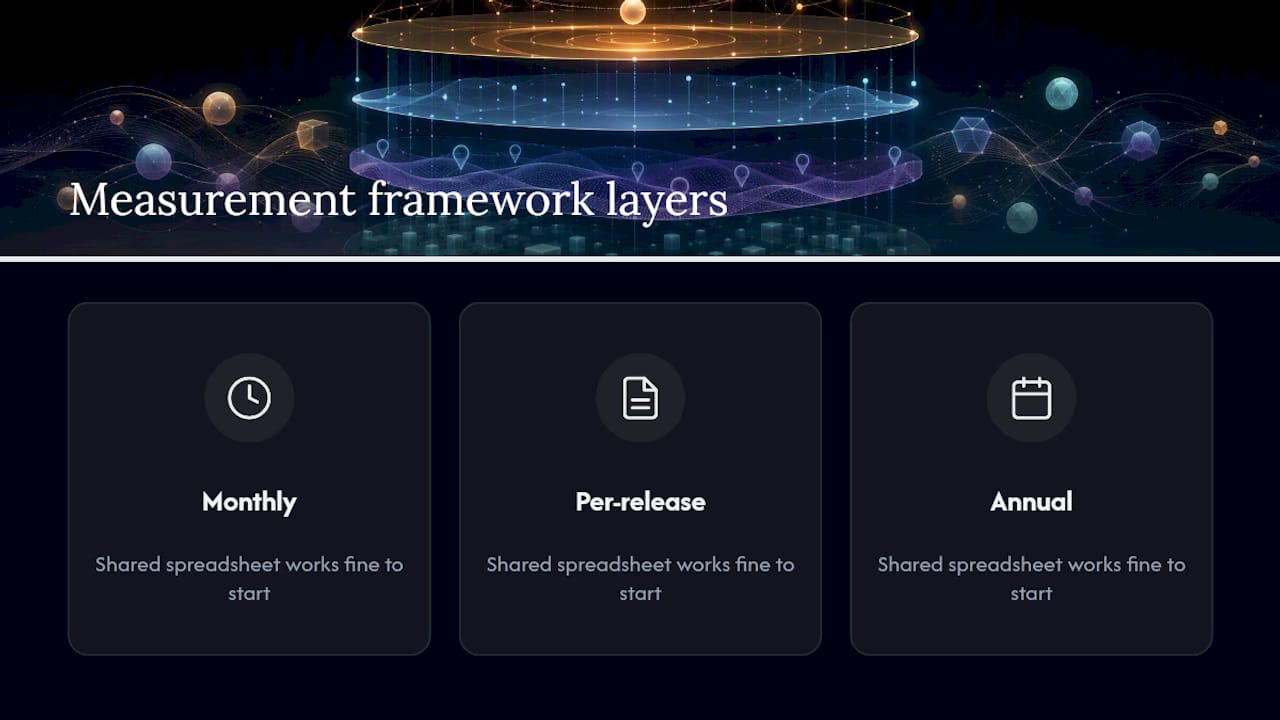
The framework has three layers: monthly, per-release and annual. None of them require specialist software — a shared spreadsheet works fine to start.
Monthly tracker fields
| Field | What to record |
|---|---|
| Total streams | All DSPs combined, this month |
| Streams by release | a selection of top tracks broken out |
| Spotify monthly listeners | Snapshot on the last day of the month |
| Spotify followers | Net change month-on-month |
| Mailing-list size | Total subscribers, net adds |
| IG/TikTok followers | Snapshot, net change |
| Direct revenue | Bandcamp, Patreon, merch — GBP total |
| Press mentions | Count of coverage pieces |
| Marketing spend | Total GBP spent on ads this month |
| Rough CPA estimate | Spend ÷ mailing-list adds |
Per-release retrospective checklist
Run this at day 28 after every release:
- First-28-day streams and source mix (algorithmic / editorial / paid / organic)
- Mailing-list growth attributable to the release window
- Direct revenue earned during the release window
- Total marketing spend for the release
- Calculate cost per stream by dividing spend by streams
- Calculate cost per mailing-list signup by dividing spend by new subscribers
Annual review
Year-on-year audience growth, total marketing spend, total revenue by channel, effective cost per fan added, and your marketing spend-to-revenue ratio. That last figure is the clearest signal of whether your campaigns are improving over time.
Centralised analytics let you filter by track, territory and time period, so when a territory shows sustained streaming growth, you can act on it quickly — localise an ad, re-pitch to a regional playlist curator, or shift budget toward that market.
For release timing that pairs with this framework, music release schedule best practices is worth bookmarking before your next campaign.
How centralising videos and ad tools speeds up your campaigns
The operational gains are concrete. Ready-to-export templates for YouTube mean you are not rebuilding the same spec from scratch each time. One-click short-clip generation turns a three-minute video into a 30-second TikTok or Instagram Reel without a separate edit session. Ad creative packaging — correct aspect ratios, approved thumbnails, compliant captions — ships from the same place.
Managing YouTube channel metadata, thumbnails and scheduling is a continuous operational task even for independent artists. Centralised asset control makes it repeatable rather than improvised.
A typical UK single release, centralised,:
- Day 1: final video approved and stored with full metadata and rights tags.
- Day 2: YouTube-ready export generated from template; short clips created in one session.
- Day 3: ad creative packaged and campaign launched with spend logged against the release tag.
- Day 28: retrospective pulled from the dashboard — streams, spend, mailing-list adds, cost per signup.
Without centralisation, each of those steps involves hunting for files, re-exporting to spec and manually reconciling spend data from three different platforms. The time saving is real, and it compounds across every release. For practical guidance on optimising your YouTube distribution workflow, the process maps directly onto this structure.
How to set up a centralised artist dashboard: a quick checklist
- Define your taxonomy. Agree on naming conventions: Release / Track / Version / Usage Rights / Campaign Tag. Every asset gets all five fields before it is approved.
- Upload core templates. YouTube export spec, short-clip aspect ratios, ad creative sizes. Make these non-optional.
- Connect your platforms. YouTube/Vevo export pipeline, social short-clip generator, email provider, ad platforms.
- Set roles and permissions. Decide who can upload, who approves exports, and who updates the monthly tracker. Permissions and approval workflows protect brand consistency and prevent licensing mistakes.
- Schedule your cadence. Initial setup: a few hours. Monthly update: 30 minutes. Quarterly review: one session. Annual deep review: half a day.
Common pitfalls when centralising video and campaign workflows
Over-reliance on platform attribution is the most expensive mistake. Ad platforms report what they can see; they cannot see the full conversion path. Log your own spend and your own first-party outcomes.
Inconsistent metadata entry breaks the whole system. If half your assets have release tags and half do not, your retrospective data is useless. Enforce mandatory fields at upload.
Poor rights tagging creates legal exposure. Every asset needs a clear licence status before it leaves the dashboard.
Version proliferation happens when teams save local copies. One master file, one approved export — no exceptions.
Pro Tip: Ad platforms sometimes apply automated creative changes — overlays, auto-added text, format adjustments — that damage a crafted music video. Before any campaign goes live, check your ad creative manually. Automated optimisation is not always your friend.
Pro Tip: Add a QA step between export and ad launch. A 10-minute check that the correct version, correct aspect ratio and correct rights status are confirmed prevents costly mistakes that are hard to reverse once a campaign is live.
How Musicvideomarketplace uses this model in practice
The typical workflow on Musicvideomarketplace runs like this: browse and licence a ready-to-edit full-length video, upload your audio and branding, export a YouTube-ready file, generate short social clips, and launch an ad campaign — all from one place. Each step maps directly onto the measurement framework above.
The platform sits naturally inside the monthly and per-release tracking structure:
- Purchase and licence logged as a production cost against the release tag.
- YouTube export and short clips generated from approved templates, with metadata pre-populated.
- Ad campaign launched with spend tracked from day one.
- Day-28 retrospective pulls streams, mailing-list growth and direct revenue against that spend figure.
Artists using this workflow report shorter turnaround times from final audio to live campaign, and cleaner data for their per-release retrospectives because every cost and every asset is tagged from the start. For guidance on repurposing video assets across formats, the same centralised approach applies.
Which centralised dashboard tools are available to UK artists?
The UK market offers several approaches, ranging from general DAM platforms adapted for music to purpose-built artist tools.
General DAM platforms (Bynder, Canto, Brandfolder) provide strong metadata, version control and permissions infrastructure. They suit labels managing large asset libraries across multiple artists, but require configuration to fit music-specific workflows.
Music-specific analytics tools aggregate DSP data, social signals and playlist tracking into a single view. Playlist monitoring tools, for example, let you track Spotify placement and territory performance — top Spotify playlist tracking tools gives a current comparison of the leading options.
Integrated video-and-campaign platforms like Musicvideomarketplace combine asset management, video export and ad launch in one place, which is the most direct fit for artists whose primary output is music video content.
The right choice depends on your asset volume, team size and whether your priority is analytics depth or campaign speed. For most independent UK artists and small labels, a purpose-built platform that handles video licensing, export and campaign launch in one workflow will outperform a general DAM that requires significant setup.
How to integrate your dashboard with marketing platforms and social channels
A centralised dashboard only delivers its full value when it connects to the platforms where your audience actually lives. The integrations worth prioritising:
YouTube and Vevo — direct export from the dashboard to your channel, with metadata (title, description, tags, thumbnail) pre-populated from the asset record. This removes the manual re-entry that causes inconsistencies.
Social short-clip generators — TikTok, Instagram Reels and YouTube Shorts each have different aspect ratio and duration requirements. A dashboard that generates all three from one source file saves hours per release.
Email provider — connect your mailing-list platform (Mailchimp, Klaviyo, or similar) so that sign-up data feeds directly into your monthly tracker. This is your most reliable first-party metric.
Ad platforms — Meta Ads Manager and Google Ads both accept direct creative uploads. The key is logging spend inside the dashboard against the release tag, so your per-release retrospective captures the full cost picture.
Automated metadata tagging, where the dashboard applies consistent tags across formats on export, reduces manual effort as your asset library grows. For audience targeting guidance that pairs with these integrations, the 2026 guide covers platform-specific segmentation in detail.
How to launch and monitor ad campaigns through your dashboard
A step-by-step walkthrough for a UK single release:
- Approve the master video in the dashboard with full metadata: release name, track title, version, rights status, campaign tag.
- Generate exports — YouTube full-length, 30-second short clip, square crop for Meta, vertical crop for TikTok/Reels.
- Package the ad creative — select the approved thumbnail, write the ad copy, confirm aspect ratios match platform specs.
- Set campaign parameters — budget in GBP, audience targeting, start and end dates, and the UTM parameters that will tie ad traffic back to your mailing-list sign-ups.
- Launch and log — record the launch date and initial spend against the release tag in your dashboard.
- Monitor weekly — check stream source mix, mailing-list adds and ad spend. If a territory shows a sustained spike, localise your targeting to that market.
- Run the day-28 retrospective — pull cost per stream, cost per mailing-list signup and direct revenue. Compare against your previous release to identify what improved.
Before launch, manually verify that the ad platform has not applied automated creative changes. Overlays or format adjustments can degrade a carefully produced music video without any notification.
Cost considerations and pricing for UK artists
Pricing in this category varies considerably by model and scale.
General DAM platforms typically charge on a per-user or storage-volume basis, with enterprise tiers running from several hundred to several thousand pounds per month. They are cost-effective for large labels with high asset volumes but disproportionate for independent artists.
Music-specific analytics subscriptions range from free tiers with limited data access to paid plans. Most independent artists find a mid-tier plan sufficient for the monthly tracking framework described above.
Integrated video-and-campaign platforms like Musicvideomarketplace operate on a per-licence or subscription model, where you pay for the video asset and the campaign tools together. This is often more cost-effective than paying separately for a video production, a DAM subscription and an ad management tool.
The most useful cost metric is not the monthly fee but the effective cost per fan added — total spend (platform fees plus ad spend) divided by net mailing-list adds over the period. That figure, tracked consistently, tells you whether the platform is earning its keep. For best practices on running music ads within a defined budget, the operational checklist there applies directly to this calculation.
The case for centralisation: an industry perspective
The conventional wisdom says artists should focus on the music and leave the data to someone else. That is reasonable advice for a major-label artist with a dedicated marketing team. For the independent UK artist or small label running their own campaigns, it is a route to wasting money on repeat mistakes.
Measurement does not need to be perfect to be useful. A monthly tracker with ten fields, updated consistently, will surface patterns that no ad platform dashboard will show you — because it captures your first-party data across every channel, not just the one where you spent money this week. The per-release retrospective is where the real learning happens: cost per stream and cost per mailing-list signup, compared release over release, tell you whether your campaigns are actually improving.
The priority for the next 30 days is simple: set up the monthly tracker, run a retrospective on your most recent release, and make sure your video assets are stored with consistent metadata before the next campaign launches.
Musicvideomarketplace: ready-made videos, exports and ad campaigns in one place
Skip the production bottleneck. Musicvideomarketplace gives UK artists and labels access to a library of human-made, ready-to-edit full-length music videos — upload your audio and branding, export a YouTube-ready file, generate short social clips, and launch an ad campaign without leaving the platform.

Every step maps onto the measurement framework in this article: production cost logged at purchase, exports tagged with release metadata, ad spend tracked from day one. The per-release retrospective practically writes itself. Browse the library and licence your next video at Musicvideomarketplace — your next release campaign can be live within days, not weeks.
Sources
- What is digital asset management (DAM)?
- Music analytics for independent artists: Turn data into growth
- Digital asset management basics — Adobe
- Digital asset management (DAM) — Shopify blog
Recommended
- Ways to increase song visibility: 2026 guide for artists | Music Video Marketplace Blog
- Label digital asset organisation checklist for UK labels | Music Video Marketplace Blog
- Promote your music online: essentials for indie artists | Music Video Marketplace Blog
- Explaining music release strategies: your 2026 guide | Music Video Marketplace Blog
Read next
 Why long-term content strategies pay off for musiciansDiscover how long-term content strategies can build your audience, increase revenue, and transform casual listeners into loyal fans.
 Benefits of video for artist acquisition: 2026 guideDiscover the benefits of video for artist acquisition. Learn how video transforms listeners into loyal fans and boosts engagement.
 Benefits of video promotion for DJs in 2026Discover the benefits of video promotion for DJs in 2026. Boost engagement, secure gigs, and turn listeners into loyal fans—start now!
 Audience targeting for musicians: your 2026 guideUnlock your music career in 2026! Discover what is audience targeting for musicians and how it drives ticket sales and engagement.
Turn the idea into a finished music video.
Drop your track into the Studio and build your visual in minutes.